Various Cook Functions
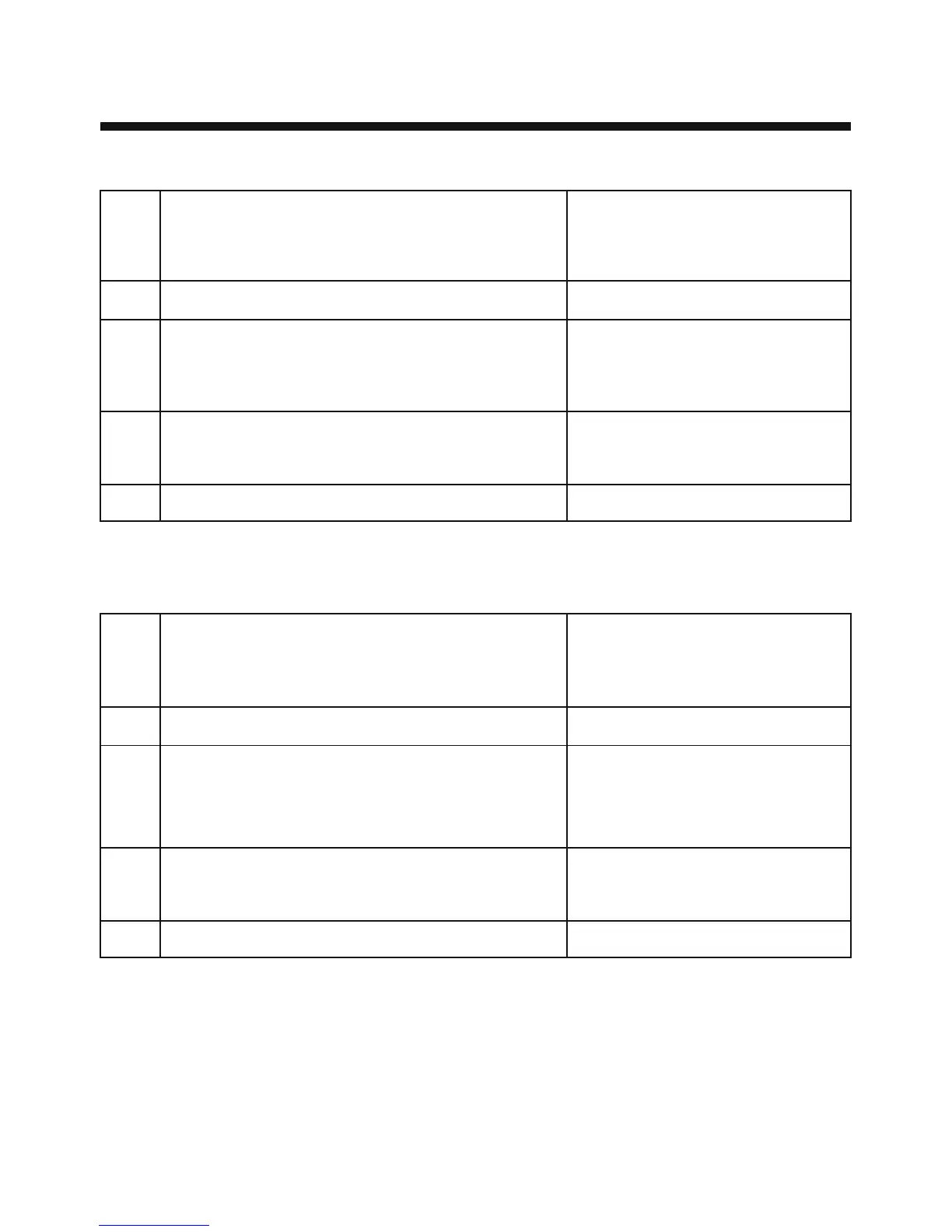
Please follow the given steps to operate cook functions (Indian Cuisine, Low Calorie, Steam Cook, Tandoor
Se, Kids’ Delight, Paneer/Curd, Tea/Dair Delight, Cooking Aid, Steam Clean) in your Microwave.
28
Indian Cuisine [IC, SC, CC], Low Calorie (HP, So, Co],
Steam Cook [St], Tandoor Se [tS], Kids Delight
[CF, CA], Paneer/Curd [PA, CU], Tea/Dairy Delight [dd]
Press Stop/Clear
Press IC (1-34), SC (1-14), CC(1-10), HP (1-16),
So (1-15), Co (1-13), St (1-10), tS (1-4), CF (1-14),
CA(1-5), PA (1-2), CU (1-2), dd (1-4) to select menu.
Press “+” / “–” to set weight (If required)
Press Start / Add 30 seconds
COOK
MODE
STEP-1
STEP-2
STEP-3
STEP-4
Cooking Aid [UC]
Steam Clean [SL]
Press Stop/Clear
Press UC (1-7) and SL (1)
to select menu.
Press “+” / “–” to set weight
(If required)
Press Start / Add 30 seconds
fofHkUudqddk;Ziz.kkfy;ka
Ñi;k vius ekbØksoso dh fofHkUu dk;Ziz.kkfy;ka (Indian Cuisine, Low Calorie, Steam Cook, Tandoor Se, Kids’
Delight, Paneer/Curd, Tea/Dair Delight, Cooking Aid, Steam Clean) dks pykus ds fy, uhps fn;s x;s pj.kksa
dk vuqlj.k djsaA
Note / fVIi.kh %
While cooking you can extend the cooking time at any point by pressing increase/decrease button. There is no
need to stop the cooking process.
tc vki Hkkstu idk jgs gksa] rks dsoy increase/decrease cVu nck dj gh le; esa ifjorZu fd;k tk ldrk gSA
Hkkstu idkus dh izfØ;k dks jksdus dh dksbZ vko';drk ugha gSA
LVkWi@Dyh;j nck,saA
esU;w pquus ds fy, IC (1-34), SC (1-14), CC(1-10),
HP (1-16), So (1-15), Co (1-13), St (1-10), tS (1-4),
CF (1-14), CA(1-5), PA (1-2), CU (1-2), dd (1-4) nck,saA
“+” / “–” oxZ pquus ds fy, nck;sa ¼t#jr iM+us ij½
Start/Add 30 Seconds LVkVZ nck,saA
dqd
QaD'kal
LVSi 1
LVSi 2
LVSi 3
LVSi 4
dqfdax ,sM (UC)
LVhe Dyhu (SL)
LVkWi@Dyh;j nck,sa
esU;w pquus ds fy,
UC (1-7) ,oa SL (1) nck,saA
oxZ pquus ds fy, “+” / “–”
nck,saA ¼t#jr iM+us ij½
Start/Add 30 Seconds LVkVZ nck,saA
bafM;u D;qt+hu [IC, SC, CC] yks dSyksjh (HP, So, Co],
LVhe dqd [St], ranwj ls [tS], fdM~l fMykbV
[CF, CA] iuhj@dMZ [PA, CU], Vh@Msjh fMykbV[dd],



 To Next Page