Need help?
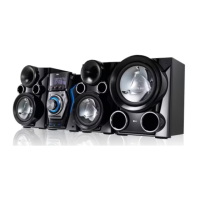
Do you have a question about the LG MCS1306F and is the answer not in the manual?
Warning about electric shock and not opening the cover.
Precautions regarding the power cord to prevent fire or electric shock.
Product classification indicating it employs a Laser System.
Proper procedure for removing batteries to prevent environmental contamination.
Statement regarding compliance with FCC rules for radio interference.
Comprehensive list of crucial safety precautions for product usage.
Highlights distinctive functionalities of the Mini Hi-Fi System.
Lists and identifies the components supplied with the unit.
Specifies compatibility requirements for MP3/WMA files and disc formats.
Details requirements and limitations for connecting USB storage devices.
Explains the functions and buttons of the remote control.
Instructions for installing batteries into the remote control.
Identifies and explains the controls and indicators on the front panel.
Identifies and explains the connectors and ports on the rear panel.
Guide on how to connect the speaker system to the main unit.
Detailed steps for physically connecting speaker wires to the unit's terminals.
Instructions for connecting external audio and video devices.
How to connect auxiliary devices like TVs or players via AUX IN.
Steps to connect portable music players using the PORT. IN jack.
How to connect the unit's audio output to another device.
Guide for connecting USB memory devices or MP3 players.
Instructions for connecting FM and AM antennas for radio reception.
Fundamental steps for operating the unit, including playback and control.
How to navigate and select music files from folders on the unit or remote.
Instructions for deleting MP3/WMA files or folders from a USB device.
How to create and play custom track sequences.
Using the mute function to temporarily silence the audio output.
Enables seamless transitions between songs for uninterrupted playback.
How to activate and adjust the 'Latin Beat' sound effect and tempo.
Shows how to view metadata (ID3 TAG) for MP3 files.
Demonstrates the unit's functions when powered off.
Function to reduce vocal presence in music for karaoke-style playback.
Connects and operates a microphone for singing along or announcements.
Steps to tune into FM or AM radio stations.
How to save favorite radio stations for quick access.
Erases all previously stored radio station presets.
Tips to enhance FM signal quality and reception.
Selects different sound field presets for enhanced audio immersion.
How to set the current time and choose between 12/24 hour format.
Allows manual adjustment of Bass, Middle, and Treble sound levels.
Configures the unit to wake you up at a set time.
Sets a delay timer for the unit to automatically turn off.
Adjusts the brightness of the unit's display window.
Connects and plays music from an iPod device.
Lists iPod models supported and potential compatibility issues.
Connects and plays audio from various portable devices or external sources.
Customizes the visual lighting effects of the unit.
Provides solutions for common problems like no power, no sound, or remote issues.
Information regarding product trademarks and software licenses.
Technical details including power, dimensions, and input/output specifications.
Technical details about the front, rear, and subwoofer speaker units.
Guidelines for maintaining the unit and handling discs.
Advice on handling, storing, and cleaning discs to ensure optimal performance.
Proper procedures for packing the unit for transport.
How to clean the unit's exterior without causing damage.
Detailed steps for cleaning the player's surfaces.
Information on internal maintenance and seeking service for worn parts.
 General
| Brand | LG |
|---|---|
| Model | MCS1306F |
| Category | Stereo System |
| Language | English |

 To Next Page