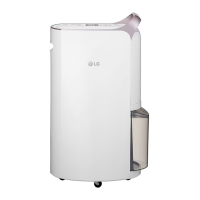
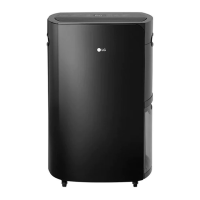
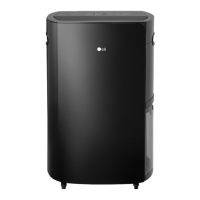
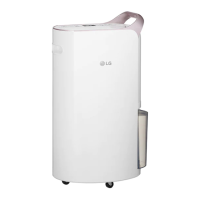
This document is an owner's manual for an LG Dual Inverter Dehumidifier, covering models MD18GQBE0 and MD17GQSE0. It provides safety precautions, usage instructions, smart functions, cleaning, storage, troubleshooting tips, and product specifications.
Function Description
The LG Dual Inverter Dehumidifier is designed to remove moisture from the air, helping to maintain a comfortable indoor environment and prevent issues like mold and mildew. It features various operation modes to suit different needs, including Smart Dehumidification, Jet Dehumidification, Silent Dehumidification, Spot Drying, and Laundry Drying. The device also incorporates an Ionizer function to remove harmful bacteria and a UVnano function to keep the fan clean.
Important Technical Specifications
- Models: MD18GQBE0, MD17GQSE0
- Power: AC 220~240V, 50 Hz for both models.
- External Dimensions (Height x Width x Depth):
- MD17GQSE0: 715 mm X 382 mm X 296 mm
- MD18GQBE0: 715 mm X 415 mm X 296 mm
- Operating Temperature: 5°C to 32°C. Below 0°C, dehumidified water can freeze, and above 32°C, the unit may stop to prevent overheating.
- Humidity Control: Can be set in units of 5% from 30% to 70%. Current humidity is displayed in units of 5% from 25% to 90%.
- UV-C Lamp: The appliance contains a UV-C lamp for cleaning the fan.
- Continuous Drainage: Requires a 16mm (inner diameter) hose, sold separately.
- Wireless LAN Module (LCW-007):
- Frequency Range: 2412 MHz - 2472 MHz
- Output Power (Max):
- IEEE 802.11b: 17.59 dBm
- IEEE 802.11g: 17.39 dBm
- IEEE 802.11n(HT20): 16.64 dBm
- IEEE 802.11n(HT40): 17.05 dBm
- Wireless function S/W version: V 1.0
- Minimum distance from body: 20 cm for installation and operation.
Usage Features
Operation Modes:
- Smart Dehumidification: Maintains user-set humidity. Default wind strength is high, but adjustable. Compressor stops when desired humidity is reached, fan continues.
- Jet Dehumidification: For quick moisture removal. Switches to Smart Dehumidification after 60 minutes. Wind strength is high.
- Silent Dehumidification: For quiet operation, suitable for nighttime. Default wind strength is low, but adjustable.
- Spot Drying: For drying specific items like shoes or closets. Louver is closed. Wind strength is high and not adjustable. Requires connecting an extension hose with a shoes drying kit or laundry drying kit.
- Laundry Drying: For continuous drying of laundry. Wind strength is high by default and adjustable. Humidity cannot be set. Louver operates up and down.
Controls and Display:
- Start/Stop Button: Starts and stops the unit.
- Operation Mode Button: Cycles through Smart, Jet, Silent, Spot, and Laundry modes. Also activates Auto Clean (3-second press).
- Ionizer Button: Activates the Ionizer function (3-second press activates Lock Function).
- Humidity Control Buttons (∧/∨): Adjusts desired humidity.
- Wind Strength Control Button: Changes wind strength (Low/High). 3-second press activates Wi-Fi pairing.
- Off Timer Button: Sets a turn-off timer from 1 to 8 hours in 1-hour increments.
- UVnano Button: Activates the UVnano function to clean the fan. 3-second press activates water tank light.
- Display Panel: Shows current/set humidity, Off timer, operation mode, Wi-Fi status, timer status, and bucket full indicator.
Additional Features:
- Defrost Operation: Automatically removes frost from the heat exchanger when indoor temperature is low, displaying 'dF'. Compressor stops during this process.
- Auto Clean: Dries the inside of the dehumidifier to prevent mold and germs. Activated by pressing the operation mode button for 3 seconds. Runs the fan for about 5 minutes.
- Bucket Full Indicator: Lights up when the water tank is full, stopping operation and sounding a buzzer.
- Lock Function: Prevents accidental button presses. Activated by pressing the Ionizer button for 3 seconds.
- LG ThinQ Application: Allows remote control, timer setting, and Smart Diagnosis via smartphone. Supports 2.4 GHz Wi-Fi networks.
Maintenance Features
Cleaning:
- Exterior and Inlet: Wipe with a soft, damp cloth. Do not spray water directly on the unit. Remove dust with a vacuum cleaner or soft brush.
- Water Tank: Periodically clean the inside (about once a week). Hold the top handle to remove, open the drain lid, pour out water, and wipe. Ensure the float is correctly assembled to prevent leakage.
- Pre-Filter: Push to the right to remove. Clean with a vacuum cleaner or soft brush. For severe contamination, wash with neutral detergent (do not use hot water above 40°C). Dry completely in the shade before reinserting. Cleaning period is 1 month.
Storage:
- Pull out the power plug.
- Completely drain and wipe the water tank.
- Clean the filter and dry it in the shade (avoid direct sunlight or fire).
- After drying for about half a day in a well-ventilated area, store upright and covered to prevent dust entry. A separate cover is not provided.
Safety Precautions:
- Do not damage, alter, or excessively bend the power cord.
- Avoid using multiple-outlet adaptors.
- Do not use if the outlet is damaged or loose.
- In case of gas leak, ventilate before use.
- Do not disassemble, repair, or modify the product.
- Keep flammable gases/materials away.
- Not for use by persons with reduced physical/mental capabilities unless supervised.
- Ensure the power plug is fully inserted.
- Do not touch the power plug with wet hands.
- If strange noise, smell, or smoke occurs, unplug and contact service.
- Avoid placing heavy objects on the power cord.
- Do not use water to clean the dehumidifier.
- Keep air inlet and outlet free from obstructions.
- Do not cover the power cord with mats.
- Keep away from fire and places where it could be splashed by water.
- Do not insert fingers or sticks into air inlet/outlet.
- Only qualified personnel should clean internal parts; avoid corrosive detergents.
- UV-C radiation can be harmful; do not operate the UV-C lamp outside the appliance.
- Do not use for purposes other than intended (e.g., preserving precision instruments).
- Ventilate frequently, especially when using combustion appliances.
- Always hold the plug head when pulling the power plug.
- Do not use excessive force when pulling the extension hose.
- Avoid using in places with chemicals.
- Turn off and unplug before cleaning.
- Do not operate without a filter.
- Do not place vases or water jars on the unit.
- Place on a safe, hard, stable surface.
- Turn off and empty the water tank before moving.
- Unplug if not used for an extended period.
- Do not use in very small spaces.
- Do not use wax, thinner, or strong detergents for cleaning.
- Avoid direct sunlight or rain.
- Do not spray foreign substances or water into the sensor hole.
- Do not use at unstable voltage for long periods.
- Do not allow children to mount the product.
- When using the extension hose for spot drying, do not move the dehumidifier by holding the hose.
- When drying laundry, prevent water from dripping onto the dehumidifier.

 Need help?
 General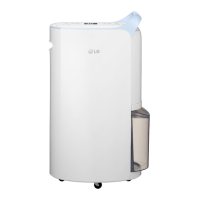

 To Next Page