EasyManua.ls Logo

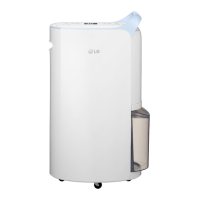
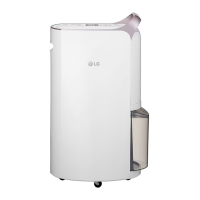
LG MD16GQSA1 - User Manual

LG MD16GQSA1
30 pages
Print Icon
To Next Page IconTo Next Page
Loading...
www.lg.com
Copyright © 2018 - 2021 LG Electronics Inc. All Rights Reserved.
MFL68026038
Rev.01_011421
OWNER’S MANUAL
DEHUMIDIFIER
Please read this manual carefully before operating your set and retain it for future
reference.
MD19GQGA1 / MD16GQSA1
ENGLISH

Questions and Answers

  • M
    Michael BlackAug 9, 2025
    Why humidity doesn't decrease with my LG Dehumidifier?
    • A
      Anthony KellyAug 9, 2025
      If humidity does not seem to decrease much even though your LG Dehumidifier is running, close the doors and windows. Ensure you are using the dehumidifier in an adequately sized room, and avoid using it simultaneously with other appliances.
  • A
    Amy FletcherAug 15, 2025
    What to do if my LG MD16GQSA1 Dehumidifier is not running?
    • J
      Jennifer JacksonAug 15, 2025
      If your LG Dehumidifier is not running, make sure to insert the power plug, check other appliances to ensure the outlet is working, install the water tank correctly, and empty the water tank if it's full. Also, press the Start button after Auto De-frost ends, and reduce the set humidity to below the room humidity.
  • A
    Andrew OrozcoAug 22, 2025
    Why is the humidity reading on my LG MD16GQSA1 incorrect?
    • C
      Chad SpenceAug 22, 2025
      If your LG Dehumidifier's humidity reading is incorrect, keep the dehumidifier away from walls and other obstructions. The display shows the humidity level in its current position, which may differ from other locations.
  • W
    woodshelleyAug 27, 2025
    How to improve dehumidification with my LG Dehumidifier?
    • M
      michael05Aug 27, 2025
      If your LG Dehumidifier isn't dehumidifying well, try selecting Smart Dehumidification or Jet Dehumidification mode. Check the target humidity setting. You can also use Laundry Drying mode. Note that reduced dehumidification is normal in winter and dry areas. Ensure there are no obstructions and that the filter is clean.
  • J
    Jessica ChavezSep 2, 2025
    Why is my LG Dehumidifier taking so long to dry laundry?
    • K
      Kenneth SmithSep 2, 2025
      If it is taking a long time to dry laundry with your LG Dehumidifier, move the unit closer to the laundry, use it in an adequately sized room, and reduce the amount of laundry.

Summary

Safety Precautions

General Safety Warnings

Highlights potential risks of death, serious injury, or property damage from incorrect use.

Installation Safety Guidelines

Safety rules for installing the appliance to prevent damage, fire, or electric shock.

Operation Safety Guidelines

Safety measures for operating the dehumidifier to prevent injury and product malfunction.

Quick Start Guide

How to Use

Basic Operation and Controls

Covers starting, stopping, and adjusting core functions like mode, humidity, and fan speed.

Spot Drying Mode and Hose Connection

Guides on using Spot Drying mode and connecting extension hoses for targeted drying of specific areas.

Laundry Drying Mode and Caution

Details using Laundry Drying mode and a caution regarding water dripping onto the unit.

Bucket Full Indicator and Water Drainage

Describes the bucket full indicator, automatic stop, and safe procedures for draining the water tank.

How to Empty the Water Tank

Provides step-by-step instructions for safely removing and emptying the dehumidifier's water tank.

Smart Functions

How to Clean

Troubleshooting Tips

Common Product Issues and Solutions

Addresses common problems like the product not running, low dehumidification, and incorrect readings with troubleshooting steps.

LG MD16GQSA1 Specifications

General IconGeneral
BrandLG
ModelMD16GQSA1
CategoryDehumidifier
LanguageEnglish

Related product manuals