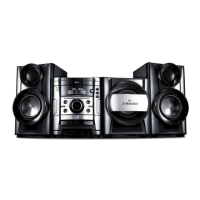
11
/\ Turn ON/ OFF.
Display window
Disc tray
- z/\\ Recording/Pauses
- ./>
REWIND or FAST FORWARD
Auto Tuning/ SCAN/ Setting clock
-
bb
/
BB
PRESET
FORWARD/ REVERSE PLAY
-
xx
Stop
USB direct recording
PRO EQ
BASS (100 Hz)/ MIDDLE (1 KHz)/
TREBLE (10 KHz)
CD OPEN
DISC SKIP
Choose a desired disc.
DUBB. Recording from tape to tape.
CD SYNC. CD to Tape Synchronized.
ST./MO. To improve the FM reception
on TUNER.
SET Confirms the settings.
(TIMER/ CLOCK/ PRO EQ)
CD II Pauses
REV. MODE
Scroll through a selection of cassette
playing options.
DEMO
In power off state to
demonstrate the function on display
window. To cancel it, press
11
/\ or
this button again.
AUX/PORT.
Auxiliary device/ Portable in.
12
11
10
9
8
7
6
5
4
3
2
1
6
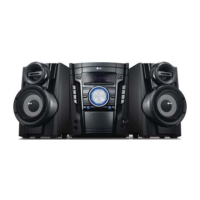
Main unit
6
7
8
Selects TUNER function.
Selects TAPE function.
Selects KARAOKE/ DVD/CD function.
Selects USB function.
PRO EQ
Volume control
Cassette Door 1, 2
TIMER
(
Use your player as an alarm clock.)
CLOCK (
See setting the Clock )
EQ./LG EQ
You can choose fixed sound
impression.
XDSS plus
Reinforce the treble, bass and sur-
round effect.
USB connector
PHONES Headphone jack
PORT. IN For connecting a portable
device and playing it through this
system’s speakers.
MIC 1, 2
ECHO VOL.
UU//uu
Adjust microphone echo volume.
MIC VOL.
UU//uu
Adjust microphone volume.
0-9 numerical buttons: Selects num-
bered options in a menu.
33
32
31
3029
28
27
26
25
2423
22
21
2019
18
17
16
15
14
13
9
1 2 43 5
10
11
12
13
14
15
16
17
18
19
20
21
22
23
24
25
26 27 28 29 30
31 32
33


 To Next Page
 Loading...