15
Convection
Cooking
If you do not set a temperature your
oven will automatically select 180 °C, the
cooking temperature can be changed by
turning Control dial.
The metal tray must be used during
convection cooking.
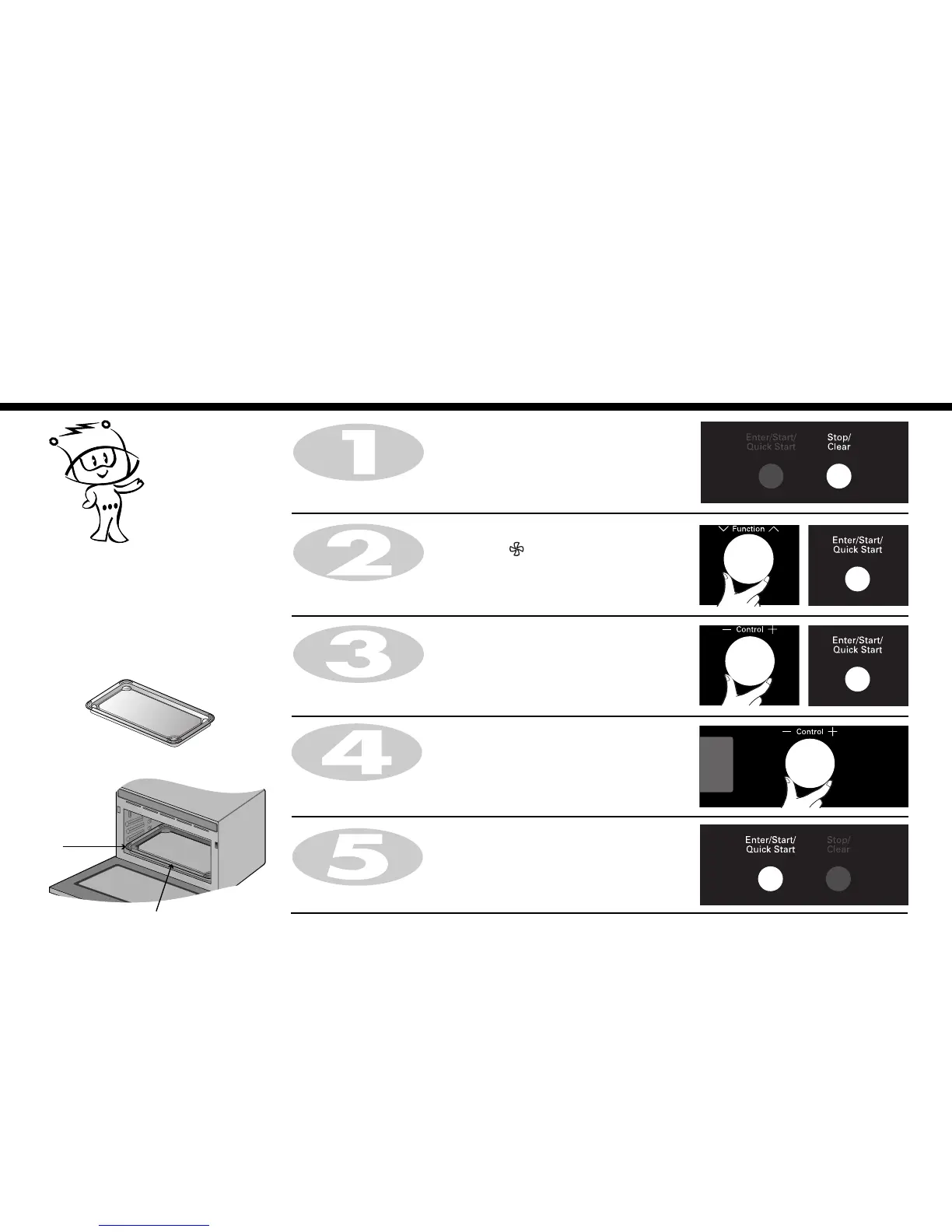
Press Stop/Clear.
Turn Control dial until display shows “50:00”.
Press Enter/Start/Quick Start.
When cooking you can increase or decrease cooking time by turning
Control dial.
Turn Control dial until display shows “230°C”.
Press Enter/Start/Quick Start for temperature confirmation.
Turn Function selection dial to select Conv.
The following indication is displayed: “ “
Press Enter/Start/Quick Start for mode confirmation.
In the following example I will show you how to preheat the oven first, then cook some food at a temperature of 230°C
for 50 minutes.
* Tray Location
Level 1
Tray



 To Next Page