1
3
4
6
5
7
8
9
10
2
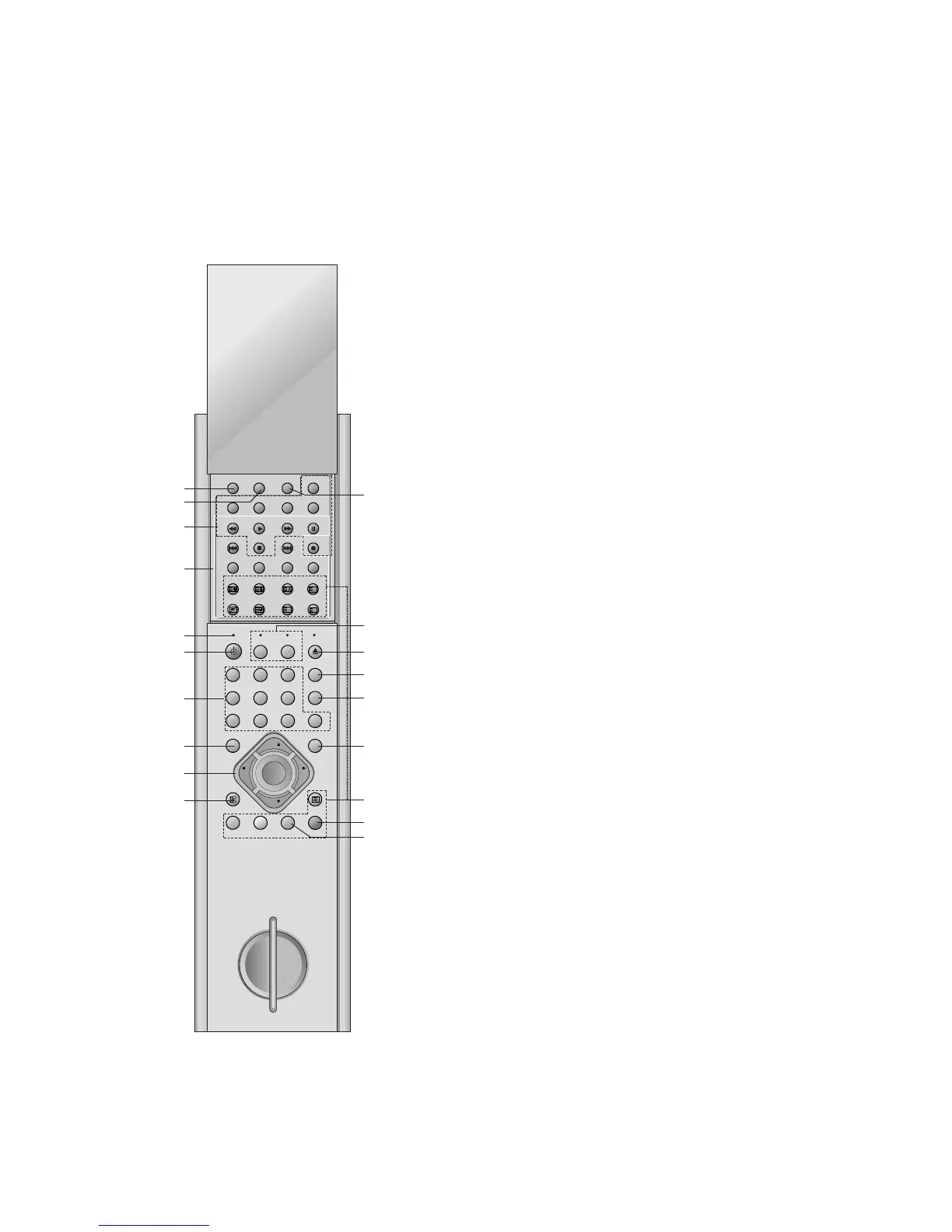
All the functions can be controlled with the Communicator.
Some functions can also be adjusted with the buttons on the front
panel of the set.
Communicator
Before you use it, please select TV, VCR or DVD function by press-
ing the TVCR or DVD buttons.
1. I/II
selects the language during dual language broadcast.
selects the sound output (option).
2. SLEEP
sets the sleep timer.
3. VCR BUTTONS
controls a LG video cassette recorder.
For further details, see the ‘VCR Operation’ section.
4. DVD BUTTONS
controls a LG DVD player.
For further details, see the ‘DVD Operation’ section.
5. RESET
When Communicator does not work, reset the Communicator
by pressing the reset point with sharp one.
6. POWER
switches the set on from standby or off to standby.
7. NUMBER BUTTONS
switches the set on from standby or directly select a number.
8. MENU
selects a menu.
9.
D
/
E
(Programme Up/Down)
selects a programme or a menu item.
switches the set on from standby.
F
/
G
(Volume Down/Up)
adjusts the volume.
adjusts menu settings.
OK
accepts your selection or displays the current mode.
10. MUTE
switches the sound on or off.
11. ARC (Aspect Ratio Control)
changes the picture format.
12. TVCR / DVD
selects to control a LG video cassette recorder or DVD player.
13. EJECT
Open or close the disc tray.
ejects the tape.
14. PSM (Picture Status Memory)
recalls your preferred picture setting.
15. SSM (Sound Status Memory)
recalls your preferred sound setting.
11
12
13
14
15
16
17
18
19



 To Next Page