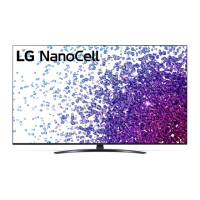
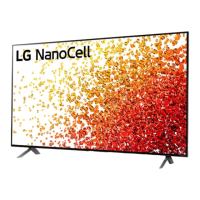
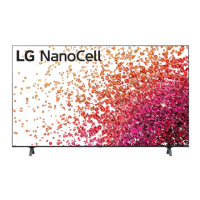
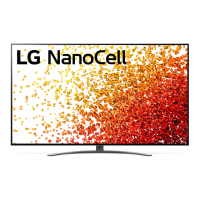
Need help?
Do you have a question about the LG NANO75 Series and is the answer not in the manual?
Locate parts for your LG TV model and attach the stand securely to the screen.
Illustrations detailing how to organize and manage cables for different TV models.
Steps for connecting power cords and other essential cables to the TV.
Diagrams showing all available input/output ports like HDMI, USB, and Antenna.
Technical details including dimensions, weight, and power requirements for various models.
Key warnings regarding optical ports, USB device compatibility, and ARC function.
This document serves as a comprehensive Quick Start Guide for the LG NANO75* series of televisions, providing essential information for setup, usage, and maintenance. It is designed to assist users in quickly getting their new LG TV up and running, covering everything from unpacking and physical assembly to connecting various external devices and understanding basic operational features.
The manual begins with an "Unpacking" section, which is crucial for the initial setup. It advises users to check the product box for all included items and accessories. In case of any missing components, users are instructed to contact the local dealer where the TV was purchased. This ensures that users have all necessary parts before proceeding with assembly. A cautionary note is included, stating that images shown in the manual may vary depending on the specific model, and illustrations may differ from the actual product and item, which is a common disclaimer for electronic device manuals.
The first major step in setting up the TV is the physical assembly, specifically attaching the stand. The guide provides clear visual instructions for different TV sizes: 70/75NANO75* and 86NANO75*. A critical safety caution is highlighted: "When attaching the stand to the TV set, place the screen facing down on a cushioned table or flat surface to protect the screen from scratches." This emphasizes the importance of protecting the delicate screen during assembly, preventing potential damage. The illustrations detail the process of securing the stand components to the TV, often involving screws and specific alignment. Cable management is also briefly touched upon, indicating designated areas or clips for organizing cables, which contributes to a cleaner and more organized setup.
Following the physical assembly, the manual delves into connecting various external devices, which is a core function of any modern TV. The guide provides detailed diagrams for different types of input and output ports, ensuring users can correctly connect their peripherals.
The manual includes diagrams illustrating the use of the remote control, a fundamental interface for interacting with the TV. These diagrams show various buttons and their functions, such as power on/off, volume control, channel selection, and accessing smart TV features. The inclusion of "5s" and "1s" next to certain button icons suggests specific press durations for certain functions (e.g., holding a button for 5 seconds for a particular action). The "LG Life's Good" logo on the remote control image reinforces the brand identity.
The guide also provides a table with dimensions and weight information for different NANO75* models (70NANO75TPZ, 70NANO75VPA, 75NANO75TPA, 75NANO75TPZ, 75NANO75VPA, 86NANO75TPA, 86NANO75TPZ, 86NANO75VPA). While specific values are provided, the general purpose of this information is to help users understand the physical footprint and weight of their TV, which is important for mounting considerations, furniture compatibility, and safe handling. The power requirement is listed as "AC 100-240 V~50/60 Hz," indicating the TV's compatibility with standard household power outlets globally.
While not explicitly detailed as "maintenance," the "Read Safety and Reference" instruction at the bottom of the manual is a crucial aspect of device care and longevity. It implies that users should consult a more comprehensive safety and reference guide for detailed information on safe operation, cleaning, troubleshooting, and other maintenance-related topics. This ensures users are aware of proper handling and care procedures to prevent damage and ensure the TV's optimal performance over time.
The note about "The Analog Gender adapter can be purchased separately at Customer Service" is a practical piece of information. It indicates that if users need to connect devices requiring an analog gender adapter (e.g., for certain AV connections), it might not be included with the TV and can be acquired separately. This helps users plan for additional accessories they might need.
Finally, the "+: Depending on model" notation throughout the manual signifies that certain features, accessories, or specific instructions may vary based on the exact NANO75* model purchased. This is a common practice in product documentation for lines with multiple variations, ensuring that the guide remains relevant across different configurations while acknowledging potential differences.
In summary, this Quick Start Guide for the LG NANO75* series is a well-structured document that efficiently guides users through the initial setup and connectivity aspects of their new television. It prioritizes clear visual instructions, essential safety warnings, and practical advice for connecting a wide array of external devices, all while hinting at the broader support available in a more detailed safety and reference manual.
 General
| Display Type | LED |
|---|---|
| Refresh Rate | 60Hz |
| Processor | α5 Gen5 AI Processor 4K |
| Smart Platform | webOS |
| HDMI Ports | 3 |
| USB Ports | 2 |
| Audio Output | 20W |
| HDMI | HDMI 2.0 |
| Bluetooth | Bluetooth 5.0 |
| Resolution | 4K (3840 x 2160) |
| HDR | Active HDR |
| Voice Assistant | Google Assistant, Amazon Alexa |
| Wi-Fi | 802.11ac |
| Screen Size | 50", 55", 65", 75" |

 To Next Page