Need help?
Do you have a question about the LG NANO80 Series and is the answer not in the manual?
Guidance on unpacking the TV and assembling its initial parts.
Step-by-step instructions for securely attaching the TV stand.
Visual guide for connecting various external audio and video sources to the TV.
Information on HDMI connections and optimizing picture with Ultra HD Deep Color.
Table showing TV physical dimensions, weight, and power requirements.
Crucial safety advice to prevent electric shock, fire, and product damage.
Recommendations for TV placement to avoid hazards from sunlight, humidity, and heat.
Guidelines for safe power cord usage and proper ventilation for the TV.
Precautions for safely grounding an outdoor antenna system to prevent electrical hazards.
Detailed instructions on proper grounding and electrical safety measures.
Safe practices for handling, replacing, and disposing of batteries.
Advice on moving the TV, cleaning methods, and protecting the screen from damage.
Tips for initial TV setup, image differences, and recommended cable specifications.
How to verify if your TV model supports the Magic Remote control.
Information on VESA standards and dimensions for compatible wall mounting kits.
Best practices for safely lifting, moving, and transporting the TV to prevent damage.
Instructions for placing the TV on a table, ensuring adequate ventilation space.
Warnings about securing the TV to prevent falls and ensure stability.
Step-by-step instructions for installing the TV using a wall mount bracket.
Guidance on attaching optional wall mount brackets and securing the TV.
Tips for managing cables and preventing dust/insects during wall mounting.
Instructions for connecting the TV to antenna and cable services.
Details on HDMI connection, supported formats, and Ultra HD Deep Color.
Information regarding USB device connections and potential issues with hubs.
Guide for connecting external devices like players, PCs, and gaming consoles.
Explanation of the TV's physical buttons for power, input, and menu control.
How to use the TV's button to access and adjust menu settings.
Instructions for replacing batteries in the Magic Remote and ensuring proper connection.
Comprehensive explanation of all buttons and their functions on the Magic Remote.
Steps for registering (pairing) and deregistering (unpairing) the Magic Remote.
Solutions for issues with remote control operation and connectivity.
Troubleshooting steps for problems related to image, sound, and unexpected power-offs.
Explanations for minor display variations like pixel issues or image retention.
Explanations for noises like cracking or humming caused by thermal changes or circuits.
Guidelines for safely cleaning the TV, emphasizing care to avoid damage or liquid entry.
Technical details regarding digital and analogue TV broadcasting standards and antenna impedance.
Specifications for the wireless LAN (Wi-Fi) and Bluetooth modules.
Specific wireless LAN and Bluetooth specifications for the NANO80* model.
Recommended environmental conditions for operating and storing the TV.
How to obtain open source code and license terms from LG Electronics.
Information regarding licenses and patents for HDMI and HEVC Advance technologies.
Critical safety warnings about TV placement to prevent tipping and injury.
Definitions and explanations of symbols used throughout the manual.
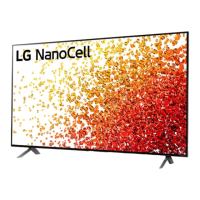
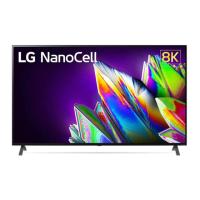
This document serves as an owner's manual for an LG LED TV, providing comprehensive instructions for its setup, operation, and maintenance. The TV utilizes an LCD screen with LED backlights, offering a modern viewing experience.
The LG LED TV is designed to display high-definition video and audio content from various external sources. It supports both digital and analogue television systems, allowing users to access a wide range of broadcast channels. The TV features multiple input ports, including HDMI, USB, LAN, and antenna/cable inputs, enabling connectivity with Blu-ray players, HD receivers, DVD players, VCRs, audio systems, USB storage devices, PCs, and gaming devices. The TV can be controlled using either its integrated button or the Magic Remote Control, which offers advanced functionalities like voice recognition and quick access to apps and settings.
The manual details the initial setup process, including unboxing, stand attachment, and connecting to power and external devices. For optimal picture and audio quality, it recommends using certified HDMI cables. The TV supports various HDMI audio formats, such as True HD, Dolby Digital, and PCM. A key feature is the "HDMI Ultra HD Deep Color" setting, which, when enabled, can enhance picture clarity for compatible devices. The TV also includes a USB port for connecting USB devices, though some USB hubs may not be compatible.
The Magic Remote Control is a central usage feature, offering intuitive navigation and control. It requires pairing with the TV and uses 1.5 V AA batteries. The remote includes number buttons for channel selection, quick access buttons for frequently used apps or Live TV, volume and channel controls, and dedicated buttons for Home, Quick Settings, and input source selection. Voice recognition is available for hands-free control, requiring a network connection. The remote also has control buttons for media content playback.
For mounting options, the TV can be placed on a table using its stand or mounted on a wall with an optional wall mount bracket. The manual provides detailed instructions and safety precautions for both methods, emphasizing proper ventilation and secure installation.
The manual provides crucial safety instructions to ensure the longevity and safe operation of the TV. It warns against electric shock, fire hazards, and physical damage. Users are advised to avoid placing the TV in environments with direct sunlight, high humidity, heat sources, or excessive dust. Proper ventilation is essential, and the TV should not be covered while plugged in.
Power cord care is highlighted, with instructions to protect it from physical abuse and to grasp the plug when unplugging. In case of damage, smoke, or other unusual odors, users are instructed to unplug the TV immediately and contact customer service. The manual also advises against modifying the product without authorization and using unapproved attachments or accessories.
For cleaning, the TV should be unplugged, and a soft, dry cloth should be used. Users are warned against spraying water or other liquids directly onto the screen and using harsh chemicals like glass cleaner, air fresheners, insecticides, or abrasive materials, as these can damage the product or its panel.
The manual addresses common troubleshooting scenarios, such as issues with remote control functionality, no image or sound display, and sudden TV shutdowns. It also explains abnormal display characteristics like "flicker" or tiny dots, clarifying that these are often normal for advanced panels and not indicative of malfunction. To prevent image sticking, users are advised to avoid displaying still images for prolonged periods.
Generated sounds, such as "cracking" noises due to thermal contraction and humming from electrical circuits, are explained as normal operational characteristics that do not affect performance or reliability. When cleaning, users are reminded to prevent liquids or foreign objects from entering the gaps between the panel and guide panel.
 General
| Smart TV Platform | webOS |
|---|---|
| Voice Assistant | Google Assistant, Amazon Alexa |
| HDMI Ports | 4 |
| USB Ports | 2 |
| Refresh Rate | 60Hz |
| Audio Output | 20W |
| Dimensions (Without Stand) | Varies by screen size |
| Weight (Without Stand) | Varies by screen size |
| Resolution | 4K Ultra HD (3840 x 2160) |
| Screen Size | 55", 65", 75" |
| Bluetooth | Bluetooth 5.0 |
| Wi-Fi | Yes |
| Smart Features | AI ThinQ, Home Dashboard |
| Display Type | NanoCell LED |
| HDR | Active HDR (HDR10 Pro, HLG) |

 To Next Page