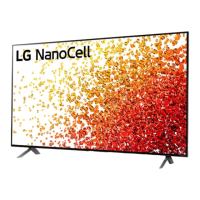
This document serves as the owner's manual for an LG LED TV, specifically models under the NAN091* series, and also covers NAN080* and NAN081* series for certain specifications. It provides comprehensive instructions for setup, usage, and maintenance, along with important safety warnings and technical specifications.
Function Description:
The LG LED TV is a display device designed for home entertainment, capable of receiving and displaying broadcast television signals (digital and analogue) and connecting to various external devices for multimedia playback. It features an LCD screen with LED backlights, offering a clear visual experience. The TV supports high-definition content and is equipped with multiple input/output ports for versatile connectivity. It can be operated via an on-device button or a Magic Remote Control, which offers advanced features like voice recognition and quick access to apps. The TV is designed for both table-top mounting and wall mounting, with specific instructions provided for secure installation in either configuration.
Important Technical Specifications:
General:
- Model Series: NAN091*, NAN080*, NAN081* (specific models like 55NAN091PNA, 49NAN080*, 55NAN080*, 65NAN080* are mentioned).
- Power Requirement: AC 100-240 V~ 50/60 Hz.
- Energy Consumption: Measured in accordance with IEC 62087; actual consumption may vary based on content and settings.
- Operating Temperature: 0 °C to 40 °C.
- Operating Humidity: Less than 80%.
- Storage Temperature: -20 °C to 60 °C.
- Storage Humidity: Less than 85%.
Dimensions & Weight (for 55NAN091PNA):
- A (Width): 1237 mm
- B (Height with stand): 786 mm
- C (Depth with stand): 263 mm
- D (Height without stand): 716 mm
- E (Depth without stand): 70.5 mm
- F (Weight with stand): 18.6 kg
- F-G (Weight without stand): 17.1 kg
Broadcasting Specifications:
- Television System:
- Digital TV: ISDB-T
- Analogue TV: NTSC-M
- Program Coverage:
- Digital TV: UHF
- Analogue TV: VHF, UHF, CATV
- Maximum Number of Storable Programs: 3000 (for ISDB-T & Analogue TV).
- External Antenna Impedance: 75 Ω.
- ULTRA HD Broadcasting: This TV cannot receive ULTRA HD broadcasts directly in locations not supported with ULTRA HD broadcasting.
Wireless Module (LGSBWAC02 / LGSBWAC92) Specifications:
- Wireless LAN (IEEE 802.11a/b/g/n/ac):
- Frequency Range: 2400 to 2483.5 MHz, 5150 to 5725 MHz, 5725 to 5850 MHz.
- Output Power (Max.): 18.5 dBm (2400-2483.5 MHz), 17 dBm (5150-5725 MHz), 18.5 dBm (5725-5850 MHz).
- Bluetooth:
- Frequency Range: 2400 to 2483.5 MHz.
- Output Power (Max.): 8.5 dBm.
- Installation Note: For user consideration, this device should be installed and operated with a minimum distance of 20 cm between the device and the body.
Connectivity:
- HDMI: Supports True HD (48 kHz), Dolby Digital / Dolby Digital Plus (32 kHz / 44.1 kHz / 48 kHz), PCM (32 kHz / 44.1 kHz / 48 kHz / 96 kHz / 192 kHz). Features "HDMI Ultra HD Deep Color" setting for enhanced picture quality (On: Support 4K @ 50/60 Hz (4:4:4, 4:2:2, 4:2:0); Off: Support 4K @ 50/60 Hz (4:2:0)). Specific models (e.g., NAN080*) have different support for 4K @ 100/120 Hz.
- USB: USB 2.0 support. USB cables/devices should have bezels less than 10 mm thick and 18 mm width.
- Antenna/Cable In: RF cable (75 Ω).
- Optical Digital Audio Out.
- LAN.
- AV In.
- Component In.
- Audio Out/H/P Out.
Wall Mounting Bracket (VESA Standard):
- 49NAN080 / 55NAN080:** VESA (A x B) 200 x 200 mm, M6 screws, 4 screws. Compatible brackets: LSW240B, MSW240.
- 55NAN091 / 65NAN080:** VESA (A x B) 300 x 300 mm, M6 screws, 4 screws. Compatible brackets: OLW480B.
Usage Features:
Setup and Installation:
- Table-top Mounting: Requires a minimum 10 cm space from the wall for proper ventilation.
- Wall Mounting: Requires removal of the stand. VESA standard mounting interface is used. It is recommended to cover the stand hole with tape to prevent dust/insects. All cables should be connected before installing fixed wall mounts.
- Securing TV to the Wall: Eye-bolts or TV brackets and bolts are used on the back of the TV, connected to wall brackets with a sturdy rope to prevent overturning.
- Initial Setup: The TV may take a few minutes to initialize when turned on for the first time.
Connectivity and External Devices:
- Connecting Devices: Instructions for connecting various external devices like Blu-ray players, HD receivers, DVD players, VCRs, audio systems, USB storage devices, PCs, and gaming devices.
- HDMI Cable: Use certified cables with the HDMI logo (Ultra High Speed HDMI®/T™ cable, 3 m or less recommended).
- USB Devices: Connect directly to the TV's USB port if a USB Hub causes detection issues.
- Antenna/Cable: Use a signal splitter for multiple TVs; a signal amplifier may be needed for poor image quality. Realign antenna if necessary.
Operation:
- On-Device Button: Simple operation for power on/off, input source change, volume adjustment, and channel scrolling.
- Magic Remote Control (MR20GA):
- Pairing: Insert batteries (1.5 V AA, matching +/- ends), point at the TV, and press the Wheel (OK) button.
- Deregistering: Press (BACK) and (HOME) buttons simultaneously for five seconds.
- Features: Number buttons, Quick Help, DASH, saved channels list, More Actions, QUICK ACCESS (customizable app/Live TV shortcuts), AD/SAP (audio descriptions), volume control, MUTE (also for Accessibility menu), channel scrolling, Voice recognition, Home menu, Quick Settings, Wheel (OK) for menu selection, up/down/left/right buttons for navigation (pointer disappears when pressed), BACK (returns to previous level, clears on-screen displays), GUIDE (program event scheduler), Streaming Service buttons, INPUT (changes input source, Home Dashboard), Control buttons for media content.
- Battery Replacement: Message displayed when low; replace batteries matching +/- ends.
- Menu Navigation: Access and adjust menus using the on-device button or Magic Remote.
- User Guide: Embedded in the product, accessible via Home menu → [Support] → [User Guide].
Safety and Handling:
- Lifting and Moving: Requires 2 or more people for larger TVs. Hold the top and bottom frame firmly, avoiding transparent parts, speakers, or speaker grill. Screen should face away from the user. Avoid jolts, excessive vibration, tilting, or excessive pressure on the panel.
- Power Cord: Protect from physical abuse, ensure secure connection, grasp the plug when unplugging.
- Ventilation: Install in a properly ventilated space, avoid confined areas, carpets, or blocking openings.
- Children Safety: Prevent children from climbing or clinging to the TV.
- Outdoor Antenna: Grounding precautions for outdoor antennas near power lines.
Maintenance Features:
Cleaning:
- Screen: Unplug power cord. Wipe gently with a soft/dry cloth. Do not spray water or liquids directly on the TV. Do not use chemicals like glass cleaner, air fresheners, insecticides, lubricants, wax, abrasive cleaners, thinner, benzene, or alcohol, as they can damage the product/panel.
- General: Ensure no liquid or foreign objects enter the gap between the panel and guide panel. Wring excess water/cleaner from cloth before wiping. Spray cleaner onto a dry cloth, not directly onto the screen.
Troubleshooting:
- Remote Control Issues: Check remote sensor, obstacles, battery installation (+ to -, - to +).
- No Image/Sound: Check power (on, cord connection, wall outlet), other products on the same outlet.
- Sudden Turn-Off: Check power control settings, auto-off function, inactivity (TV turns off after 15 minutes without signal).
- No Signal (PC/HDMI): Turn TV off/on, reconnect HDMI cable, restart PC.
- Abnormal Display:
- Flicker: Normal if product feels cold when turned on.
- Tiny Dots (black, red, blue, green): Normal for advanced panels with millions of pixels, not a malfunction.
- Brightness/Color Variation: May occur depending on viewing position due to panel characteristics, not a malfunction.
- Image Sticking: Avoid displaying still images for prolonged periods.
Generated Sound:
- "Cracking" Noise: Normal plastic thermal contraction due to temperature/humidity changes.
- Electrical Circuit Humming/Panel Buzzing: Low-level noise from high-speed switching circuits, varies by product, does not affect performance.
Safety and Reference:
- Grounding: For TVs with three-prong AC plugs, ensure connection to a three-prong grounded AC outlet.
- Foreign Objects: Do not insert metallic or inflammable objects. Unplug and contact service if foreign objects enter.
- Damaged Product: Unplug immediately and contact service if damaged, water/substance enters, smoke/odors detected, or during lightning storms.
- High Voltage Equipment: Avoid using near the TV.
- Modifications: Do not modify the product without written authorization from LG Electronics.
- Authorized Accessories: Use only LG-approved attachments/accessories.
- Batteries: Store safely away from children. Do not short circuit, disassemble, overheat, or dispose of in fire. Replace with correct type to avoid fire/explosion. Dispose of according to local regulations.
- Unstable Location: Never place TV in an unstable location. Use recommended cabinets/stands, ensure TV is not overhanging, anchor furniture/TV if tall, avoid placing on cloth/materials that can shift. Educate children about climbing dangers.

 Need help?

 To Next Page
 General