Need help?
Do you have a question about the LG NANO77 Series and is the answer not in the manual?
Details model name, suffix, part number, and revision.
Specifies page count, folding status, trim sizes, and bindery.
Outlines cover and inner page color, paper type, and weight.
Covers coating, Thomson treatment, sub-material, and languages.
Illustrates folding steps, barcode placement, and dimensional views.
Provides LG website and specific part number for the product.
Copyright notice and country-specific model name mappings.
Notes on RoHS compliance and specific ink restrictions.
Records changes to the document with revision number, date, and description.
Lists compatible NANO TV models for this quick start guide.
Instructions for unpacking and verifying included accessories.
Detailed visual guide for attaching the TV stand to the unit.
Visual representation of all audio, video, and data connection ports.
Illustrates icons related to remote control functions and smart features.
Table detailing physical dimensions and weight for various models.
Specifies the voltage and frequency requirements for the TV.
Details VESA mount patterns and screw sizes for wall mounting.
References safety guidelines and availability of accessory adapters.
This document provides a comprehensive guide for the setup, usage, and maintenance of an LG NanoCell TV, specifically covering models such as the 50NANO75SQA, 55NANO73SQA, 55NANO75SQA, 55NANO77SQA, 65NANO73SQA, 65NANO75SQA, and 65NANO77SQA. The manual is designed to assist users from the initial unboxing to advanced connectivity and wall-mounting procedures.
The LG NanoCell TV is a sophisticated display device designed for high-quality visual and audio entertainment. Its primary function is to display video content from various sources, including broadcast television, streaming services, and external media devices. The TV integrates advanced display technology to deliver vibrant colors and sharp images, enhancing the viewing experience. It supports a wide range of input options, allowing for versatile connectivity with other electronic devices. The inclusion of smart features enables access to online content and applications, transforming the TV into a central hub for digital entertainment. The remote control facilitates intuitive navigation and control over all TV functions, ensuring ease of use for all users.
The manual details several key usage features, starting with the unboxing process. Users are guided through carefully removing the TV and its accessories from the packaging, with illustrations showing how to handle different screen sizes. The initial setup involves attaching the stand, which is crucial for stable placement. The manual provides clear steps for securing the stand to the TV, emphasizing the importance of placing the screen face down on a cushioned surface to prevent scratches. Different stand assembly methods are shown for various models, ensuring that users can correctly set up their specific TV.
Connectivity is a major aspect of the TV's functionality. The device offers multiple input ports to accommodate a variety of external devices:
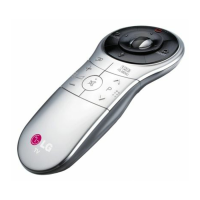
The remote control is an integral part of the user experience. The manual illustrates how to insert batteries into the remote and provides a visual guide to its basic functions, including power on/off, volume control, channel selection, and smart TV navigation. The remote's intuitive design ensures that users can easily access all features of the TV.
For users who prefer wall-mounting, the manual provides detailed instructions and specifications. It outlines the compatible VESA mounting patterns and screw sizes (M6) for different TV models, ensuring that users select the correct wall mount for their device. The wall-mounting process is depicted with step-by-step diagrams, showing how to attach the wall mount bracket to the TV and then secure it to the wall. This feature allows for flexible placement options, optimizing viewing angles and saving space.
The TV also supports an Analog Gender adapter, which can be purchased separately from Customer Service. This adapter extends connectivity options for specific legacy devices, further enhancing the TV's versatility.
The manual includes important maintenance and safety guidelines to ensure the longevity and safe operation of the LG NanoCell TV.
These maintenance and safety features, along with the detailed setup and usage instructions, ensure that users can enjoy their LG NanoCell TV safely and efficiently for an extended period. The comprehensive nature of the manual makes it an indispensable resource for maximizing the functionality and lifespan of the device.
 General
| Display Type | NanoCell |
|---|---|
| Refresh Rate | 60Hz |
| Processor | α5 Gen5 AI Processor 4K |
| Smart TV Platform | webOS |
| HDMI Ports | 3 |
| USB Ports | 2 |
| AI Upscaling | Yes |
| Wi-Fi | Yes (Wi-Fi 5) |
| Ethernet | Yes |
| Audio Output | 20W |
| Resolution | 4K UHD (3840 x 2160) |
| HDR | HDR10, HLG |
| Voice Assistants | Google Assistant, Alexa |
| Bluetooth | Bluetooth 5.0 |

 To Next Page