MS- E10 User Guide
Due to our policy of continuous product innovation, some specifications may change without notification.
©LG Electronics U.S.A., Inc., Englewood Cliffs, NJ. All rights reserved. “LG” is a registered trademark of LG Corp. 67
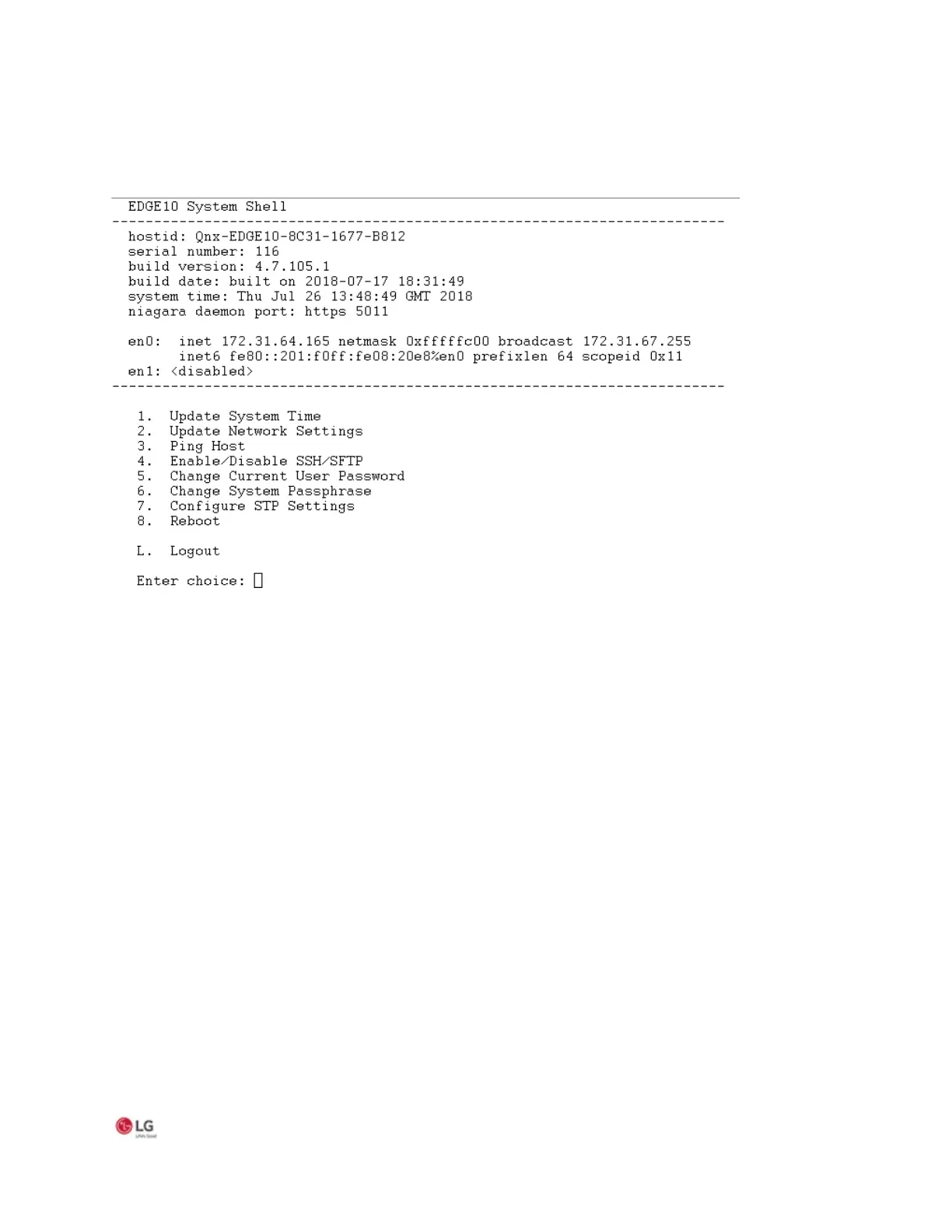
Following is an example of the system shell menu.
Figure 39: System shell menu (serial shell or Telnet access)
To select a menu option, type the associated number (1 to 9) or “L” for logout, then press Enter. For example,
• type 2 (Update Network Settings) to recover IP access, or to set the IP settings of a new MS-E10 device.
• type 6 (Change System Passphrase) to change the system passphrase of the unit. You might do this if swapping in a
microSD card from a previously configured unit, in order to change the passphrase of the unit to match the passphrase
that is already stored on the SD card
.


 To Next Page