MS- E10 User Guide
Due to our policy of continuous product innovation, some specifications may change without notification.
©LG Electronics U.S.A., Inc., Englewood Cliffs, NJ. All rights reserved. “LG” is a registered trademark of LG Corp. 68
Update Network Settings
Use system shell menu option ‘2’ to access most of the same IP networking options available in the Commissioning Wizard step
“TCP/IP configuration”. When selected, you are prompted for each setting sequentially, starting with hostname (as shown below).
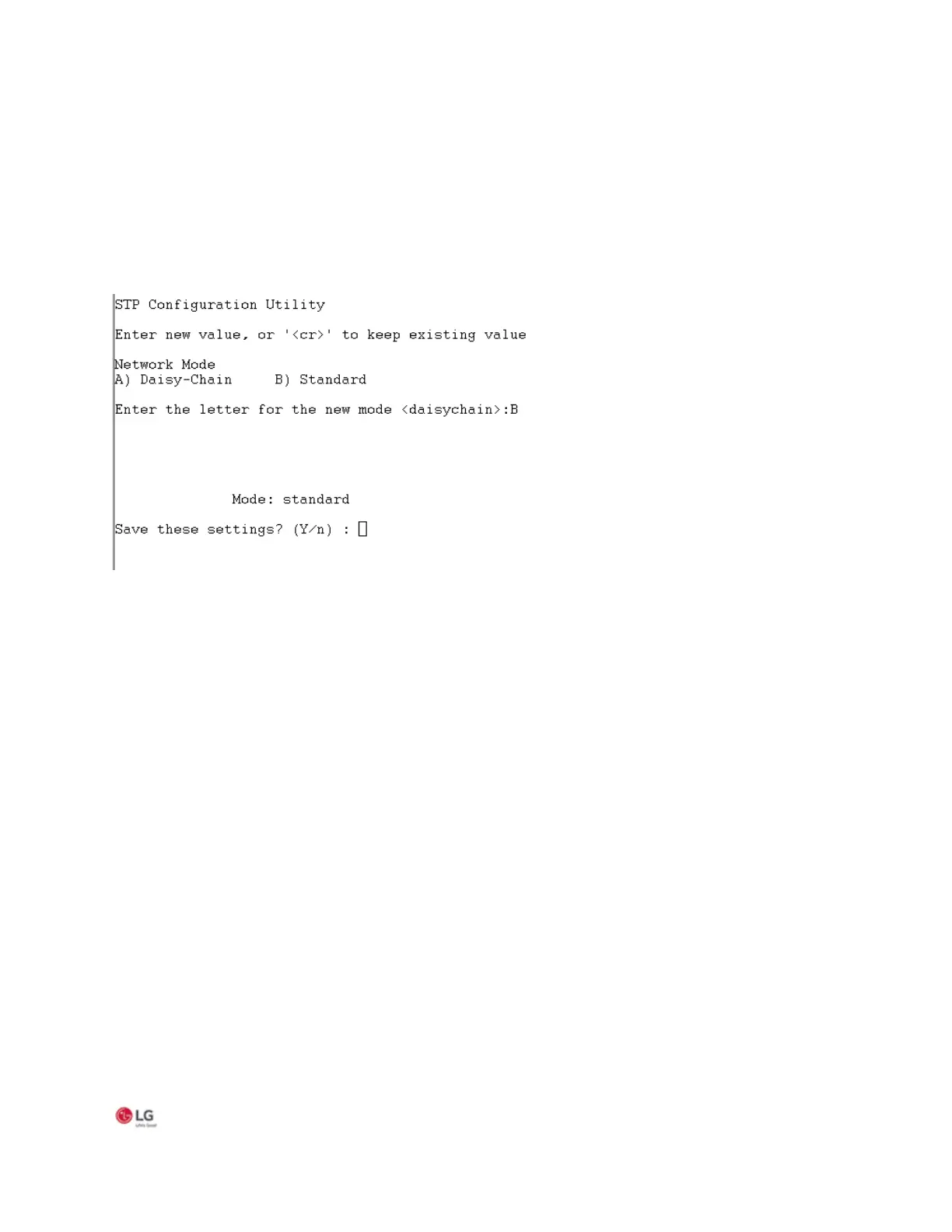
Use system shell menu option ‘7’ to access the spanning tree protocol (STP) configuration settings to choose either standard or
daisy chain network link mode. Selecting option 7 opens the following window:
Figure 40: System shell STP Configuration Utility
Note:
If you intend to use the secondary Ethernet port on the MS-E10 device you must first configure the device for Standard network
link mode.


 To Next Page