Additional Information
Specifications
Power Requirements
Refer to the main label on
the unit.
Power Consumption
Refer to the main label on
the unit.
Networked standby : 0.5 W
(If all network ports are
activated.)
Dimensions (W x H x D)
Approx. 330.0 mm x
716.0 mm x 318.0 mm
Bus Power Supply (USB)
5 V 0 500 mA
Amplier
(Total RMS output power)
500 W RMS
Design and specications are subject to change without
notice.
Caution
y Connect the power cord to wall outlet directly if
possible. Or when you use an extension cable, it is
highly recommended to use an extension cable of 110
V / 15 A or 230 V / 15 A, otherwise the unit may not
operate properly because of the lack of power supply.
y Do not overload the extension cord with excessive
electrical load.
How to disconnect the wireless network
connection or the wireless device
Turn off the unit by pressing the power button for more
than 5 seconds.
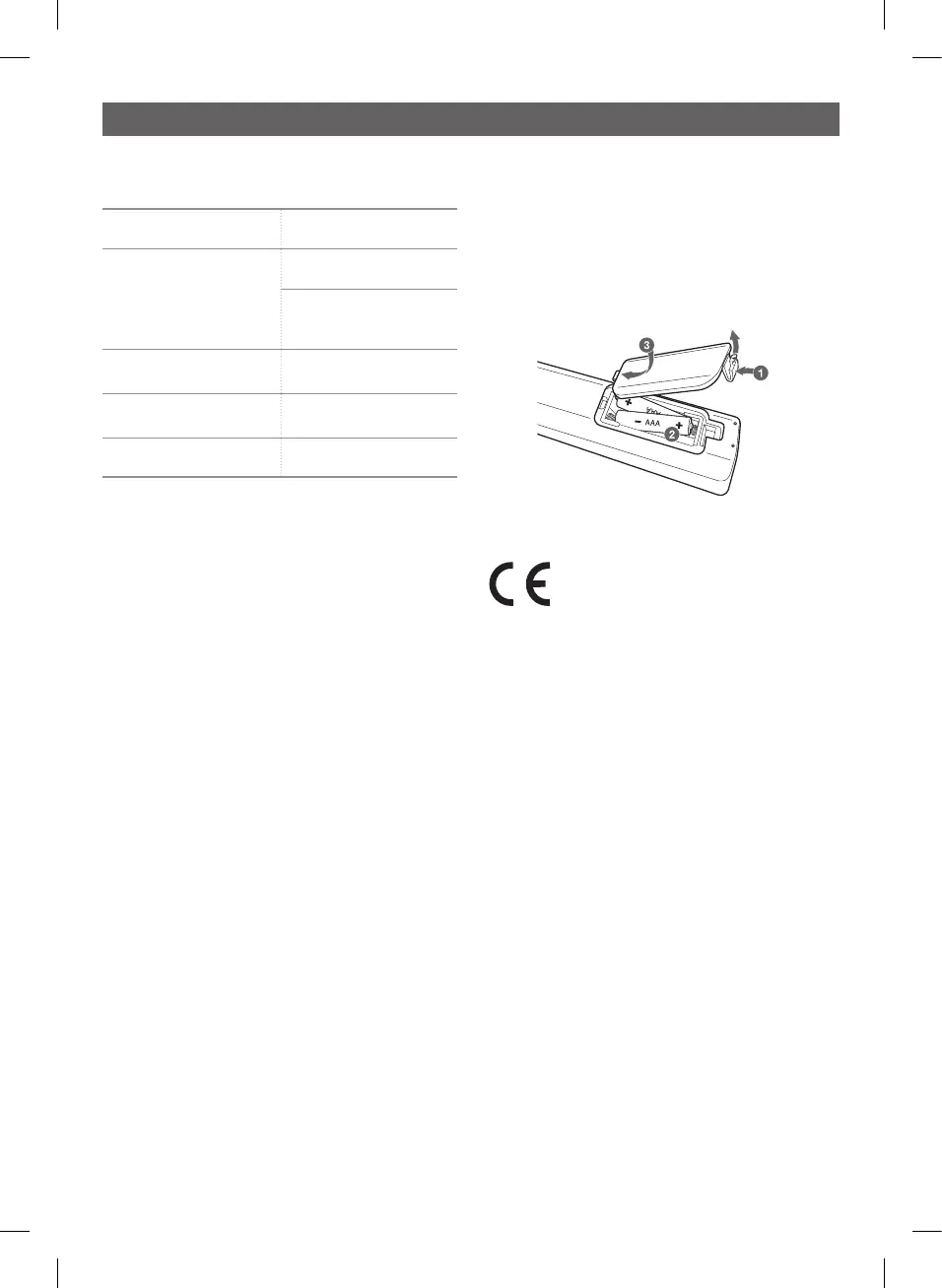
Replacement of battery
Declaration of Conformity
Hereby, LG Electronics declares that the radio equipment type MINI HI-
FI AUDIO is in compliance with Directive 2014/53/EU. The full text of
the EU declaration of conformity is available at the following internet
address:
http://www.lg.com/global/support/cedoc/cedoc#
For consideration of the user, this device should be installed and
operated with a minimum distance of 20 cm between the device
and the body.
OK55-FB.DCISLLB_SIM_ENG_MFL69451270.indd 4 2021-08-23 8:17:30


 To Next Page