WebOS22 New feature: Family Care
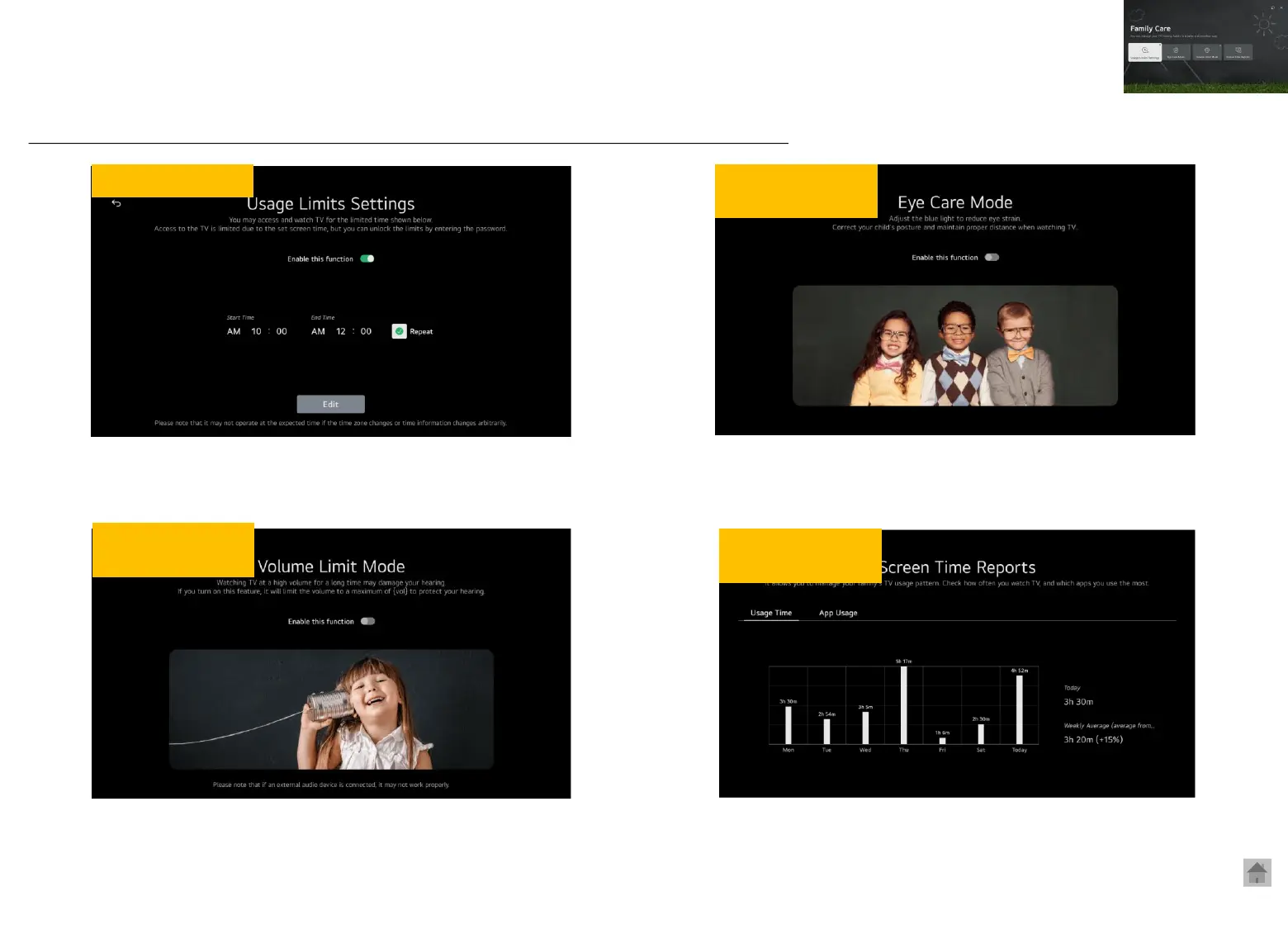
Set screen time
- You can only watch TV for the available screen time.
- After the screen time is over, the password window will pop up, making it unable
to watch TV.
(If you don’t enter the password within 2 minutes, the power will turn off)
Eye protection
mode
Ear protection
mode
Screen time
analysis
- This is a function that reduces blue light to prevent eye fatigue and
vision loss when watching TV.
* This is not function that automatically turns off TV when you get close to the screen
- It sets a maximum volume limit to protect your hearing.
- Even if your child presses the remote control mistakenly, the
volume won’t go above 60.
- The usage of screen time shows in a bar graph
- It provides not only total TV screen time, but also daily/ weekly
screen time for each app.
※ All functions on the Family Care app operate on a device-by-device basis regardless of login status
◎ Access: Settings> General> Family Car



 To Next Page