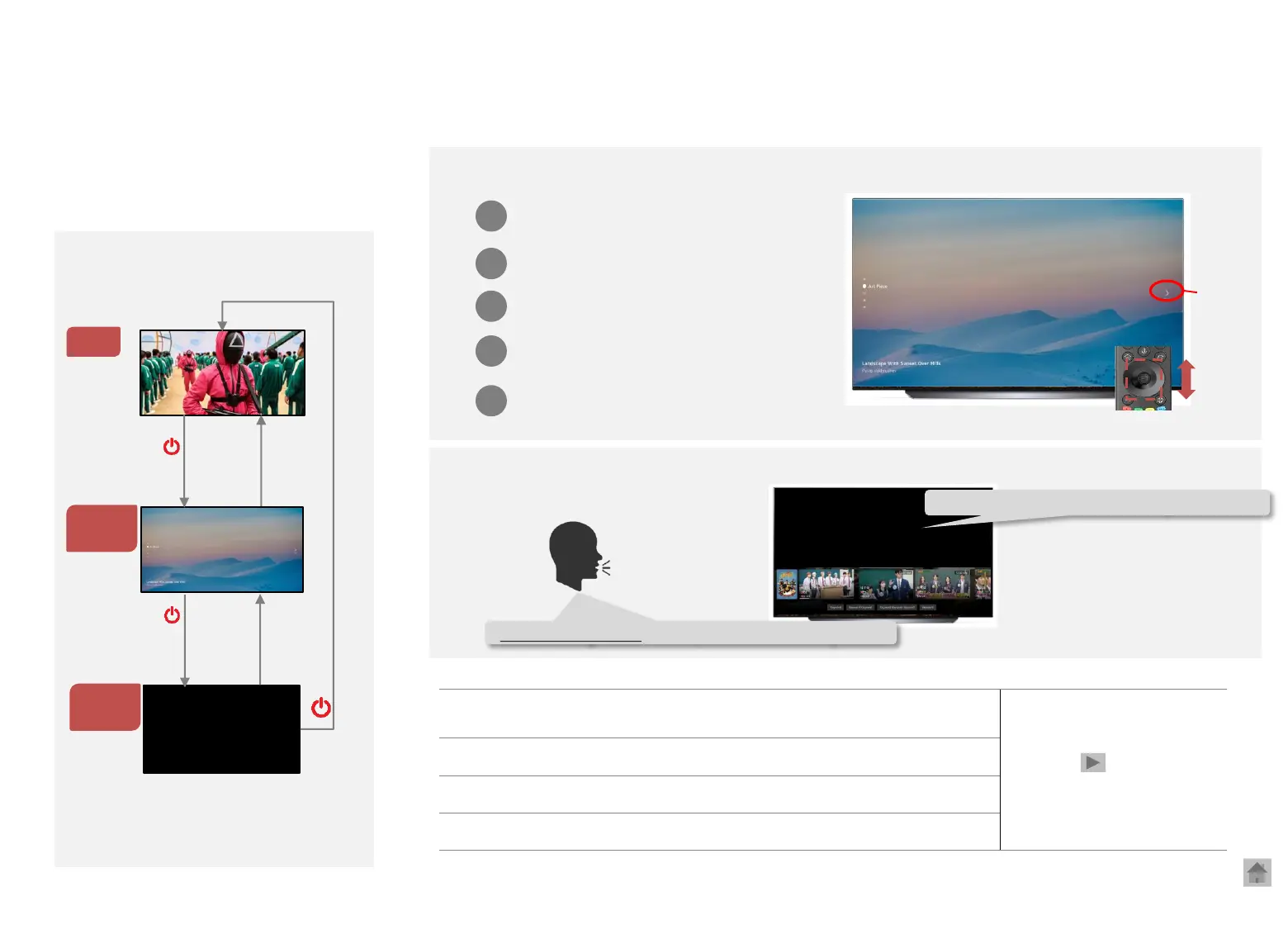
WebOS22 New Feature: Always Ready
◎ Access: Settings> General> Standby Mode
Use your TV as AI speaker and art frame when not in use
TV ON
Background
Mode
How it operates
Back
* The standby mode can be turned off in General
Standby
Mode
OK
Initial settings: Off: When power OFF after an initial installation, a message pops up three times
(After that, no message appears)
※ To enter Background Mode, the TV must be
turned on using Artificial Intelligence (AI)
remote control
Background Mode
1
2
3
4
5
Art gallery
(7 themes)
Movements
(Video Clips)
Photo (at least 16 photos
need to be registered)
(USB/ LG ThinQ app)
Music
(USB, BT sharing)
Clock
(Time & Weather)
Use the wheel or top/bottom arrow keys to switch themes
Or
when the background
mode is over
Standby Mode: Voice recognition available
Voice recognition : Hi LG, what is trending now?
Here is the latest trending content.
Option



 To Next Page