EasyManua.ls Logo

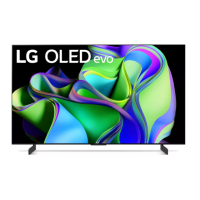
LG OLED42C3 Series - User Manual

LG OLED42C3 Series
77 pages
Print Icon
To Next Page IconTo Next Page
Loading...
P/NO : MFL71991221 (2212-REV00)
CHASSIS : E*31C
MODEL : OLED42C3***
CAUTION
BEFORE SERVICING THE CHASSIS, READ THE SAFETY PRECAUTIONS IN THIS MANUAL.
OLED TV
SERVICE MANUAL
Copyright © 2023 LG Electronics Inc. All rights reserved. Only training and service purposes.
Any reproduction, duplication, distribution (including by way of email, facsimile or other electronic means),
publication, modification, copying or transmission of this Service Manual is STRICTLY PROHIBITED unless you
have obtained the prior written consent of the LG Electronics entity from which you received this Service Manual.
The material covered by this prohibition includes, without limitation, any text, graphics or logos in this Service
Manual.

Questions and Answers

  • C
    Christopher GutierrezJul 29, 2025
    What to do if my LG OLED42C3 OLED TV has vertical or horizontal bars, residual image, light spot, or external device color error?
    • O
      olsonheatherJul 30, 2025
      If your LG OLED TV shows vertical or horizontal bars, a residual image, a light spot, or an external device color error, first check the color condition by input. If the issue persists, replace the Main/T-con Board.
  • S
    sarabryantAug 6, 2025
    What to do if there is no video but normal audio on my LG OLED TV?
    • A
      Alexander RichardsonAug 6, 2025
      If you have normal audio but no video on your LG OLED TV, check whether all the cables between the boards are properly inserted. Also, check the Power Board for normal voltage. If these steps don't resolve the issue, consider replacing the T-con/Main Board or repairing the Power Board or its parts.
  • V
    vmckinneyAug 13, 2025
    What to do if there is no video and no audio on my LG OLED42C3?
    • E
      Erica Colon DVMAug 13, 2025
      If there is no video and no audio on your LG OLED TV, check the various voltages of the Power Board (20V, 12V, etc.). If necessary, replace the Power Board and repair its parts.
  • C
    combslydiaAug 20, 2025
    What to do if my LG OLED42C3 picture is broken or freezing?
    • K
      Kayla MasseyAug 21, 2025
      If your LG OLED TV picture is broken or freezing, first check the RF signal level. Also, verify if other equipment is causing the problem. Consider a software upgrade. If the issue persists, it may be necessary to replace the Main Board. You may also need to contact your signal distributor or broadcaster (Cable or Air).

Summary

SAFETY PRECAUTIONS

General Guidance

Provides general instructions for safe servicing procedures.

Leakage Current Cold Check

Procedure to check AC leakage current with the unit unplugged.

Leakage Current Hot Check

Procedure to check AC leakage current with the unit powered on.

SERVICING PRECAUTIONS

General Servicing Precautions

Essential safety rules to follow before and during servicing.

Electrostatically Sensitive (ES) Devices

Guidelines for handling components sensitive to static electricity.

General Soldering Guidelines

Recommended techniques and materials for soldering electronic components.

SPECIFICATION

Application range

Defines the TV models and regions this specification applies to.

Requirement for Test

Outlines the conditions and standards for testing TV components.

Test method

Details the methodologies used for TV performance and safety testing.

Model General Specification

Lists general specifications for different regional models and broadcasting systems.

External Input Support Format

HDMI input(DTV)

Specifies supported DTV formats via HDMI input, including resolution and frequency.

SOFTWARE UPDATE

USB DOWNLOAD

Instructions for updating TV software using a USB storage device.

NSU DOWNLOAD

Instructions for updating TV software via network connection.

BLOCK DIAGRAM

EXPLODED VIEW

WIRING DIAGRAM

ASSEMBLY; DISASSEMBLY GUIDE

Rear Cover Disassembly Guide

Step-by-step instructions for removing the rear cover of the TV.

TROUBLE SHOOTING GUIDE

A. Video error

Troubleshooting steps for various video-related issues like no video or picture distortion.

B. Power error

Troubleshooting steps for power-related problems such as no power or intermittent power.

C. Audio error

Troubleshooting steps for audio issues like no sound or distorted audio.

D. Function error

Troubleshooting steps for operational failures of remote control, Wi-Fi, or other functions.

E. Noise

Diagnosing and resolving issues related to circuit or mechanical noise.

F. Exterior defect

Guidance on identifying and addressing physical or cosmetic damage to the TV.

Guide to inspecting parts for symptoms of no power; no screen

Appendix. How to check for OLED TV module defects

LG OLED42C3 Series Specifications

General IconGeneral
Screen Size42 inches
Display TypeOLED
Refresh Rate120 Hz
Smart TVYes
HDMI Ports4
Operating SystemwebOS
USB Ports3
EthernetYes
Voice AssistantsGoogle Assistant, Amazon Alexa
Resolution3840 x 2160 (4K UHD)
HDR SupportDolby Vision, HDR10, HLG
BluetoothYes
Wi-FiYes
Audio Output40W

Related product manuals