CIC Guide
Inquiry &
Reason
■ Inquiry: A customer wanted to send/receive the TV screen connected to the set-top box using the Room-to-Room function, but a
message that says ‘Set the universal remote control’ pops up.
■ Reason: Unable to install IR Blaster properly.
Caution &
Explanation
1) To send/receive an external TV screen using the room-to-room function, IR Blaster must be connected to the TV.
2) If IR Blaster is not connected, the set-top TV screen cannot be sent/received.
(If there is no IR Blaster available, it is impossible to use other functions such as changing TV channels even after sending the set-top TV
screen.)
Customer
Service
Guide
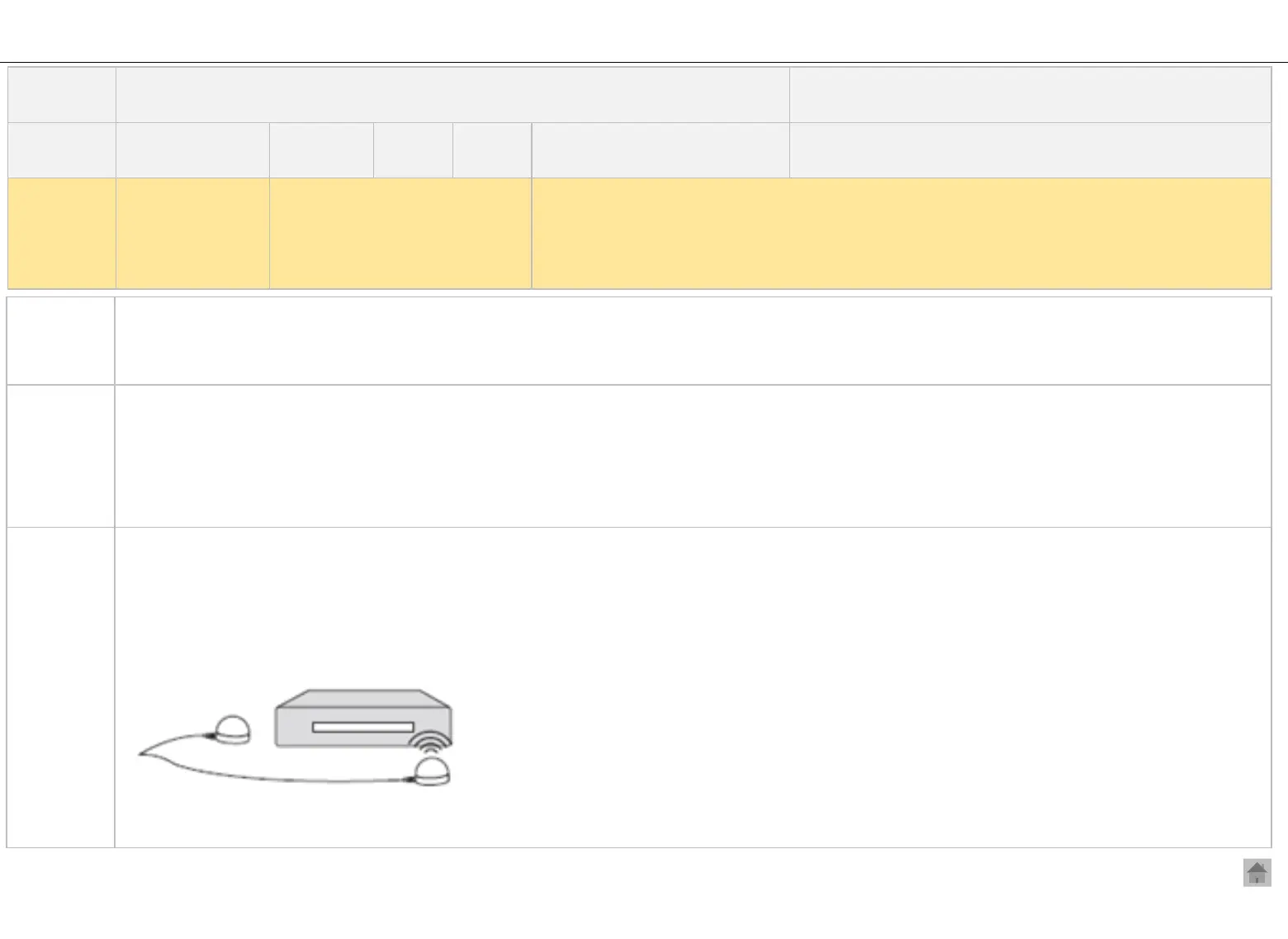
■ Connecting IR Blaster and User Guide
Connect the IR Blaster cable to the IR Blaster port on the back of the TV
- Place both ends (one or two) of the IR Blaster in front of the external device remote control receiver (usually located in front of the
device).
Title
When Sending/ Receiving TV, a message that says ‘Set the universal remote
control’ pops up.
Korea( √ ) Overseas(√ )
CIC agent
(√ ) Customer( )
TV
Product
All
Model
All webOS TV models
launched before 2022
Troubleshooting
(√ )
Operation
( )
Installation
(√ )
Category
It is difficult to
set the universal
remote control to
use the Room-to-
Room function.
Inquiry
I want to send/receive the TV screen connected to the set-top box using the Room-to-Room
function.
1) I’m not quite sure how to set the universal remote control.


 To Next Page