Need help?
Do you have a question about the LG OLED55C3AUA and is the answer not in the manual?
Detailed safety instructions for safe operation and to prevent hazards.
Critical warnings and precautions against fire, electric shock, and other hazards.
Solutions for common problems like remote control, display, sound, and abnormal display.
Guidelines to prevent screen damage, image retention, and burn-in on OLED displays.
Regulatory statements regarding RF exposure, interference, and compliance for USA and Canada.
Technical parameters and a list of commands for controlling TV functions externally.
This document serves as the Owner's Manual for LG OLED TVs, providing essential information for safe operation, installation, and troubleshooting. It also includes details on external control device setup and regulatory compliance.
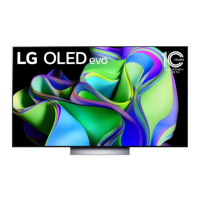
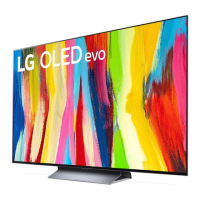
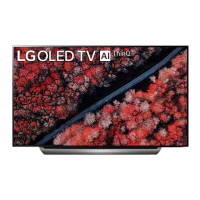
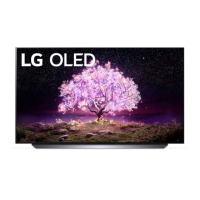
The LG OLED TV is a high-resolution display device designed for home entertainment. It utilizes OLED technology, where each pixel emits its own light, resulting in perfect black levels and vibrant, clear images without blurring. The TV can be controlled via a remote control or a button on the unit itself, allowing users to power it on/off, adjust volume, change channels, and access various menu settings.
The TV supports connections to a wide range of external devices, including Blu-ray players, HD receivers, DVD players, VCRs, audio systems, USB storage devices, PCs, and gaming consoles. These connections can be made via HDMI or USB ports. For enhanced control, the TV can be integrated into an external control system using an IR Blaster or RS-232C serial connection, allowing for centralized management of the TV and connected devices.
A key feature of the LG OLED TV is its built-in screen protection, specifically the "Pixel Cleaning" function. This feature automatically monitors the screen's status and runs a cleaning process to prevent image retention, a common phenomenon in OLED panels where static images can leave a temporary imprint.
The TV also incorporates various picture and sound adjustment options, such as aspect ratio control, screen mute, volume control, contrast, brightness, color/colour, tint, sharpness, OSD (On Screen Display) selection, treble, bass, and balance. It supports different input sources, including DTV, satellite DTV, CATV, AV, Component, RGB, and HDMI. For 3D models, there are options to change 3D modes and adjust 3D effects.
The manual emphasizes safe and proper usage of the LG OLED TV. Users are instructed to read all safety instructions, keep the manual for future reference, and heed all warnings. The TV should not be used near water, and should be cleaned only with a dry cloth. Proper ventilation is crucial, and the TV should not be installed near heat sources or in confined spaces. The power cord must be protected from physical abuse and should be handled carefully during plugging and unplugging.
For initial setup, the TV can be mounted on a table or a wall. When mounting on a table, a minimum of 10 cm (4 inches) space from the wall is recommended for proper ventilation. For wall mounting, users are advised to consult their local dealer for a VESA standard-compatible wall mount and to carefully attach the bracket to the TV and a solid wall. The manual also provides instructions for securing the TV to the wall using eye-bolts or TV brackets and a sturdy rope or cable, especially for larger models.
Connecting to an antenna, cable, or cable box is straightforward, with illustrations guiding the process. Users are advised to use certified HDMI cables and to ensure USB devices are connected directly to the TV or through a USB 2.0 extension cable if needed.
The TV's basic functions can be operated using a single button on the unit, allowing for power on/off, volume control, and channel control. The remote control offers a more comprehensive set of controls, including access to menus and various settings. The "Set ID" feature allows users to assign a unique ID to the TV, which is particularly useful in environments with multiple LG TVs controlled by an external system.
The LG OLED TV includes several features and recommendations for maintenance and longevity. The "Pixel Cleaning" function is a key maintenance feature that automatically or manually addresses image retention. Users can manually initiate Pixel Cleaning through the TV's menu settings.
To minimize image retention, users are advised to avoid displaying fixed images for long periods. Recommendations include setting the picture mode to "Auto Power Save," lowering the "OLED Pixel Brightness," and adjusting the "Adjust Logo Brightness" to "High." For images with black bars, users can use the "Vertical Zoom" or "4-Way Zoom" functions to remove them. Turning off menus for setting up external devices when not in use also helps prevent static elements from being displayed on the screen for extended periods.
For cleaning the TV, the manual instructs users to unplug the power cord and wipe the screen gently with a soft, dry cloth. Harsh chemicals, glass cleaner, air fresheners, insecticides, lubricants, wax, abrasives, thinner, benzene, or alcohol should not be used, as they can damage the product and/or its panel. Water or cleaner should not be sprayed directly onto the TV screen; instead, a dry cloth should be lightly moistened.
The manual also provides troubleshooting tips for common issues, such as the remote control not working, no image or sound, or the TV turning off suddenly. It explains that minor flickering when the TV is cold or the presence of tiny black or colored dots on the screen are normal characteristics of the panel and not malfunctions. Cracking noises due to thermal contraction and low-level humming from the electrical circuit are also described as normal.
In case of product damage, water or other substances entering the product, smoke or unusual odors, lightning storms, or prolonged disuse, users are advised to unplug the TV immediately and contact local customer service. Unauthorized modifications are discouraged, as they can void the warranty and pose safety risks. The manual also provides contact information for LG Customer Information Centers in the USA and Canada for inquiries and support.
 General
| Screen Size | 55 inches |
|---|---|
| Display Type | OLED |
| Refresh Rate | 120 Hz |
| Smart TV | Yes |
| HDMI Ports | 4 |
| USB Ports | 3 |
| Audio Output | 40W |
| Operating System | webOS |
| Processor | α9 Gen6 AI Processor 4K |
| HDMI Version | 2.1 |
| VRR | Yes |
| ALLM | Yes |
| Wi-Fi | Yes |
| Bluetooth | Yes |
| Resolution | 3840 x 2160 (4K) |
| HDR Support | Dolby Vision, HDR10, HLG |
| Dimensions (W x H x D) | 48.3 x 28.1 x 1.8 inches (without stand) |


 To Next Page