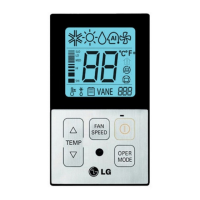
TEMP
FAN
SPEED
OPER
MODE
Cooling operation will begin if you press
the button.
1
If you press the button, the cooling
operation will stop.
4
If you prees the mode button during the
operation, the operation mode will be
changed in the order of cooling,
dry(dehumidification),heating,auto-operation
and fan operation.‘If the product is a
cooling-only model, the operation mode will
be changed in the order of cooling,
dry(dehumidification), auto-operation and fan
operation.
3
Press the temperature button and set the
desired room temperature lower than the
current room temperature.
-
Setting temp range : 18°C~30°C (64°F~86°F)
- If the desired temperature is set higher than
the current room temperature, the cooling
function will not begin and just the blowing
operation will continue.
2
TEMP
A click of the button will increase the
desired temperature by 1°C or 2°F.
A click of the button will decrease the
desired temperature by 1°C or 2°F.



 To Next Page
 Loading...