EasyManua.ls Logo

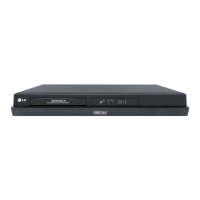
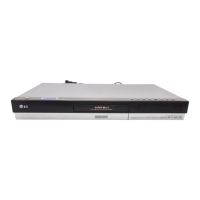
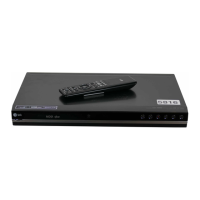
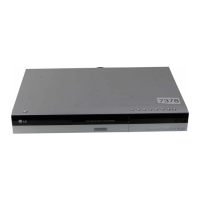
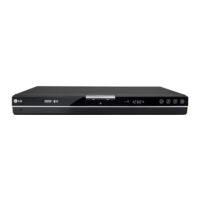
LG RH299H - User Manual

LG RH299H
57 pages
Print Icon
To Next Page IconTo Next Page
Loading...
HDD/DVD
RECORDER
OWNER’S MANUAL
MODEL: RH277 / RH277H
RH298H / RH299H
Before connecting, operating or adjusting this product,
please read this instruction booklet carefully and completely.
RH277.98.99H-WL-HA3ULL-ENG

Table of Contents

Questions and Answers

  • N
    Nichole HebertSep 23, 2025
    What to do if the picture or sound of a broadcasting channel is weak or missing on my LG DVD Recorder?
    • J
      Jeffrey CoxSep 23, 2025
      If the picture or sound of a broadcasting channel is weak or missing, the antenna or cables may be loose. Ensure that connections are tightened or replace the cable.
  • R
    Richard YuAug 23, 2025
    What to do if the remote control for my LG RH299H DVD Recorder doesn't work?
    • M
      Mary MillerAug 23, 2025
      If the remote control is not functioning correctly: * Ensure that the remote control is pointed at the remote sensor on the recorder. * Make sure you are operating the remote control within 7 meters of the recorder. * Check for any obstacles between the remote control and the recorder and remove them. * The batteries in the remote control might be exhausted. Replace them with new ones.
  • W
    Wendy ManningAug 25, 2025
    What to do if the LG DVD Recorder remote control does not work?
    • M
      Michael WrightAug 26, 2025
      If the remote control for your LG DVD Recorder isn't working, ensure it's pointed at the remote sensor on the recorder and is within 7 meters. Remove any obstacles between the remote and the recorder. If it still fails, replace the batteries with new ones.
  • G
    Gerald NixonAug 27, 2025
    Why is there no picture on my LG RH299H DVD Recorder?
    • B
      Brent RamosAug 27, 2025
      If you're not getting a picture from your LG DVD Recorder, ensure the TV is set to the correct video input mode. Also, check that the video cable is securely connected and the TV is turned on.
  • P
    parkerbrianAug 28, 2025
    How to troubleshoot no sound on LG DVD Recorder?
    • A
      Ashley ConleyAug 28, 2025
      If there is no sound from your LG DVD Recorder, check that the equipment connected with the audio cable is set to receive audio signal output, the audio cables are securely connected, and the connected equipment is powered on. If the issue persists, the audio connecting cord may be damaged and should be replaced.
  • O
    Oscar MortonSep 18, 2025
    Why are some channels skipped over when using PR/CH (+/-) on my LG RH299H?
    • M
      Mia BaxterSep 18, 2025
      If some channels are skipped, it is because those channels are not stored in the recorder.
  • S
    Samuel GibsonSep 15, 2025
    Why is timer recording not possible on my LG RH299H DVD Recorder?
    • E
      ericlopezSep 15, 2025
      Timer recording may not work due to: * The clock in the recorder is not set to the correct time. * The timer has been programmed incorrectly. * The timer record indicator light does not appear after programming the timer. Reprogram the Timer.
  • D
    David CopelandSep 16, 2025
    What to do if the camcorder image is not shown on my LG RH299H DVD Recorder?
    • W
      whitekarenSep 16, 2025
      If the camcorder image is not being displayed: * Ensure the camcorder is turned on and operating properly. * The recorder’s source might be incorrect. Use AV/INPUT to select the correct input channel (AV1, AV2, DV, etc.).
  • M
    Mariah TurnerSep 6, 2025
    Why is the camcorder image not showing on my LG DVD Recorder?
    • J
      Jeff SmithSep 6, 2025
      If the camcorder image is not showing on your LG DVD Recorder, ensure the camcorder is turned on and operating correctly. Also, use AV/INPUT to select the correct input channel (AV1, AV2, DV, etc.).
  • J
    Jordan ChristensenSep 3, 2025
    What causes distorted picture from external input on LG DVD Recorder?
    • S
      Samantha MooreSep 4, 2025
      If the picture from the external input on your LG DVD Recorder is distorted, the video signal from the external component may be copy-protected. Connect the component directly to your TV.

LG RH299H Specifications

General IconGeneral
TypeDVD Recorder
Hard Drive Capacity160 GB
TV TunerAnalog
Weight4.2 kg
Storage Capacity160 GB
Recording FormatsDVD-R, DVD+R, DVD+RW
Playback FormatsDVD, DVD-R, DVD-RW, DVD+R, DVD+RW, CD, CD-R, CD-RW, MP3, JPEG
ConnectivityComponent video, Composite video, S-Video
Dimensions (W x H x D)430 mm
FeaturesTime Shift

Related product manuals