EasyManua.ls Logo

LG S35A1-W - User Manual

LG S35A1-W
32 pages
Print Icon
To Next Page IconTo Next Page
Loading...
Please read this manual carefully before operating
your set and retain it for future reference.
LAS355B (LAS355B, S35A1-W)
OWNER’S MANUAL
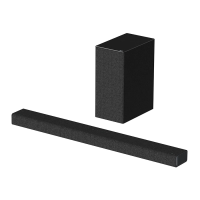
Sound Bar
www.lg.com

Other manuals for LG S35A1-W

Questions and Answers

  • J
    juliepetersonAug 14, 2025
    What to do if my LG Speakers have no sound?
    • S
      sdelgadoAug 14, 2025
      If your LG Speakers are producing no sound, there could be a few reasons: * The input source may be incorrect. Check the input source and select the correct one. * The mute function might be activated. Press the Mute button or adjust the volume to cancel the mute function. * If you're using an external device (like a set-top box or Bluetooth device), adjust the volume level on that device.
  • M
    Monica BellAug 17, 2025
    How to fix LG Speakers that have no power?
    • G
      George HallAug 17, 2025
      If your LG Speakers have no power, here are a couple of things to check: * Make sure the power cord is properly plugged in. * Test the outlet by plugging in another electronic device to see if it's working.
  • J
    Jeanne CarlsonAug 20, 2025
    What to do if my LG Speakers unit does not work properly?
    • B
      Beverly ChapmanAug 20, 2025
      If your LG Speakers unit isn't working correctly: * Try turning off the power to both the unit and any connected external devices (like your TV, woofer, DVD player, or amplifier), and then turn them back on. * Disconnect the power cord from the unit and connected external devices, then reconnect them. * Note that previous settings may not be saved when the device is powered off.
  • J
    Jesus LozanoAug 25, 2025
    Why is the sound output low on my LG Speakers?
    • R
      Richard SimsAug 25, 2025
      If the sound output from your LG Speakers seems low, try the following: * Turn off the DRC (Dynamic Range Control) function using the remote controller. * If the sound bar is connected to a TV, change the AUDIO DIGITAL OUT setting in the TV's setup menu from PCM to AUTO or BITSTREAM. * If connected to a player, change the AUDIO DIGITAL OUT setting in the Player Setup Menu from PCM to PRIMARY PASS-THROUGH or BITSTREAM. * Also, change the Audio DRC setting on the Player setup menu to the OFF state.
  • I
    Ivan JacobsAug 27, 2025
    What to do if there is no display on my LG Speakers?
    • L
      Lee BrownAug 27, 2025
      If there is no display on your LG Speakers, the DISPLAY OFF function may be activated. Press the SLEEP button repeatedly to cancel this function.
  • B
    bpattersonAug 30, 2025
    What to do if there is no woofer sound on my LG Speakers?
    • C
      Carrie RichAug 30, 2025
      If you are not getting any sound from the woofer of your LG Speakers, ensure that the unit and the subwoofer are properly connected.
  • T
    timothy94Sep 3, 2025
    Why is my LG Speakers remote control not working?
    • B
      Brian GardnerSep 3, 2025
      If your LG Speakers remote control isn't working, it could be due to several reasons: * The remote might be too far from the unit. Try operating it within 7 meters. * There could be an obstacle blocking the path between the remote and the unit. Remove any obstacles. * The batteries in the remote might be dead. Replace them with new ones.
  • L
    Laura NormanSep 6, 2025
    Why is LG Sound Sync not working with my LG Speakers?
    • S
      Scott BrownSep 6, 2025
      If LG Sound Sync isn't working with your LG Speakers, consider these points: * Verify that your LG TV supports LG Sound Sync. * Check the connection of LG Sound Sync, whether it's optical or wireless. * Review the sound settings on both your TV and the LG Speakers unit.
  • R
    Robert HollandSep 9, 2025
    Why doesn't the AUTO POWER function work on my LG Speakers?
    • K
      Kevin CervantesSep 9, 2025
      If the AUTO POWER function isn't working on your LG Speakers: * Check the connection of any external devices like your TV, DVD/Blu-Ray player, or Bluetooth device. * Keep in mind that this function may not operate, depending on the connected device.

LG S35A1-W Specifications

General IconGeneral
BrandLG
ModelS35A1-W
CategorySpeaker System
LanguageEnglish

Related product manuals