EasyManua.ls Logo

LG S62T1-C - User Manual

LG S62T1-C
71 pages
Print Icon
To Next Page IconTo Next Page
Loading...
Please read this manual carefully before operating
your set and retain it for future reference.
OWNER’S MANUAL
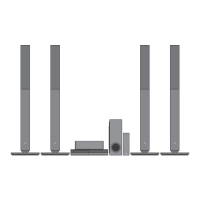
3D Blu-ray™/ DVD
Home Theater System
BH6520TW (BH6520TW, S62T1-S, S62T1-C, S62S1-W, W2, T2)

Table of Contents

Other manuals for LG S62T1-C

Questions and Answers

Summary

Safety Information

Electrical Shock and Laser Safety Warnings

Covers risks of electric shock, laser warnings, and not opening the unit.

Power Cord Safety Precautions

Details safe usage and handling of the power cord to prevent hazards.

Getting Started Guide

Battery Removal and Copyright Notes

Instructions for battery safety and important notes on content copyrights.

TV Color System Compatibility

3 D Content Viewing Precautions

Advisories regarding 3D content, including potential dizziness or fatigue.

Product Introduction

Playable Discs and Symbols Guide

Lists supported disc types and explains symbols used in the manual.

Special Symbols and Compatibility

File Format Compatibility

Movie, Music, and Photo File Support

Details supported file extensions, codecs, and formats for various media.

Advanced File Notes and AVCHD

Network and System Settings

Remote Control Operations

Remote Button Functions and Battery Installation

Explains remote control buttons and how to install batteries.

Front Panel Overview

Rear Panel Connections

Speaker Placement Guide

Speaker Placement Safety Precautions

Safety advice for positioning speakers to prevent injury or damage.

Speaker Wire Connections

Attaching Speaker Wires to Player

Instructions on connecting speaker wires to the player and speakers.

Wireless Speaker Setup and Pairing

Wireless Receiver LED Indicators

Explains the meaning of LED colors on the wireless receiver.

Wireless Receiver Pairing Procedures

Steps for initial setup and manual pairing of wireless receivers.

Ferrite Core and Wireless Notes

Connecting to Your TV

HDMI Connection and Additional Information

Guide for HDMI connection and important considerations for HDMI/DVI devices.

SIMPLINK Functionality

SIMPLINK Operation Notes

Notes on potential variations or limitations in SIMPLINK operations.

Video Connection and Resolution Settings

Antenna Connection and Resolution Notes

External Device Connections

AUX and PORT. IN Audio Connections

Instructions for connecting external audio sources via AUX and PORT. IN.

Optical Audio Connection

Home Network Connection

Wired Network Connection Setup

Details on connecting the player to a home network via Ethernet.

Wired Network Configuration

Advanced Network Settings

Guide for manually configuring IP settings like Dynamic or Static.

Network Connection Guidelines

USB Device Playback

USB Content Playback Procedure

Steps for inserting a USB device and playing content.

Initial Setup Wizard

Adjusting Player Setup Settings

Display Settings Menu

TV Aspect Ratio Options

Settings for display aspect ratios like 4:3 Letter Box and 16:9 Full.

HDMI Resolution Settings

Options for outputting video resolution via HDMI.

1080 p Display Mode Options

Settings for 1080p playback, including 24 Hz or 50 Hz options.

HDMI and Language Settings

Audio Output Settings

Digital Audio Output Options

Configuration for digital audio output formats like PCM and BitStream.

Speaker Setup and Calibration

Guide to setting speaker volume, distance, and performing tests.

AV Sync and DRC Settings

Wireless Speaker ID Setting

Parental Control and Lock Settings

Network and Content Services

Network Playback and System Management

Sound Effect Modes

User Equalizer (EQ) Settings

Allows manual adjustment of sound frequency levels for custom EQ.

General Playback Operations

Home Menu Navigation and Disc Playback

Guide to using the Home menu and basic disc playback.

Playing Files from Discs or USB

Steps to play movie, music, and photo files from media.

Advanced Disc Playback Features

Network Server File Playback

Video and Audio Playback Controls

Basic Playback Functions

Controls for stopping, pausing, frame-by-frame, scanning, and skipping playback.

Photo Content Operations

Photo Slide Show Controls

Operations for playing, stopping, pausing, and skipping photos in a slide show.

Disc Menu Navigation

Playback Memory Features

Advanced Playback Options

Repeat Playback Modes

Options for repeating tracks, chapters, titles, or entire discs.

Specific Portion Repeat

How to select and repeat a specific segment of content.

Viewing Content Information

How to display file information during playback.

Content List View and Subtitle Selection

Photo Viewing Options

On-Screen Content Display

Displaying Playback Information

How to show and adjust various playback information on screen.

Playback Navigation and Selection

Video and Subtitle Display Settings

Audio CD Recording to USB

Radio Operations Management

Radio Tuning and Reception Management

Guide to listening to radio, tuning stations, and improving reception.

Radio Preset Station Management

Instructions for saving, deleting, and managing preset radio stations.

Premium and LG App Services

Account Sign-in

Managing Installed LG Apps

General Troubleshooting Guide

Troubleshooting Common Issues

Lists common symptoms like power issues, playback errors, and remote control problems.

Network Connectivity Troubleshooting

Resolving Network Issues

Troubleshooting steps for BD-Live, streaming, server display, and access point problems.

Picture Troubleshooting

Sound Troubleshooting

Support and Notices

TV Remote Control Setup

Controlling TV with Supplied Remote

Guide to setting up the remote to control your TV with manufacturer codes.

Software Update Procedures

Network Update Notifications

Information on how the player notifies about available software updates.

Software Update Process

Steps for updating the player's software via a network connection.

Nero MediaHome Software Information

Nero MediaHome System Requirements

Lists the system requirements for installing Nero MediaHome software.

Installing Nero MediaHome Software

Windows and Mac Installation Procedures

Step-by-step guide for installing Nero MediaHome on Windows and Mac.

Sharing Files and Folders

Instructions on sharing folders for media playback on the player.

Area Code Reference List

Language Code Reference List

Trademarks and Licensing Information

Cinavia Technology Notice

Audio Output Specifications Details

Product Specifications Summary

General, Input;Output, Tuner, Amplifier, Receiver Specs

Summary of product specifications including general, I/O, tuner, amp, and receiver details.

Detailed System and Speaker Specifications

Speaker System Specifications

Detailed specifications for front, rear, center speakers, and subwoofer.

Maintenance and Care Guide

Unit Handling, Cleaning, and Maintenance

Instructions for handling, cleaning, and maintaining the player unit.

Disc Care and Handling

Network Services Disclaimer

Summary

Safety Information

Electrical Shock and Laser Safety Warnings

Covers risks of electric shock, laser warnings, and not opening the unit.

Power Cord Safety Precautions

Details safe usage and handling of the power cord to prevent hazards.

Getting Started Guide

Battery Removal and Copyright Notes

Instructions for battery safety and important notes on content copyrights.

TV Color System Compatibility

3 D Content Viewing Precautions

Advisories regarding 3D content, including potential dizziness or fatigue.

Product Introduction

Playable Discs and Symbols Guide

Lists supported disc types and explains symbols used in the manual.

Special Symbols and Compatibility

File Format Compatibility

Movie, Music, and Photo File Support

Details supported file extensions, codecs, and formats for various media.

Advanced File Notes and AVCHD

Network and System Settings

Remote Control Operations

Remote Button Functions and Battery Installation

Explains remote control buttons and how to install batteries.

Front Panel Overview

Rear Panel Connections

Speaker Placement Guide

Speaker Placement Safety Precautions

Safety advice for positioning speakers to prevent injury or damage.

Speaker Wire Connections

Attaching Speaker Wires to Player

Instructions on connecting speaker wires to the player and speakers.

Wireless Speaker Setup and Pairing

Wireless Receiver LED Indicators

Explains the meaning of LED colors on the wireless receiver.

Wireless Receiver Pairing Procedures

Steps for initial setup and manual pairing of wireless receivers.

Ferrite Core and Wireless Notes

Connecting to Your TV

HDMI Connection and Additional Information

Guide for HDMI connection and important considerations for HDMI/DVI devices.

SIMPLINK Functionality

SIMPLINK Operation Notes

Notes on potential variations or limitations in SIMPLINK operations.

Video Connection and Resolution Settings

Antenna Connection and Resolution Notes

External Device Connections

AUX and PORT. IN Audio Connections

Instructions for connecting external audio sources via AUX and PORT. IN.

Optical Audio Connection

Home Network Connection

Wired Network Connection Setup

Details on connecting the player to a home network via Ethernet.

Wired Network Configuration

Advanced Network Settings

Guide for manually configuring IP settings like Dynamic or Static.

Network Connection Guidelines

USB Device Playback

USB Content Playback Procedure

Steps for inserting a USB device and playing content.

Initial Setup Wizard

Adjusting Player Setup Settings

Display Settings Menu

TV Aspect Ratio Options

Settings for display aspect ratios like 4:3 Letter Box and 16:9 Full.

HDMI Resolution Settings

Options for outputting video resolution via HDMI.

1080 p Display Mode Options

Settings for 1080p playback, including 24 Hz or 50 Hz options.

HDMI and Language Settings

Audio Output Settings

Digital Audio Output Options

Configuration for digital audio output formats like PCM and BitStream.

Speaker Setup and Calibration

Guide to setting speaker volume, distance, and performing tests.

AV Sync and DRC Settings

Wireless Speaker ID Setting

Parental Control and Lock Settings

Network and Content Services

Network Playback and System Management

Sound Effect Modes

User Equalizer (EQ) Settings

Allows manual adjustment of sound frequency levels for custom EQ.

General Playback Operations

Home Menu Navigation and Disc Playback

Guide to using the Home menu and basic disc playback.

Playing Files from Discs or USB

Steps to play movie, music, and photo files from media.

Advanced Disc Playback Features

Network Server File Playback

Video and Audio Playback Controls

Basic Playback Functions

Controls for stopping, pausing, frame-by-frame, scanning, and skipping playback.

Photo Content Operations

Photo Slide Show Controls

Operations for playing, stopping, pausing, and skipping photos in a slide show.

Disc Menu Navigation

Playback Memory Features

Advanced Playback Options

Repeat Playback Modes

Options for repeating tracks, chapters, titles, or entire discs.

Specific Portion Repeat

How to select and repeat a specific segment of content.

Viewing Content Information

How to display file information during playback.

Content List View and Subtitle Selection

Photo Viewing Options

On-Screen Content Display

Displaying Playback Information

How to show and adjust various playback information on screen.

Playback Navigation and Selection

Video and Subtitle Display Settings

Audio CD Recording to USB

Radio Operations Management

Radio Tuning and Reception Management

Guide to listening to radio, tuning stations, and improving reception.

Radio Preset Station Management

Instructions for saving, deleting, and managing preset radio stations.

Premium and LG App Services

Account Sign-in

Managing Installed LG Apps

General Troubleshooting Guide

Troubleshooting Common Issues

Lists common symptoms like power issues, playback errors, and remote control problems.

Network Connectivity Troubleshooting

Resolving Network Issues

Troubleshooting steps for BD-Live, streaming, server display, and access point problems.

Picture Troubleshooting

Sound Troubleshooting

Support and Notices

TV Remote Control Setup

Controlling TV with Supplied Remote

Guide to setting up the remote to control your TV with manufacturer codes.

Software Update Procedures

Network Update Notifications

Information on how the player notifies about available software updates.

Software Update Process

Steps for updating the player's software via a network connection.

Nero MediaHome Software Information

Nero MediaHome System Requirements

Lists the system requirements for installing Nero MediaHome software.

Installing Nero MediaHome Software

Windows and Mac Installation Procedures

Step-by-step guide for installing Nero MediaHome on Windows and Mac.

Sharing Files and Folders

Instructions on sharing folders for media playback on the player.

Area Code Reference List

Language Code Reference List

Trademarks and Licensing Information

Cinavia Technology Notice

Audio Output Specifications Details

Product Specifications Summary

General, Input;Output, Tuner, Amplifier, Receiver Specs

Summary of product specifications including general, I/O, tuner, amp, and receiver details.

Detailed System and Speaker Specifications

Speaker System Specifications

Detailed specifications for front, rear, center speakers, and subwoofer.

Maintenance and Care Guide

Unit Handling, Cleaning, and Maintenance

Instructions for handling, cleaning, and maintaining the player unit.

Disc Care and Handling

Network Services Disclaimer

LG S62T1-C Specifications

General IconGeneral
BrandLG
ModelS62T1-C
Audio Output Channels5.1
Built-in radioYes
Supported radio bandsFM
USB portYes
HDMI ports quantity1
KaraokeYes
Wireless SubwooferYes
BluetoothYes
CategoryHome Theatre System
Number of optical discs1 discs
Disc types supportedDVD, CD
Optical Input1
HDMI InputYes
HDMI OutputYes

Related product manuals