EasyManua.ls Logo

LG S65T3-S - User Manual

LG S65T3-S
74 pages
Print Icon
To Next Page IconTo Next Page
Loading...
Please read this manual carefully before operating
your set and retain it for future reference.
OWNER’S MANUAL
3D Blu-ray™ / DVD
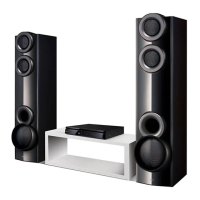
Home Theater
System
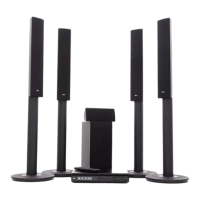
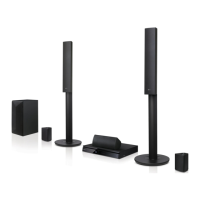
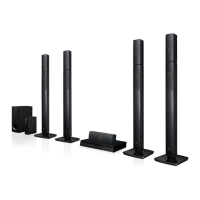
LHB675 (LHB675, S65T3-S)

Table of Contents

Other manuals for LG S65T3-S

Questions and Answers

  • R
    Russell BurkeAug 19, 2025
    Why is my LG S65T3-S remote control not working?
    • D
      Debra YoungAug 19, 2025
      If the remote control for your LG Home Theater System isn't working, make sure it's pointed directly at the unit's remote sensor and that you're not too far away. Check for any obstacles blocking the path between the remote and the unit. Also, ensure the batteries in the remote control are not exhausted.
  • M
    Michael ParksAug 21, 2025
    What to do if my LG Home Theater System is plugged in, but the power will not turn on or off?
    • W
      William BryantAug 21, 2025
      If your LG Home Theater System is plugged in but won't power on or off, reset the unit by unplugging the power cord, waiting at least five seconds, and then plugging it back in.
  • S
    Sharon NewtonAug 23, 2025
    Why LG S65T3-S power does not turned on?
    • J
      Jessica RandallAug 23, 2025
      If the power on your LG Home Theater System isn't turning on, make sure the power cord is securely plugged into the wall outlet.
  • C
    Cathy FisherAug 26, 2025
    How to fix LG S65T3-S Home Theater System that does not work properly?
    • V
      vmoranAug 26, 2025
      If your LG Home Theater System isn't working correctly, try turning off the power to the unit and any connected external devices like your TV, Woofer, DVD player, or Amplifier, and then turn them back on. Alternatively, disconnect the power cord of the unit and the connected external devices, and then reconnect them. Keep in mind that previous settings may not be saved when the device is shut off.
  • D
    Dale SmithAug 28, 2025
    What to do if my LG S65T3-S Home Theater System does not work properly?
    • A
      amandawardAug 28, 2025
      If your LG Home Theater System isn't working correctly, try turning off the power to both the unit and any connected external devices like your TV, Woofer, DVD player, or Amplifier, and then turn them back on. If that doesn't work, disconnect the power cord of the unit and the connected devices, and then reconnect them. It's also possible that previous settings were not saved when the device was shut off.
  • P
    Penny DavisAug 30, 2025
    What to do if my LG S65T3-S Home Theater System does not start playback?
    • L
      lawsonbarbaraAug 30, 2025
      If your LG Home Theater System isn't starting playback, try these steps: 1. Insert a playable disc, ensuring it's the correct type, color system, and regional code. 2. Place the disc with the playback side facing down. 3. Make sure the disc is correctly placed on the disc tray inside the guide. 4. Clean the disc. 5. Cancel the Rating function or change the rating level.
  • T
    Todd CobbSep 1, 2025
    Why is my USB storage device not recognized by LG S65T3-S Home Theater System?
    • F
      Frank CuevasSep 1, 2025
      If your LG Home Theater System isn't recognizing the connected USB storage device: * Try a different USB cable, as some cables may not provide enough current. * Avoid using USB extension cables or USB hubs, as they may prevent recognition. * Note that USB devices requiring additional program installation on a computer are not supported. * Ensure your device is a USB Flash Drive or USB External HDD formatted with FAT32 or NTFS.
  • S
    stevenrobertsSep 4, 2025
    What to do if my LG S65T3-S doesn't recognize the USB device?
    • N
      nicole65Sep 4, 2025
      If your LG Home Theater System isn't recognizing the USB device, the USB cable might not be providing enough current. Also, using a USB extension cable or hub can cause recognition issues. Ensure the USB device doesn't require additional software installation on a computer. This unit supports only USB Flash Drives and USB External HDDs with FAT32 or NTFS format. Try a different USB cable or connect the device directly.
  • A
    Anne NguyenSep 6, 2025
    Why my LG Home Theater System cannot play video, photo or audio files?
    • C
      Christine TaylorSep 6, 2025
      Your LG Home Theater System might not be able to play certain video, photo, or audio files if the files are not recorded in a format that the unit can play. Also, the unit may not support the codec of the video file.
  • M
    Michael JenningsSep 8, 2025
    How to change the angle on LG S65T3-S?
    • R
      Renee HansonSep 9, 2025
      The angle cannot be changed because multi-angles are not recorded on the DVD Video being played.

Summary

Getting Started

Safety Information

Crucial safety warnings and precautions for operating the system.

Introduction to the System

Overview of product features, playable media, and basic setup.

Playable Media and Symbols

Details the types of discs and files supported and their associated symbols.

Remote Control

Explains the functions of each button on the remote control.

Unit Panel Layout

Identifies and explains the front and rear panel components of the system.

Connecting Your System

Positioning the System

Guidance on optimal placement of speakers and the main unit for sound quality.

Speaker Connection Guide

Step-by-step instructions for connecting speakers to the player unit.

Connecting to Your TV

Instructions for connecting the player to a television via HDMI.

SIMPLINK and ARC Functionality

Explains simplified control via TV remote and audio return channel features.

Resolution Setting

How to adjust the HDMI output resolution for optimal display.

Antenna Connection

Connecting the supplied antenna for radio reception.

AUX Connection

Connecting external audio sources via the AUX input.

OPTICAL IN Connection

Connecting digital audio sources via the OPTICAL IN port.

Home Network Connection

Guide to connecting the player to your home network for online services and updates.

Wired Network Setup

Steps for establishing a wired network connection and advanced settings.

System Settings and Configuration

Initial Setup Wizard

Guide through the first-time setup process, including language and network.

Network Settings Menu

Configuration options for network connection, updates, and Smart Service.

Display, Audio, and Language Settings

Options for TV aspect ratio, resolution, audio output, language, and subtitles.

Playback Controls and Restrictions

Speaker setup, parental controls (ratings), locking features, and AV sync.

Other System Options

Quick Start, Auto Power Off, TV Sound Connecting, and Software Updates.

Operating Your System

Home Menu and Basic Playback

Navigating the HOME menu and performing basic playback of discs and files.

Playing Various Media Files

Guides on playing files from USB, Android devices, and network servers.

SmartShare PC Software

Steps to install and use the SmartShare software for PC media sharing.

Advanced Playback Features

Details on repeat playback, specific portion playback, and subtitle/audio selection.

Wireless Audio and Connectivity

Connecting Bluetooth devices and enjoying LG Multi-room Audio.

Using BLUETOOTH Technology

Pairing and connecting Bluetooth devices for audio playback.

LG Sound Sync

Enabling wireless audio synchronization between the TV and the system.

Troubleshooting and Support

General Troubleshooting

Solutions for common issues like the unit not working or not powering on.

Network and Media Playback Issues

Troubleshooting problems related to BD-Live, streaming, and media server connectivity.

Picture and Sound Problems

Solutions for no picture, picture noise, no sound, or distorted audio.

Appendix

Remote Control Setup and Software Updates

How to configure the remote and update the player's software.

File Compatibility and Specifications

Lists supported file formats, codecs, and technical specifications of the unit.

Maintenance and Important Notices

Guidelines for unit care, disc handling, and important information on network services.

LG S65T3-S Specifications

General IconGeneral
BrandLG
ModelS65T3-S
CategoryHome Theater System
LanguageEnglish

Related product manuals