EasyManua.ls Logo

LG S63H2-C - User Manual

LG S63H2-C
46 pages
Print Icon
To Next Page IconTo Next Page
Loading...
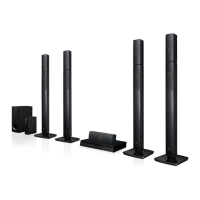
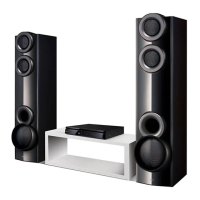
DH6330P (DH6330P, S63H1-S/ W, S63H2-S/ C)
Please read this manual carefully before operating
your set and retain it for future reference.
OWNER’S MANUAL
DVD Home Theater
System
ENGLISH
DH6330P-F2_BMARLLK_ENG_3840.indd 1 2013-03-13  3:10:02

Table of Contents

Questions and Answers

Summary

Safety Information

CAUTION concerning the Power Cord

Precautions for using the power cord to prevent electric shock or fire hazards.

CAUTION: This product employs a Laser System

Product employs a Laser System and requires careful handling to avoid hazardous radiation exposure.

Safety way to remove the battery or the battery from the equipment

Troubleshooting

Troubleshooting

Common problems and their corrective actions for the DVD Home Theater System.

No Power Issues

Corrective actions for when the unit does not power on.

No Picture Issues

Solutions for when there is no picture displayed on the TV screen.

Audio Issues

Troubleshooting steps for no sound or low sound problems.

Disc Playback Issues

Solutions for when a DVD/CD will not play.

Remote Control Issues

Solutions for when the remote control is not working properly.

Playable file Requirement

Remote control

Remote Control Buttons and Functions

Detailed explanation of each button and its function on the remote control.

Front panel

Front Panel Controls and Indicators

Description of the buttons, ports, and display on the front panel of the unit.

Rear panel

Rear Panel Connections

Description of the various input and output jacks on the rear panel of the unit.

Speaker installation

Attaching the speakers to the unit

Connecting Speaker Wires to Unit

Matching colored wires to terminals and connecting them to the rear of the unit.

Connecting Speaker Wires to Speakers

Connecting the other end of wires to the correct speaker according to color coding.

Positioning the system

Connections to Your TV

HDMI Out Connection

Connecting the unit to a HDMI compatible TV or monitor using an HDMI cable.

Video Connection

Resolution Setting

USB Connection

OPTICAL In connection

Home theater speaker ez setup

Adjust the setup settings

OSD Initial language settings - Optional

Completing initial language selection for menus and on-screen display during first use.

Language

Display

Resolution

Setting HDMI Output Resolution

Configuring video output resolution for HDMI connection (1080p, 1080i, 720p, etc.).

Audio

5.1 Speaker Setup

Configuring built-in 5.1 channel surround decoder, including speaker size, volume, and distance.

Speaker Settings Explanation

Details on adjusting speaker volume and distance between speakers and listening position.

Lock (Parental Control)

Initial Setting the Area Code

Setting the Area Code for DVD rating standards during the first use.

Rating Restriction

Blocking playback of rated DVDs based on their content ratings.

Password

Setting or Changing Password

Instructions for entering or changing the unit's password.

Area Code

Using the Home Menu

Basic Operations

Resume playback

Viewing a PHOTO file

Adjust the speaker level settings

VOCAL FADER

Radio Operations

Sound adjustment

Area Code List

Language code List

Specifications

General Specifications

Details on power requirements, dimensions, weight, operating conditions, and bus power.

Inputs;Outputs

List of all input and output ports with their specifications.

Amplifier Specifications

Technical details of the amplifier for stereo and surround modes.

Front Speaker Specifications

Rear Speaker Specifications

Centre Speaker Specifications

Passive Subwoofer Specifications

Summary

Safety Information

CAUTION concerning the Power Cord

Precautions for using the power cord to prevent electric shock or fire hazards.

CAUTION: This product employs a Laser System

Product employs a Laser System and requires careful handling to avoid hazardous radiation exposure.

Safety way to remove the battery or the battery from the equipment

Troubleshooting

Troubleshooting

Common problems and their corrective actions for the DVD Home Theater System.

No Power Issues

Corrective actions for when the unit does not power on.

No Picture Issues

Solutions for when there is no picture displayed on the TV screen.

Audio Issues

Troubleshooting steps for no sound or low sound problems.

Disc Playback Issues

Solutions for when a DVD/CD will not play.

Remote Control Issues

Solutions for when the remote control is not working properly.

Playable file Requirement

Remote control

Remote Control Buttons and Functions

Detailed explanation of each button and its function on the remote control.

Front panel

Front Panel Controls and Indicators

Description of the buttons, ports, and display on the front panel of the unit.

Rear panel

Rear Panel Connections

Description of the various input and output jacks on the rear panel of the unit.

Speaker installation

Attaching the speakers to the unit

Connecting Speaker Wires to Unit

Matching colored wires to terminals and connecting them to the rear of the unit.

Connecting Speaker Wires to Speakers

Connecting the other end of wires to the correct speaker according to color coding.

Positioning the system

Connections to Your TV

HDMI Out Connection

Connecting the unit to a HDMI compatible TV or monitor using an HDMI cable.

Video Connection

Resolution Setting

USB Connection

OPTICAL In connection

Home theater speaker ez setup

Adjust the setup settings

OSD Initial language settings - Optional

Completing initial language selection for menus and on-screen display during first use.

Language

Display

Resolution

Setting HDMI Output Resolution

Configuring video output resolution for HDMI connection (1080p, 1080i, 720p, etc.).

Audio

5.1 Speaker Setup

Configuring built-in 5.1 channel surround decoder, including speaker size, volume, and distance.

Speaker Settings Explanation

Details on adjusting speaker volume and distance between speakers and listening position.

Lock (Parental Control)

Initial Setting the Area Code

Setting the Area Code for DVD rating standards during the first use.

Rating Restriction

Blocking playback of rated DVDs based on their content ratings.

Password

Setting or Changing Password

Instructions for entering or changing the unit's password.

Area Code

Using the Home Menu

Basic Operations

Resume playback

Viewing a PHOTO file

Adjust the speaker level settings

VOCAL FADER

Radio Operations

Sound adjustment

Area Code List

Language code List

Specifications

General Specifications

Details on power requirements, dimensions, weight, operating conditions, and bus power.

Inputs;Outputs

List of all input and output ports with their specifications.

Amplifier Specifications

Technical details of the amplifier for stereo and surround modes.

Front Speaker Specifications

Rear Speaker Specifications

Centre Speaker Specifications

Passive Subwoofer Specifications

LG S63H2-C Specifications

General IconGeneral
ModelLG S63H2-C
CategoryHome Theater System
Channels5.1
Total Power Output1000W
SubwooferYes
BluetoothYes
USBYes
FM RadioYes
Optical InputYes
AUX InputYes
Remote ControlYes

Related product manuals