EasyManua.ls Logo

LG S63S2-S/C - User Manual

LG S63S2-S/C
81 pages
Print Icon
To Next Page IconTo Next Page
Loading...
Please read this manual carefully before operating
your set and retain it for future reference.
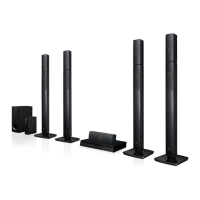
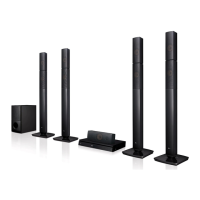
BH6730T (BH6730T, S63T2-S, S63S2-C, S63T1-W)
BH6730P (BH6730P, S63T2-S, S63S2-S/ C, S63T1-W)
BH6730S (BH6730S, S63S2-S/ C, S63T1-W)
BH6530T (BH6530T, S63T1-S/ C, S63T1-W)
BH6430P (BH6430P, S63T1-S/ C, S63S1-S, S63T1-W)
BH6330H (BH6330H, S63H1-S, S63H1-C, S63H1-W)
BH6230S (BH6230S, S63S1-S, S63T1-C, S63T1-W)
OWNER’S MANUAL
3D Blu-ray™ / DVD
Home Cinema System

Table of Contents

Questions and Answers

Summary

Getting Started

Safety Information

Essential safety precautions for operating the system and preventing hazards.

Remote Control

Detailed explanation of the remote control buttons and their functions.

Front and Rear Panel Overview

Identifies and describes the controls and ports on the front and rear of the unit.

Connecting

Positioning the System

Guidance on optimal placement of speakers and the main unit for surround sound.

Speaker Connection

Detailed instructions on connecting the speakers to the player unit.

Connecting to Your TV

Instructions for connecting the player to a TV using an HDMI cable.

SIMPLINK and ARC Function

Explanation of SIMPLINK and ARC features for device control and audio return.

Resolution Setting

Guide to adjusting the video output resolution for the HDMI connection.

External Device Connections

Instructions for connecting external audio sources via AUX, PORT. IN, and OPTICAL.

Home Network Setup

Overview and steps for connecting the player to a home network.

System Setting

Initial Setup Wizard

Step-by-step guide for the initial setup wizard upon first use.

Adjusting Player Settings

Overview of how to access and adjust various player settings via the menu.

Network Settings Menu

Configuration options for network features like software updates and BD-Live.

Display Settings Menu

Settings for TV aspect ratio and video output resolution.

Audio Settings Menu

Configuring audio output options for different sound systems.

Speaker Setup and Sound Effect

Adjusting speaker levels/distance and customizing sound modes.

Parental Controls and Disc Ratings

Settings for parental controls, disc locks, and rating limits.

Operating

Home Menu and Smart Share

Navigating the home menu and playing media from various sources.

Playing Discs and Files

Steps to insert and play discs, and play files from USB/network.

Blu-ray 3 D Playback

Instructions for playing 3D Blu-ray discs.

General Playback Controls

Basic playback operations for video, audio, and photo content.

Advanced Playback Features

Features like repeat playback, time jump, subtitle, and audio selection.

iPod and Music Playback

How to connect and play music from an iPod.

LG Smart World and Apps

Finding and downloading LG applications from the Smart World.

Troubleshooting

General Issues

Troubleshooting common problems like power, playback, and USB recognition.

Network Issues

Troubleshooting network-related issues like BD-Live and streaming problems.

Picture and Sound Issues

Troubleshooting picture and sound problems.

Customer Support Information

Information on how to get support and update software.

Appendix

TV Remote Control Setup

How to use the remote to control the TV.

Software Update Procedures

Instructions for updating the player's software via a network.

File Format Requirements

Detailed requirements for video, audio, and photo files.

Product Specifications

Technical specifications of the player unit.

Maintenance and Disc Care

Guidelines for maintaining the unit and discs.

Summary

Getting Started

Safety Information

Essential safety precautions for operating the system and preventing hazards.

Remote Control

Detailed explanation of the remote control buttons and their functions.

Front and Rear Panel Overview

Identifies and describes the controls and ports on the front and rear of the unit.

Connecting

Positioning the System

Guidance on optimal placement of speakers and the main unit for surround sound.

Speaker Connection

Detailed instructions on connecting the speakers to the player unit.

Connecting to Your TV

Instructions for connecting the player to a TV using an HDMI cable.

SIMPLINK and ARC Function

Explanation of SIMPLINK and ARC features for device control and audio return.

Resolution Setting

Guide to adjusting the video output resolution for the HDMI connection.

External Device Connections

Instructions for connecting external audio sources via AUX, PORT. IN, and OPTICAL.

Home Network Setup

Overview and steps for connecting the player to a home network.

System Setting

Initial Setup Wizard

Step-by-step guide for the initial setup wizard upon first use.

Adjusting Player Settings

Overview of how to access and adjust various player settings via the menu.

Network Settings Menu

Configuration options for network features like software updates and BD-Live.

Display Settings Menu

Settings for TV aspect ratio and video output resolution.

Audio Settings Menu

Configuring audio output options for different sound systems.

Speaker Setup and Sound Effect

Adjusting speaker levels/distance and customizing sound modes.

Parental Controls and Disc Ratings

Settings for parental controls, disc locks, and rating limits.

Operating

Home Menu and Smart Share

Navigating the home menu and playing media from various sources.

Playing Discs and Files

Steps to insert and play discs, and play files from USB/network.

Blu-ray 3 D Playback

Instructions for playing 3D Blu-ray discs.

General Playback Controls

Basic playback operations for video, audio, and photo content.

Advanced Playback Features

Features like repeat playback, time jump, subtitle, and audio selection.

iPod and Music Playback

How to connect and play music from an iPod.

LG Smart World and Apps

Finding and downloading LG applications from the Smart World.

Troubleshooting

General Issues

Troubleshooting common problems like power, playback, and USB recognition.

Network Issues

Troubleshooting network-related issues like BD-Live and streaming problems.

Picture and Sound Issues

Troubleshooting picture and sound problems.

Customer Support Information

Information on how to get support and update software.

Appendix

TV Remote Control Setup

How to use the remote to control the TV.

Software Update Procedures

Instructions for updating the player's software via a network.

File Format Requirements

Detailed requirements for video, audio, and photo files.

Product Specifications

Technical specifications of the player unit.

Maintenance and Disc Care

Guidelines for maintaining the unit and discs.

LG S63S2-S/C Specifications

General IconGeneral
BrandLG
ModelS63S2-S/C
CategoryHome Theater System
Number of Channels5.1
Total Power Output1000W
BluetoothYes
HDMI Input1
USB PortYes
Optical InputYes
SubwooferYes

Related product manuals