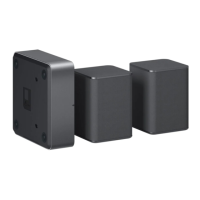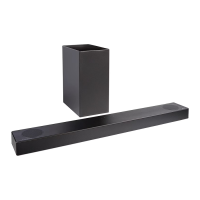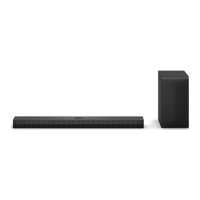
EasyManua.ls Logo

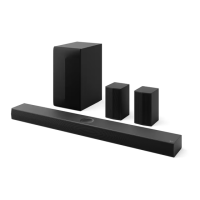
LG S78S1-S - User Manual

LG S78S1-S
61 pages
Print Icon
To Next Page IconTo Next Page
Loading...
OWNER’S MANUAL
WIRELESS
SOUND BAR
Please read this manual carefully before operating your set and retain it for future
reference.
Model
SPD7R (SPD7R, SPP5C-W), SPK8C-S (SPK8C-S, S78S1-S)
2303_Rev01
www.lg.com
Copyright © 2023 LG Electronics Inc. All Rights Reserved.

Questions and Answers

  • M
    Miguel LeonardAug 5, 2025
    What to do if my LG S78S1-S remote control is not working?
    • K
      Kyle CurtisAug 5, 2025
      If the remote control for your LG Speaker System isn't working properly, make sure you're within about 7 meters of the unit. Also, check for any obstacles between the remote and the unit and remove them. If it still doesn't work, the batteries in the remote might be dead, so try replacing them with new ones.
  • W
    whiteheadlisaAug 10, 2025
    Why is there no woofer sound on my LG Speaker System?
    • J
      Jennifer WarrenAug 10, 2025
      If you are not getting any sound from the woofer of your LG Speaker System, ensure that the subwoofer's power cord is securely plugged into the wall outlet. If it is, the pairing between the unit and the subwoofer may have been disconnected. In this case, you should connect the unit and the subwoofer. (Page 18)
  • T
    Tara HodgesAug 15, 2025
    Why is there no sound coming from my LG S78S1-S?
    • M
      Michael WarnerAug 15, 2025
      If your LG Speaker System isn't producing any sound, there could be a few reasons. First, ensure that you've selected the correct input source. If the input source is correct, the mute function may be activated. Press the (Mute) button or adjust the volume to cancel it. If you're connected to an external device like a set-top box or Bluetooth device, also check and adjust the volume level on that device.
  • J
    Jessica GrimesAug 20, 2025
    How to troubleshoot no power on my LG S78S1-S Speaker System?
    • K
      Kevin GriffinAug 20, 2025
      If your LG Speaker System isn't powering on, begin by checking the power cord to ensure it's securely plugged into the outlet. If it is, verify that there isn't a power outage by testing other electronic devices.
  • Y
    Yvonne HallAug 26, 2025
    Why is the AUTO POWER function not working on my LG S78S1-S?
    • A
      Alexandra ThompsonAug 26, 2025
      If the AUTO POWER function on your LG Speaker System isn't working, begin by checking the connection of the external device, such as a TV, DVD/Blu-Ray player, or Bluetooth device. If the connection is correct, check the SIMPLINK settings on your LG TV and turn off SIMPLINK. Depending on the connected device, this function may not operate.
  • C
    cmcgrathAug 30, 2025
    What to do if my LG S78S1-S does not work properly?
    • W
      William SantiagoAug 30, 2025
      If your LG Speaker System isn't working correctly, try turning off the power to both the unit and any connected external devices like your TV, woofer, DVD player, or amplifier, and then turn them back on. If that doesn't work, disconnect the power cord of the unit and the connected external devices, and then reconnect them. Also, previous settings may not be saved when device power is shut off.

Summary

Sound Bar Quick Guide

Installing and using the Product

Initial setup, connecting to TV, smartphone via Bluetooth, and LG Sound Bar app.

Installation

Connecting Wireless Components

Steps for connecting the sound bar to wireless subwoofer and rear speakers.

Audio Features

Surround Sound Setup

How to set up and use surround sound features.

Exploring the Product

Front Panel Overview

Details on buttons, display, and ports on the front of the sound bar.

Rear Panel Ports

Identifies and explains the input/output ports on the back of the sound bar.

Remote Control and Basic Functions

Operation of the remote control, sound modes, tuning, and general operations.

Product Settings and Features

Details on product settings, TV remote integration, Auto Power, Night Time, Display, and Quick Start.

Connectivity

TV Connections

Connecting the sound bar to a TV via optical, HDMI, LG Sound Sync, and SIMPLINK.

External Device and Audio System Connections

Connecting external devices and using Bluetooth, app, or USB for audio.

Mounting and Safety

Wall Mounting Procedure

Information on components and steps for wall-mounting the sound bar.

Safety Precautions

Essential safety warnings, precautions, and guidelines for power/battery use.

Troubleshooting

Common Issues and Solutions

Solutions for product not working, no sound, connection problems, and demo mode.

Appendix

Product Specifications

Technical details including dimensions, power, and audio output.

Trademarks and Handling

Information on trademarks, licenses, open source, and product handling.

LG S78S1-S Specifications

General IconGeneral
BrandLG
ModelS78S1-S
TypeSpeaker System
Subwoofer Power300W
Frequency Response40Hz-20kHz
ColorBlack
Impedance4 Ohms

Related product manuals