EasyManua.ls Logo

LG SH5 - User Manual

LG SH5
8 pages
Print Icon
To Next Page IconTo Next Page
Loading...
SIMPLE MANUAL
Wireless
Sound Bar
To view the instructions of advanced features,
visit http://www.lg.com and then download Owner’s Manual.
Some of the content in this manual may differ from your unit.
MODEL
SH5
www.lg.com
ENGLISH
*MFL69586945*
Question and Answer IconNeed help?

Do you have a question about the LG SH5 and is the answer not in the manual?

Summary

Subwoofer Connection

Subwoofer Connection Manually

Steps for manual pairing and reset of the wireless subwoofer connection.

TV Connection

Optical Connection

Connect speaker to TV using optical cable and set TV audio output.

HDMI (ARC) Connection

Connect speaker to TV using HDMI ARC cable and set TV audio output.

Remote Control

Replacement of Battery

Instructions on how to replace the battery in the remote control.

Additional Device Connection

Additional Information

Specifications

Technical details including power consumption, AC adapter, dimensions, and weight.

How to Disconnect Wireless Connection

Safety Precautions

Electric Shock and Fire Hazards

Warnings on electric shock, fire, moisture, and ventilation to prevent hazards.

Power Cord and Liquid Safety

Guidelines for power cord accessibility and preventing liquid damage.

Battery and Adapter Usage

Safe battery removal and proper use of the supplied AC adapter.

RF Radiation Exposure

Statement regarding safe installation and operation distances for RF exposure.

Overview

This document is a simple manual for an LG Wireless Sound Bar, model SH5, designed to provide basic setup and usage instructions. It also directs users to the LG website for a more comprehensive owner's manual, indicating that some content in this simple manual might differ from the actual unit.

Function Description

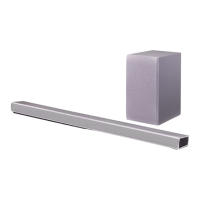
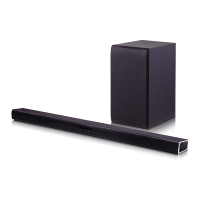
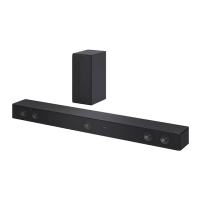
The LG Wireless Sound Bar (SH5) is an audio device designed to enhance the sound experience of a television or other external devices. It features a main sound bar unit and a wireless subwoofer, working together to deliver a more immersive audio output. The sound bar supports various input sources, including optical, portable (3.5mm auxiliary), USB, and HDMI ARC, making it versatile for connecting to different types of equipment.

The primary function of the sound bar is to act as an external speaker system for a TV, significantly improving audio quality compared to built-in TV speakers. The wireless subwoofer adds depth to the audio by handling low-frequency sounds, enhancing bass and overall richness.

Usage Features

The sound bar offers several features for ease of use and connectivity:

Front Panel Controls: The front panel of the sound bar includes basic controls:

  • Standby / On (⏚/|): Toggles the power of the unit.
  • Function (F): Selects the input source (e.g., Optical, Portable, HDMI).
  • Volume (+/-): Adjusts the audio volume.

Rear Panel Connections: The rear panel provides various ports for connecting to other devices:

  • OPTICAL IN: Connects to an optical output from a TV or other digital audio source.
  • PORTABLE IN: Connects to a portable device using a 3.5mm auxiliary cable.
  • USB port (5V-500mA): Connects to a USB device for audio playback.
  • HDMI IN: Connects to an HDMI output on a device (e.g., set-top box, Blu-ray player).
  • HDMI OUT (TV ARC): Connects to a TV's HDMI ARC port, allowing audio to be sent from the TV to the sound bar and enabling control of the sound bar with the TV remote.

Wireless Subwoofer Connection: The sound bar is designed to connect wirelessly with its accompanying subwoofer.

  1. Initial Setup: Place the subwoofer near the sound bar. Connect the subwoofer's power cord to an electrical outlet. When the main sound bar unit is turned on, the sound bar and subwoofer should automatically connect, indicated by a green LED on the subwoofer.
  2. Manual Connection (if needed): If the automatic connection fails (e.g., green LED blinks quickly), a manual reset procedure can be followed:
    • Subwoofer Reset: Press and hold the "Pairing" button on the subwoofer for 5 seconds until the LED lights up alternately in red and green. Unplug and replug the subwoofer's power cord. The green LED will then blink quickly.
    • Sound Bar Reset: Adjust the sound bar volume to minimum ("MIN" appears). Press and hold the "Mute" button on the remote control for 3 seconds ("SUB - WF RESET" appears). Turn the sound bar's power off and then back on while the subwoofer's LED is still blinking green. Once connected, the subwoofer's green LED will turn solid.
    • Interference Prevention: It is recommended to keep the sound bar and subwoofer at least 1 meter away from other wireless devices (e.g., wireless routers, microwave ovens) to prevent interference.

TV Connection Options: The sound bar offers two primary ways to connect to a TV:

  1. Optical Connection:
    • Connect an optical cable from the TV's optical output to the sound bar's "OPTICAL IN" port.
    • Configure the TV's audio settings to output sound through "External Speaker (Optical)."
  2. HDMI ARC Connection:
    • Connect an HDMI cable from the TV's HDMI ARC port to the sound bar's "HDMI OUT (TV ARC)" port.
    • Configure the TV's audio settings to output sound through "External Speaker (HDMI ARC)." This connection type is only available if the TV supports HDMI ARC.

Additional Device Connection: External devices like set-top boxes or media players can be connected to the sound bar:

  • Option 1 (HDMI Passthrough): Connect the external device's HDMI output to the sound bar's "HDMI IN" port. Then, connect the sound bar's "HDMI OUT (TV ARC)" to the TV's HDMI ARC port.
  • Option 2 (Optical): Connect the external device's optical output to the sound bar's "OPTICAL IN" port.
  • Input Selection: Use the "F" button on the remote control or the unit to repeatedly select the desired input source.

Remote Control Features: The included remote control provides comprehensive control over the sound bar:

  • Power (⏚): Turns the unit on or off.
  • Sound Effect: Cycles through various sound modes.
  • Volume (+/-): Adjusts the volume.
  • Mute (X): Mutes or unmutes the sound.
  • Play/Pause (►II): Controls playback for connected media.
  • Skip (|< / >|): Skips tracks or content.
  • Folder (+/-): Navigates through folders on USB devices.
  • Repeat: Repeats playback.
  • AV SYNC: Synchronizes audio and video, useful for correcting lip-sync issues.
  • AUTO VOL: Adjusts the volume level appropriately to prevent sudden changes.
  • AUTO POWER: Automatically turns on the sound bar when an input source is detected.
  • Night Mode (*): Reduces the volume at night.

Maintenance Features

The manual provides general safety and maintenance guidelines:

Battery Replacement (Remote Control): The remote control requires AAA batteries. To replace them, open the battery compartment, remove the old batteries, and insert new ones, ensuring correct polarity.

Safety Information:

  • Electrical Safety: Do not open the device casing to avoid electric shock. Refer servicing to qualified personnel. Avoid exposing the product to rain or moisture to prevent fire or shock hazards.
  • Ventilation: Do not block ventilation openings. Ensure proper ventilation when installing the unit, especially in confined spaces like bookcases.
  • Power Cord: The power plug is the disconnecting device and should remain readily accessible.
  • Liquid Exposure: Do not expose the apparatus to water (dripping or splashing) and do not place objects filled with liquids (e.g., vases) on the apparatus.
  • Heat Sources: Avoid placing naked flame sources, such as lighted candles, on the apparatus.
  • High Voltage Products: Do not use high voltage products (e.g., electrical swatters) near the sound bar, as it may cause malfunction due to electrical shock.
  • Adapter Usage: Only use the AC adapter supplied with this device. Using other adapters may damage the device and void the warranty.
  • Battery Disposal: Dispose of old batteries responsibly in designated collection points, not with general waste. Avoid exposing batteries to excessive heat.
  • RF Radiation Exposure: The equipment should be installed and operated with a minimum distance of 20 cm between the radiator and your body.

Wireless Network Disconnection: To disconnect the wireless network connection or wireless device, set the "AUTO POWER ON/OFF" function to off and then turn off the unit.

This manual emphasizes user safety and provides clear, concise instructions for setting up and operating the LG Wireless Sound Bar SH5, ensuring a straightforward user experience.

LG SH5 Specifications

General IconGeneral
Audio decodersDTS Digital Surround, Dolby Digital
RMS rated power320 W
Audio output channels2.1 channels
Bass reflexYes
Subwoofer typeActive subwoofer
Subwoofer locationSeparate
Subwoofer connectivityWireless
Soundbar speaker RMS power120 W
Quantity1
Docking connector type-
Subwoofer driver diameter (imperial)6 \
Ethernet LANNo
Bluetooth version4.0
USB 2.0 ports quantityUSB 2.0 ports have a data transmission speed of 480 Mbps, and are backwards compatible with USB 1.1 ports. You can connect all kinds of peripheral devices to them.
Connectivity technologyWired & Wireless
Product colorSilver
Audio formats supportedFLAC, LPCM, MP3, OGG, WAV, WMA
AC input voltage100-240 V
AC input frequency50 - 60 Hz
Power consumption (standby)0.5 W
Power consumption (typical)27 W
Weight and Dimensions IconWeight and Dimensions
Subwoofer depth252 mm
Subwoofer width171 mm
Subwoofer height320 mm
Main unit dimensions (WxDxH)945 x 53 x 85 mm

Related product manuals