This document is a simple manual for the LG Wireless Sound Bar, models SH4 and SHC4. It provides basic instructions for setup, connection, and operation, with a note to visit the LG website for advanced features and the full owner's manual.
Function Description
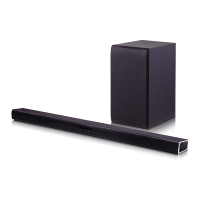
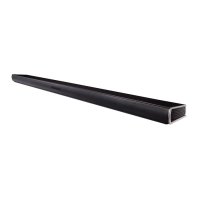
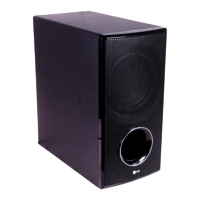
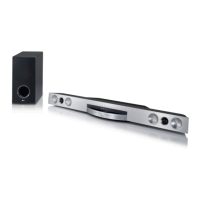
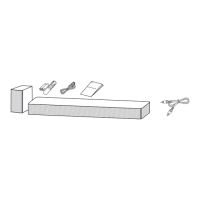
The LG Wireless Sound Bar is designed to enhance the audio experience for televisions and other external devices. It consists of a main sound bar unit and a wireless subwoofer, providing a more immersive sound. The sound bar offers various input options, including Optical, Portable In, USB, and HDMI, allowing for flexible connectivity with different audio sources. It also supports HDMI ARC (Audio Return Channel) for simplified TV connection and control. The included remote control provides convenient access to sound effects, volume adjustments, and power settings.
Important Technical Specifications
- Power Consumption: 22 W (Networked standby: 0.5 W if all network ports are activated)
- AC Adapter:
- Model: DA-38A25
- Manufacturer: Asian Power Devices Inc.
- Input: 100-240 V ~ 50-60 Hz, 1.2 A
- Output: 25 V === 1.52 A
- Dimensions (W x H x D): Approximately 890 mm x 53 mm x 85 mm (35.0 inch x 2.1 inch x 3.3 inch), without foot
- Net Weight: Approximately 2.34 kg (5.2 lb)
- Bus Power Supply (USB): 5 V === 500 mA
- Amplifier (Total RMS Output Power): 300 W
- Wireless Connectivity: The sound bar and subwoofer connect wirelessly. It is recommended to keep the sound bar and subwoofer at least 1 meter (3.3 ft) away from other wireless devices (e.g., wireless routers, microwave ovens) to prevent interference.
- HDMI: High-Definition Multimedia Interface.
Usage Features
- Front Panel Controls: The sound bar features buttons on the rear panel for basic operations:
- Power (৬/): Standby / On.
- Function (F): Selects the input function (e.g., Optical, Portable In, USB, HDMI).
- Volume (+/-): Adjusts the volume level.
- Rear Panel Connections:
- OPTICAL IN: Connects to an Optical device.
- PORTABLE IN: Connects to a Portable device.
- USB port (5V = 500mA): Connects to a USB device for media playback or power.
- HDMI IN: Connects to an HDMI output on a source device (e.g., set-top box, player).
- HDMI OUT (TV ARC): Connects to a TV supporting HDMI ARC.
- Subwoofer Connection:
- Automatic Connection: The wireless subwoofer automatically connects to the sound bar when both are powered on. The subwoofer's green LED indicates a successful connection.
- Manual Connection: If the subwoofer does not connect automatically, a manual connection process is available:
- Reset Subwoofer: Press and hold the Pairing button on the subwoofer for 5 seconds until the LED lights up alternately in red and green. Unplug and replug the power cord. The green LED will blink rapidly.
- Reset Sound Bar: Adjust the sound bar volume to minimum until the red LED lights up. Press and hold the Mute button on the remote control for 3 seconds until the red LED blinks rapidly. Turn the sound bar's power off and on while the subwoofer's green LED blinks. The green LED on the subwoofer will turn solid when connected.
- TV Connection:
- Optical Connection: Connect the sound bar to the TV using an Optical cable. Set the TV's audio output to "External Speaker (Optical)."
- HDMI ARC Connection: Connect the sound bar to the TV using an HDMI cable to the HDMI OUT (TV ARC) port. Set the TV's audio output to "External Speaker (HDMI ARC)." Note that HDMI connection is unavailable if the TV does not support HDMI ARC.
- Additional Device Connection: Connect external devices (e.g., set-top box, player) to the sound bar via HDMI IN or OPTICAL IN. Select the corresponding input source using the "F" button on the remote or unit.
- Remote Control Functions:
- Sound Effect Modes: ASC (Adaptive Sound Control), STANDARD, CINEMA.
- NIGHT ON/OFF: Reduces volume at night.
- WOOFER LEVEL (+/-): Synchronizes audio and video, likely adjusting subwoofer output.
- AUTO POWER ON/OFF: Automatically turns the sound bar on with an input source.
- Battery Replacement: The remote control uses AAA (R03) batteries. The manual includes an illustration for battery replacement.
Maintenance Features
- Wireless Interference Prevention: Keep the sound bar and subwoofer at least 1 meter (3.3 ft) away from other wireless devices like routers or microwave ovens to prevent interference.
- Disconnecting Wireless Network: To disconnect the wireless network connection or wireless device, set the AUTO POWER ON/OFF function to "off" and then turn off the unit.
- FCC Compliance: The device complies with FCC rules, including radiation exposure limits and interference requirements. Users are advised to maintain a minimum distance of 20 cm (7.8 inches) between the antenna and their body.
- California Proposition 65 Warning: The product contains chemicals known to cause cancer, birth defects, or other reproductive harm. Users are advised to wash hands after handling.

 Need help?
 General

 To Next Page