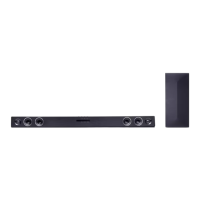
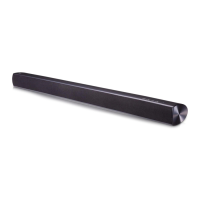
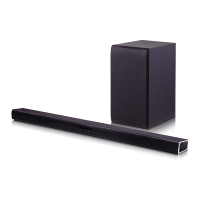
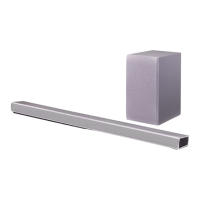
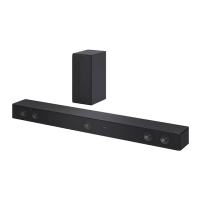
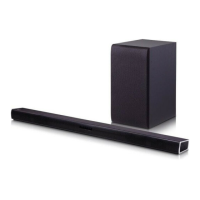
This document is the owner's manual for an LG Wireless Sound Bar, model SH3B (SH3B, SPH3B-W). It provides comprehensive instructions for setup, operation, and maintenance, ensuring users can maximize their audio experience.
Function Description
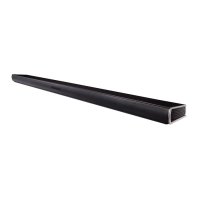
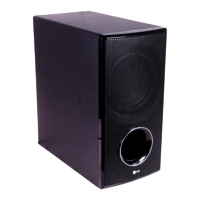
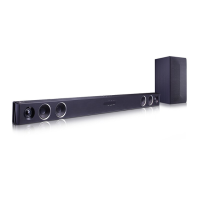
The LG Wireless Sound Bar is designed to enhance your audio experience, particularly when connected to a TV or other external devices. It functions as a primary audio output, delivering clear and immersive sound. The system includes a main sound bar unit and a wireless subwoofer, working together to produce a total RMS output power of 300 W. The sound bar supports various input sources, including optical digital audio and portable analog input, making it versatile for different setups. A key feature is its wireless connectivity, allowing for a clutter-free setup with the subwoofer and seamless integration with compatible LG TVs via LG Sound Sync. The device also incorporates Bluetooth technology, enabling wireless streaming of music from compatible devices like smartphones, MP3 players, and laptops.
Usage Features
The sound bar offers several user-friendly features to optimize your listening experience:
- Auto Power Down: To save energy, the unit automatically turns off if it's not connected to an external device or not used for 20 minutes. If connected via analog input, it will turn off after six hours of inactivity.
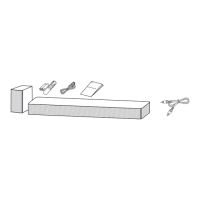
- Portable In: This feature allows you to connect and play music from portable devices such as MP3 players, notebooks, or smartphones using a 3.5 mm stereo cable.
- LG Sound Sync: This technology enables you to control the sound bar's volume using your compatible LG TV's remote control. It supports both wired (optical cable) and wireless connections, providing flexibility in setup.
- Adaptive Sound Control (ASC): The ASC sound effect analyzes the input sound's properties and optimizes the audio for the content in real-time, ensuring the best possible listening experience.
- Standard Sound Effect: Provides an optimized sound experience for general listening.
- Cinema Sound Effect: Offers a more immersive and cinematic surround sound, ideal for movies.
- DRC (Dynamic Range Control): This function clarifies sound at low volumes and prevents sudden increases in sound, particularly useful for Dolby Digital content.
- Auto LED Off: The unit's function LED can be set to automatically turn off after about 20 seconds of no key input, reducing visual distraction.
- Auto Function Change: The sound bar intelligently recognizes input signals (Optical, Bluetooth, LG TV, Portable) and automatically switches to the appropriate function, simplifying operation.
- Bluetooth Technology: Facilitates wireless audio streaming from Bluetooth-enabled devices. The unit supports the A2DP profile and uses SBC codec. Pairing is straightforward, and once paired, the connection is typically re-established automatically.
- "Music Flow Bluetooth" App: For Android OS devices (Ver 4.0.3 or later), a dedicated app enhances Bluetooth functionality, offering additional control and features. The app can be installed via QR code or Google Android Market (Google Play Store).
- Woofer Level Adjustment: Users can fine-tune the subwoofer's sound level to their preference using the remote control.
- TV Remote Control Compatibility: The sound bar can be controlled by certain functions (volume up/down, mute) of other company's TV remote controls, including LG, Panasonic, Philips, Samsung, Sharp, Sony, Toshiba, and Vizio.
Maintenance Features
To ensure the longevity and optimal performance of your LG Wireless Sound Bar, the manual provides simple maintenance guidelines:
- Shipping the Unit: It is recommended to save the original shipping carton and packing materials. If the unit needs to be shipped, re-pack it in its original packaging for maximum protection.
- Keeping Exterior Surfaces Clean:
- Avoid using volatile liquids like insecticide spray near the unit.
- Do not wipe with strong pressure, as this may damage the surface.
- Prevent rubber or plastic products from being in contact with the unit for extended periods.
- Cleaning the Unit: Use a soft, dry cloth for general cleaning. For extremely dirty surfaces, a soft cloth lightly moistened with a mild detergent solution can be used. Harsh solvents such as alcohol, benzine, or thinner should be avoided as they can damage the unit's surface.


 To Next Page

 General
 Weight and Dimensions