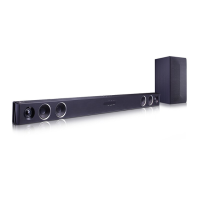
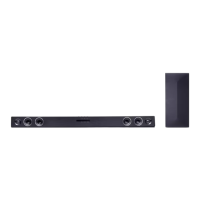
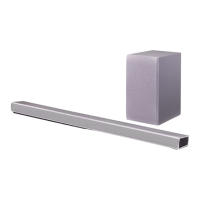
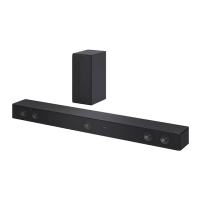
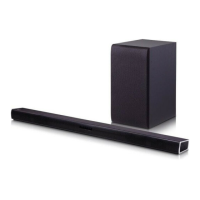
EasyManua.ls Logo

LG SH3K - User Manual

LG SH3K
24 pages
Print Icon
To Next Page IconTo Next Page
Loading...
OWNER’S MANUAL
Wireless
Sound Bar
Please read this manual carefully before operating
your set and retain it for future reference.
MODEL
SH3K (SH3K, SPH4B-W)
Copyright © 2018 LG Electronics Inc. All Rights Reserved.
www.lg.com
MFL69681808

Other manuals for LG SH3K

Questions and Answers

  • J
    John BellJul 28, 2025
    What to do if the LG SH3K remote control does not work?
    • M
      msmithJul 28, 2025
      If the remote control for your LG Speaker System isn't working, ensure you're within 7 meters (23 feet) of the unit and that there are no obstacles blocking the path between the remote and the unit. If it still doesn't work, replace the batteries with new ones.
  • J
    Justin Aguilar MDAug 1, 2025
    What to do if the output sound of the LG SH3K Speaker System is low?
    • A
      Anthony LopezAug 1, 2025
      If you're experiencing low output sound from your LG Speaker System, try the following: * Turn OFF the DRC function using the remote controller. * If connected to a TV, change the AUDIO DIGITAL OUT setting in the TV's Setup Menu from PCM to AUTO or BITSTREAM. * If connected to a Player, change the AUDIO DIGITAL OUT setting in the Player's Setup Menu from PCM to PRIMARY PASS-THROUGH or BITSTREAM. * Ensure Night Mode is turned OFF.
  • J
    John VazquezAug 5, 2025
    What to do if there is no woofer sound from my LG Speaker System?
    • M
      Michelle MoralesAug 5, 2025
      If you're not getting any sound from the woofer of your LG Speaker System, ensure the woofer's power cord is securely plugged into the wall outlet. Also, check if the pairing between the main unit and the woofer has been disconnected. If so, reconnect them.
  • H
    Heather GarrettAug 10, 2025
    Why is there no sound coming from my LG SH3K Speaker System?
    • M
      Mrs. Heather WalshAug 10, 2025
      If your LG Speaker System isn't producing any sound, first, ensure the correct input source is selected. If the mute function is on, press the Mute button or adjust the volume. Also, if connected to an external device like a set-top box or Bluetooth device, check and adjust the volume level on that device as well.
  • M
    Miguel FergusonAug 14, 2025
    How to troubleshoot an LG SH3K that does not work properly?
    • K
      kelseychenAug 14, 2025
      If your LG Speaker System isn't working correctly, try turning off the power to both the unit and any connected external devices (TV, Woofer, DVD player, Amplifier, etc.), and then turn them back on. If that doesn't work, disconnect the power cord of the unit and the connected devices, and then reconnect them. Keep in mind that previous settings may not be saved when the device is shut off.
  • S
    Suzanne RobertsonAug 18, 2025
    Why does my LG Speaker System have no power?
    • K
      knoxvincentAug 18, 2025
      If there's no power to your LG Speaker System, first, make sure the power cord is securely plugged in. If it is, check the outlet by testing it with other electronic devices.
  • R
    rachel14Aug 22, 2025
    Why does the AUTO POWER function not work on my LG SH3K?
    • T
      tracy49Aug 22, 2025
      If the AUTO POWER function on your LG Speaker System isn't working, check the connection of the external device (TV, DVD/Blu-Ray player, or Bluetooth device). Note that depending on the connected device, this function may not operate.

Summary

Unique Features

Auto Power Down

Unit automatically turns off for energy saving when not in use.

Portable In

Listen to music from portable devices like MP3 players or smartphones.

Introduction

Manual Symbols Explained

Explains symbols like 'Note' and 'Caution' used in the manual for clarity.

Remote Control Operations

Button Functions

Details the functions of various buttons on the remote control for operation.

Battery Replacement

Instructions on how to replace the battery in the remote control correctly.

Front Panel Overview

Controls and Indicator LEDs

Explains the functions of buttons and indicator LEDs on the front panel.

Rear Panel Connections

Input Ports Explained

Details the PORT. IN and OPTICAL IN connection ports on the rear panel.

Installing the Sound Bar

Placement and Wireless Connection Advice

Guidance on placing the unit and connecting it to other devices, plus wireless connection caution.

Wall Mounting the Main Unit

Wall Mounting Preparation Steps

Steps and considerations for preparing to mount the unit on a wall, including using a guide sheet.

Wall Mounting Bracket Attachment

Detailed steps for matching the bracket to the TV, drilling holes, and attaching the bracket.

Wall Mounting Procedure Completion

Securing Unit and Mounting Cautions

Instructions for fixing the bracket, hanging the unit, and important safety warnings during wall mounting.

Wireless Subwoofer Connectivity

LED Indicator Status Guide

Explains the LED colors and their corresponding status for wireless subwoofer connection.

Subwoofer Pairing Procedures

Steps for setting up and manually pairing the wireless subwoofer with the main unit.

Connecting to Your TV

Using an Optical Cable for TV Audio

Instructions on connecting the unit to a TV using an optical cable for audio output.

Connecting Other Audio Devices

Optical IN Connection Guide

Connect an optical output jack of external devices to the unit's OPTICAL IN jack.

Portable Device Audio Playback

PORT. IN Connection for Music

Connect portable players via a 3.5mm stereo cable to the PORTABLE IN connector.

Operations

Night Mode Function

Reduces sound intensity for watching movies at low volume late at night.

Mute and Volume Control

Temporarily turn off sound using Mute and control volume via remote or TV remote.

Using TV Remote Control

Control volume and mute functions using your TV remote control.

AUTO POWER and Auto Function Change

AUTO POWER On;Off Functionality

Unit automatically turns on with input signal; notes on its behavior and limitations.

Automatic Input Signal Switching

Unit automatically recognizes and switches to optical or Bluetooth input signals.

BLUETOOTH Technology Usage

Understanding BLUETOOTH Features

Explanation of Bluetooth wireless technology, available devices, and profiles like A2DP.

BLUETOOTH Music Playback

Pairing with BLUETOOTH Devices

Procedure to pair the sound bar with a Bluetooth device, including PIN code and device name.

BLUETOOTH Connection Best Practices

Optimizing BLUETOOTH Performance

Tips for optimal Bluetooth performance, including distance, interference, and pairing limitations.

Sound Adjustment Options

Setting Surround Sound Modes

Selects desired sound modes like ASC, BASS BLAST, or CINEMA for different audio experiences.

Adjusting Woofer Sound Level

Allows adjustment of the subwoofer sound level using the WOOFER LEVEL +/- buttons.

Troubleshooting Common Issues

Unit Operation Problems

Steps to resolve issues like unit not working, no power, or no sound.

Remote Control and AUTO POWER Issues

Troubleshooting for remote control malfunctions and AUTO POWER function errors.

Resolving Sound and Wireless Issues

Low Sound Output Solutions

Adjustments for low sound output, including digital audio settings and Night Mode.

Wireless Interference and BLUETOOTH Problems

Addressing wireless interference and BLUETOOTH device malfunction or noise.

Unit Maintenance and Handling

Shipping and Exterior Cleaning

Instructions for handling the unit during shipping and keeping exterior surfaces clean.

Detailed Cleaning Procedures

Detailed steps for cleaning the player using soft cloths and mild detergent solution.

LG SH3K Specifications

General IconGeneral
Audio Channels2.1
Subwooferincluded
Surround Sounddolby digital
High Resolution Audiono
Dialogue Enhancementno
Tweeters2
Inputs3.5mm audio
Outputsnone
HDMI Inputs0
HDMI Outputs0
USB Ports0
Bluetoothyes
Wireless Connectivitybluetooth
Wireless Subwoofer Connectivityyes
Wireless Multi-Room Audiono
Optical Audio Inputs1
Remote Controlyes
Weight and Dimensions IconWeight and Dimensions
Depth1.9 inches
Height2.8 inches
Width37.4 inches
Net Weight5.5 pounds
Subwoofer Depth10.3 inches
Subwoofer Height15.4 inches
Subwoofer Width6.7 inches
Subwoofer Weight12.3 pounds

Videos

How to Troubleshoot LG SH3K Soundbar Not Working

Related product manuals