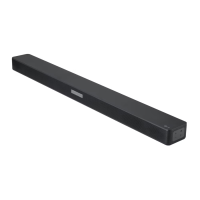
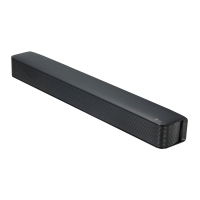
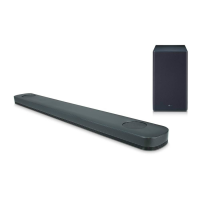
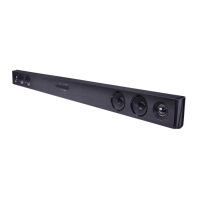
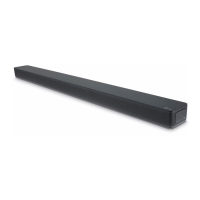
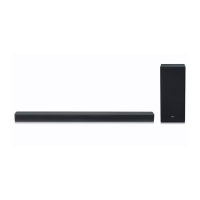
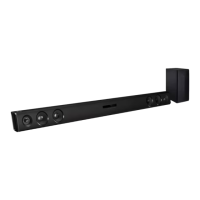
This document is an owner's manual for an LG Wireless Sound Bar, model SK3D (SK3D, SPH4B-W). It provides comprehensive instructions for setting up, operating, and maintaining the device.
The sound bar is designed to enhance your audio experience, offering wireless connectivity and various sound modes. It can be connected to a TV, Blu-ray disc player, DVD player, or portable devices like MP3 players, notebooks, and smartphones.
The manual begins with crucial safety information, emphasizing the risk of electric shock and fire hazards. Users are warned not to open the device or expose it to rain or moisture. It advises against placing objects filled with liquids, such as vases, on the device and cautions against installing it in confined spaces that could block ventilation. High voltage products should be kept away from the sound bar to prevent malfunction. The power plug serves as the disconnecting device and should remain easily accessible. Users are instructed to check the power cord periodically for damage and to replace it with an exact replacement part if necessary. The manual also includes instructions on how to safely remove batteries from the equipment, emphasizing proper disposal at designated collection points to prevent environmental contamination.
Unique Features
The LG Wireless Sound Bar includes several unique features:
- Auto Power Down: This unit supports automatic shutdown to save energy. It will turn itself off if not connected to an external device and unused for 15 minutes, or after six hours if connected via analog input.
- Portable In: Allows users to listen to music from portable devices such as MP3 players, notebooks, and smartphones.
- Wireless Subwoofer Connection: The sound bar connects wirelessly to its subwoofer, simplifying setup and reducing cable clutter.
Accessories
The package includes:
- Remote control (1)
- Batteries (2)
- Wall Bracket Install guide (1)
- Wall bracket (1)
- Optical cable (1)
Remote Control Functions
The remote control offers a wide range of functions:
- Power (O): Switches the unit ON or OFF.
- Function (F): Selects the function and input source.
- ASC (Adaptive Sound Control): Analyzes input sound properties and optimizes sound for real-time content.
- BASS BLAST: Selects reinforced bass sound.
- CINEMA: Selects cinematic surround sound.
- VOL +/-: Adjusts speaker volume.
- Mute (X): Mutes the sound.
- Skip (K/): Skips fast backward or forward.
- Play/Pause (►II): Starts or pauses playback.
- NIGHT ON/OFF: Turns Night mode on or off, which reduces sound intensity for late-night viewing. This button also allows control of the unit using a TV remote.
- WOOFER LEVEL +/-: Adjusts the sound level of the subwoofer.
- AUTO POWER ON/OFF: Turns the AUTO POWER function on or off.
Front and Rear Panel
The front panel features:
- Power (O/1): Standby/On button.
- Function (F): Selects the function and input source.
- Volume (-/+): Adjusts volume level.
- Standby LED: Lights up red in standby mode.
- Remote sensor: Receives signals from the remote control.
- Function LED: Indicates the current function (OPTICAL, BLUETOOTH, PORTABLE). The LED turns off after 20 seconds of no key input to conserve energy.
- Speakers: Output sound.
The rear panel includes:
- PORT. IN: Portable input for connecting external devices.
- OPTICAL IN: Optical input for connecting to TVs or other digital devices.
Installation
The sound bar can be placed in front of the TV or mounted on a wall.
- Placement: For optimal wireless performance (Bluetooth or wireless subwoofer), avoid installing the unit on metallic furniture, as wireless communication modules are located at the bottom of the unit.
- Wall Mounting: A guide sheet (Wall Bracket Install guide) is provided to help drill holes for wall mounting. Screws and wall plugs are not supplied and should be purchased locally. It is crucial to connect all cables before wall installation due to potential difficulty accessing ports afterward. Users are warned not to install the unit upside down, hang on it, or allow it to fall, which could cause injury or damage. Children should not pull connecting cables when the unit is wall-mounted.
Connecting Devices
- Wireless Subwoofer: The main unit and wireless subwoofer connect automatically upon power-up. If the connection is not established, users can manually pair them by adjusting the main unit's volume to minimum, pressing and holding the Mute button on the remote for 3 seconds, and then pressing and holding PAIRING on the subwoofer for more than 5 seconds. The LED on the subwoofer will blink alternately in red and yellow-green during pairing.
- TV (OPTICAL Cable): Connect the OPTICAL IN jack on the sound bar to the OPTICAL OUT jack on the TV. The TV's sound output should be set to "External speaker (Optical)" in its menu.
- Optional Equipment (OPTICAL IN): Connect other external devices with an optical output to the sound bar's OPTICAL IN jack.
- Portable Player (PORT. IN): Connect a portable player using a 3.5 mm stereo cable to the PORT. IN connector.
Operating Features
- Night Mode: Reduces sound intensity for late-night viewing.
- Mute: Temporarily turns off the sound.
- TV Remote Control: Certain functions (volume up/down, mute) can be controlled using a TV remote, even from other brands.
- AUTO POWER On/Off: The unit automatically turns on and selects the appropriate input source (Optical or Bluetooth) when a signal is detected from a connected external device or when a Bluetooth device attempts to connect.
- Auto Function Change: The unit automatically switches to the correct function (Optical or Bluetooth) based on the input signal.
- BLUETOOTH® Technology: Allows wireless connection to Bluetooth devices for music playback. The sound bar supports the A2DP profile. Pairing involves turning on the unit, enabling Bluetooth on the device, and selecting "LG SK3D (XX)" from the list of available devices. The Bluetooth LED will turn on when successfully connected.
Sound Adjustment
- Surround Mode: The system offers pre-set surround sound fields:
- ASC (Adaptive Sound Control): Optimizes sound for real-time content.
- BASS BLAST: Reinforces bass sound.
- CINEMA: Provides immersive cinematic surround sound.
- Woofer Level: The subwoofer's sound level can be adjusted using the WOOFER LEVEL +/- buttons on the remote.
Troubleshooting
The manual includes a detailed troubleshooting section for common issues:
- Unit not working properly: Suggests restarting the unit and connected devices, or reconnecting power cords.
- No power: Check if the power cord is unplugged or if other electronic devices are working.
- No sound: Verify the input source, check if mute is active, and adjust the volume level of external devices.
- No woofer sound: Ensure the woofer's power cord is securely plugged in and that the unit and woofer are properly paired.
- Remote control not working: Check distance, remove obstacles, and replace batteries.
- AUTO POWER function not working: Verify external device connection (TV, DVD/Blu-Ray player, Bluetooth device).
- Low output sound: Adjust DRC function (OFF), change TV's AUDIO DIGITAL OUT setting to [AUTO] or [BITSTREAM], or player's AUDIO DIGITAL OUT setting to [PRIMARY PASS-THROUGH] or [BITSTREAM]. Ensure Night Mode is OFF.
- Wireless interference/Bluetooth malfunction: Install the device close to the wireless subwoofer, avoid metallic furniture, ensure no body parts contact the transceiver, remove obstacles, and keep distance from other devices using the same frequency (medical equipment, microwaves, wireless LAN).
Maintenance
- Shipping: Retain original shipping carton and packing materials for maximum protection if the unit needs to be shipped.
- Exterior Cleaning: Use a soft, dry cloth for cleaning. For heavily soiled surfaces, a soft cloth lightly moistened with a mild detergent solution can be used. Avoid volatile liquids like insecticide spray, alcohol, benzine, or thinner, as these can damage the surface. Do not apply strong pressure or leave rubber/plastic products in contact with the unit for extended periods.


 To Next Page
 General