EasyManua.ls Logo

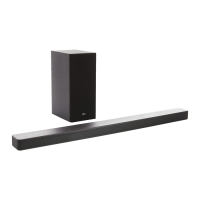
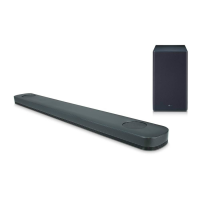
LG SK6Y - User Manual

LG SK6Y
65 pages
Print Icon
To Next Page IconTo Next Page
Loading...
Please read this manual carefully before operating your set and retain it for
future reference.
OWNER’S MANUAL
LG Wi-Fi
Sound Bar
www.lg.com
Copyright © 2018 LG Electronics Inc. All Rights Reserved.
MODEL
SK6Y (SK6Y, SPK5B-W)

Table of Contents

Other manuals for LG SK6Y

Questions and Answers

  • L
    Laurie CunninghamAug 20, 2025
    What to do if my LG SK6Y Speaker System isn't producing sound?
    • J
      jose80Aug 20, 2025
      If no sound is coming from your LG Speaker System, first, ensure that the volume isn't set to the minimum. If you're connected to an external device, check and adjust the volume level on that device as well. Also, check if the mute function is activated and deactivate it by pressing the appropriate button or adjusting the volume. Finally, verify that you've selected the correct input source for your audio.
  • R
    Rebecca HoltAug 21, 2025
    Why is there no woofer sound from my LG SK6Y Speaker System?
    • D
      Dakota WalkerAug 22, 2025
      If you're not getting any sound from the woofer, make sure the subwoofer is securely plugged into the wall outlet. If it is, check if the pairing between the main unit and the subwoofer has been disconnected. If so, reconnect the unit and the subwoofer.
  • K
    Kaylee PerryAug 25, 2025
    How to fix low output sound on my LG SK6Y Speaker System?
    • K
      Karen Ross DDSAug 25, 2025
      If the output sound of your LG Speaker System seems low, switch the DRC function to [OFF] by using “LG Wi-Fi Speaker.” If the sound bar is connected to a TV, change the AUDIO DIGITAL OUT setting in the TV Setup Menu from [PCM] to [AUTO] or [BITSTREAM]. If connected to a Player, change the AUDIO DIGITAL OUT setting in the Player Setup Menu from [PCM] to [PRIMARY PASS-THROUGH] or [BITSTREAM]. Also, change the Audio DRC setting on the connected device setup menu to the [OFF] state and make sure Night Mode is not On; turn [OFF] Night Mode.
  • A
    Amy LeeAug 26, 2025
    Why won't my LG SK6Y Speaker System connect to a Bluetooth device?
    • P
      pottslauraAug 26, 2025
      If your LG Speaker System isn't connecting to a Bluetooth device, turn off the Bluetooth connection lock function.
  • L
    Lisa CookAug 28, 2025
    What to do if my LG SK6Y Speaker System remote control does not work?
    • D
      Dana VelasquezAug 28, 2025
      If the remote control isn't working, make sure you're within 7 m (23 ft) of the unit and that there are no obstacles blocking the path between the remote and the unit. Also, check if the batteries are exhausted and replace them with new ones.
  • L
    lutzchristopherAug 29, 2025
    What to do if the AUTO POWER function on my LG SK6Y isn't working?
    • A
      Andrea ByrdAug 30, 2025
      If the AUTO POWER function isn't working, check the connection of the external device such as TV, DVD/Blu-Ray player or Bluetooth device. Also, check the state of SIMPLINK on your LG TV and turn off SIMPLINK. Depending on the connected device, this function may not operate.
  • A
    Angelica CarlsonSep 1, 2025
    How to fix LG Wi-Fi Speaker app if it doesn’t work properly?
    • P
      petercolemanSep 1, 2025
      If the “LG Wi-Fi Speaker” app isn’t working correctly, first ensure that your smart device is compatible with the app. Also, verify that you have the latest version of the “LG Wi-Fi Speaker” app installed. Finally, check that the speaker’s front LED turns from red to white.
  • D
    Dana BrownSep 3, 2025
    What to do if my LG Speaker System unit does not work properly?
    • B
      Brandon WebsterSep 3, 2025
      If your LG Speaker System isn't working correctly, try turning off the power to both the unit and any connected external devices like TVs, woofers, DVD players, or amplifiers, and then turn them back on. If that doesn't work, disconnect the power cord of the unit and the connected external devices, and then reconnect them. It's also possible that previous settings weren't saved when the device was powered off.
  • M
    Mitchell ReedSep 5, 2025
    What to do if “LG Wi-Fi Speaker” doesn’t work properly?
    • B
      Barbara CohenSep 5, 2025
      If the “LG Wi-Fi Speaker” isn’t working, ensure it is plugged in. Check that the LAN cable is properly connected to both the wireless router and the “LG Wi-Fi Speaker”. If you restart the router, you'll need to turn the speaker’s power off and on again. If you install a new router, you'll need to perform a factory reset and set up the network connection for the speaker.
  • E
    Edward ColemanSep 7, 2025
    Why won't my LG SK6Y Speaker System power on?
    • P
      Patrick GonzalesSep 7, 2025
      If your LG speaker system isn't powering on, make sure the power cord is properly plugged into the outlet.

Summary

Safety Information

CAUTION concerning the Power Cord

Provides essential warnings and precautions regarding the use of the power cord.

Main Features

LG Wi-Fi Speaker Application

Control the sound bar and play music via a dedicated smartphone app.

Bluetooth Connectivity

Allows wireless streaming of music from Bluetooth-enabled devices.

Surround Sound Capability

Enhances audio experience by enabling surround sound with rear speakers.

Remote Control Overview

Useful Unit Functions

Installing the Sound Bar

Mounting the Main Unit on a Wall

Wireless Subwoofer and Rear Speaker Connection

Wireless Subwoofer Connection

Details on connecting the wireless subwoofer, including LED indicators.

Manually Pairing Wireless Subwoofer

Procedure for manually pairing the wireless subwoofer if automatic connection fails.

Rear Speaker Connection (Sold Separately)

Connecting Rear Speakers

Instructions for connecting the rear speakers to the wireless receiver.

Manually Pairing Wireless Receiver

Procedure for manually pairing the wireless receiver if automatic connection fails.

Surround Sound Functionality

Connecting to Your TV

Using an OPTICAL Cable

Step-by-step guide for connecting the unit to a TV using an optical cable.

LG Sound Sync

LG Sound Sync with Wired Connection

Connecting the unit to an LG TV using an optical cable for Sound Sync.

LG Sound Sync with Wireless Connection

Connecting the unit wirelessly to an LG TV for Sound Sync functionality.

Using an HDMI Cable

ARC (Audio Return Channel) Function

Additional Information for HDMI

Optional Equipment Connection

Network Connection

Wired Connection

Connect the sound bar to the home router using a LAN cable for optimal performance.

Wireless Connection

Connect the sound bar wirelessly to the network using the LG Wi-Fi Speaker app.

LG Wi-Fi Speaker App Functions

Using Bluetooth Wireless Technology

Listening to Music via Bluetooth

AUTO POWER On;Off Function

Sound Adjustment

Adjusting Individual Speaker Levels

Adjusts sound levels for Sub Woofer, Treble, Bass, and Rear speakers.

Resetting the Speaker

Troubleshooting Guide

General Troubleshooting

Addresses common issues like unit not working, no power, or no sound.

Network Connectivity Issues

Resolves problems with connecting to home network or media servers.

LG Wi-Fi Speaker App Features

Installing the LG Wi-Fi Speaker App

Instructions for downloading and installing the LG Wi-Fi Speaker app.

Getting Started with the App

Connecting to Your Home Network

Wired Network Connection

Guidance for establishing a wired connection to the home router.

Simple Connection Method

Easy setup process for connecting the speaker to the Wi-Fi network.

Manual Connection Method

Steps for manually connecting the speaker when simple connection fails.

Enjoying Music with the LG Wi-Fi Speaker App

Playing a Song

Instructions on selecting and playing songs from smart devices or music servers.

Settings and Configuration

LG SK6Y Specifications

General IconGeneral
BrandLG
ModelSK6Y
CategorySpeaker System
LanguageEnglish

Related product manuals