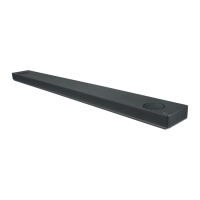
Need help?
Do you have a question about the LG SK8 and is the answer not in the manual?
Instructions for manually pairing the subwoofer if automatic connection fails.
How to connect the soundbar to a TV using an optical cable.
How to connect the soundbar to a TV using an HDMI ARC cable.
Connecting external devices like set-top boxes or players to the soundbar.
Instructions on how to replace the battery in the remote control.
Technical specifications of the LG Wi-Fi Sound Bar.
Important warnings regarding electric shock, moisture, ventilation, flames, and power cord usage.
Instructions for safely removing and disposing of batteries from the equipment.
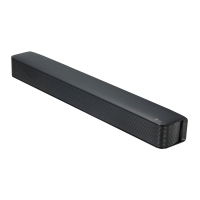
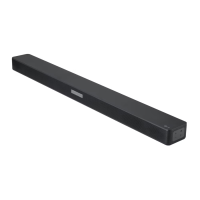
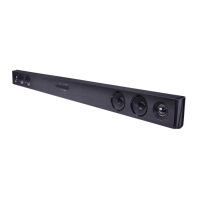
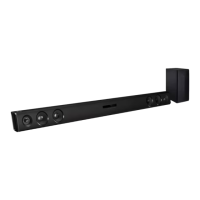
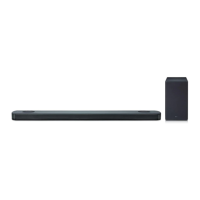
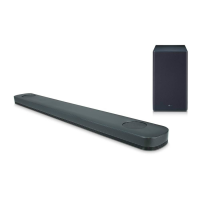
This document is a simple manual for the LG Wi-Fi Sound Bar, model SK8. It provides instructions for basic setup, connection, and operation of the sound bar, along with information on its features and maintenance.
The LG Wi-Fi Sound Bar is designed to enhance your audio experience, offering a Wi-Fi connection for network features and a wireless subwoofer for rich bass. It functions as a central audio output for your TV and other external devices. The sound bar can be switched ON or OFF, and its functions can be selected using the "F" button. Volume adjustments are made with the "-/+" buttons. A dedicated button allows for the selection of the Wi-Fi function.
The LED indicator on the front panel provides visual feedback on the sound bar's connection status. A blinking white light indicates that the unit is waiting for a network connection on the Wi-Fi function. A solid white light means the network connection is complete on the Wi-Fi function, or another function has been selected. A dimmed white light signifies standby mode with a network connection, while a solid red light indicates standby mode without a network connection.
The rear panel of the sound bar features several input and output ports. The "DC IN" port is for connecting the AC adapter. An "OPTICAL IN" port allows connection to an optical device, while a "PORTABLE IN" port is for connecting portable devices. A "USB (Service only)" port serves as an S/W download connector. The "LAN" port is used to connect the sound bar to a router. For TV connections, there's an "HDMI OUT (TV ARC)" port to connect to a TV, and an "HDMI IN" port to connect to a device with HDMI OUT.
Subwoofer Connection: The sound bar comes with a wireless subwoofer that connects automatically. To set it up, simply connect the power cords of both the sound bar and the wireless subwoofer to an outlet, then turn on the sound bar. The sound bar and subwoofer will automatically connect, and the subwoofer's green LED will turn on.
Manual Subwoofer Connection: If the subwoofer doesn't produce sound, you can connect it manually. Press the "Pairing" button on the rear of the wireless subwoofer. The green LED on the subwoofer will blink quickly. If it doesn't blink, press and hold the "Pairing" button. Then, turn on the sound bar, and the pairing process will complete, indicated by the subwoofer's green LED turning on. It's important to keep the sound bar and subwoofer at least 1 meter away from other wireless devices like routers or microwave ovens to prevent interference.
TV Connection: The sound bar can be connected to your TV using either an Optical cable or an HDMI (ARC) cable.
Additional Device Connection: External devices such as set-top boxes or players can be connected to the sound bar. You can connect the device's HDMI OUT to the sound bar's HDMI IN, or the device's optical out to the sound bar's optical in. After connecting, repeatedly press the "F" button on the remote control or the unit to select the correct input source.
Network Connection: To utilize the Wi-Fi features, ensure a router connected to your network is installed. Connect your smart device to your home network, and then connect the sound bar to its power supply. All devices should be connected to the same router.
LG Wi-Fi Speaker Application: To unlock advanced Wi-Fi features, download the "LG Wi-Fi Speaker" application from the App Store or Google Play Store on your smart device. Once downloaded, launch the app and follow the on-screen steps for wired or wireless connection to set up your sound bar.
Remote Control Features: The remote control offers various functions:
Battery Replacement for Remote Control: The remote control uses AAA (R03) batteries. To replace them, open the battery compartment, insert new batteries according to the polarity markings, and close the compartment.
Disconnecting Wireless Network Connection: To disconnect the wireless network connection or the wireless device, press and hold the Wi-Fi button until you hear a beep sound. This action effectively severs the wireless link.
Open Source Software Notice: LG Electronics provides access to the source code under GPL, LGPL, MPL, and other open source licenses for the software contained in this product. This source code, along with license terms, warranty disclaimers, and copyright notices, can be downloaded from http://opensource.lge.com. LG also offers to provide the source code on CD-ROM for a charge covering distribution costs. This offer is valid for three years after the last shipment of the product and is available to anyone in receipt of this information.
Power and Wiring Information: The unit operates on a mains supply of 100 - 240 V ~ 50 - 60 Hz. For units supplied with a BS 1363 approved main plug, always use a fuse of the same rating approved to BS 1362 when replacing it. Never use the plug if the fuse cover is omitted; contact your dealer for a replacement. If the supplied plug is not suitable for your home's mains sockets, it should be removed and a suitable type fitted. A mains plug removed from the lead must be destroyed to prevent hazards. Do not connect any wire to the earth pin (marked E or with the earth symbol, or colored green/green and yellow). The wires in the mains lead are colored blue (neutral) and brown (live). Connect the blue wire to the terminal marked N or black, and the brown wire to the terminal marked L or red.
Safety Precautions:
Disposal of Old Appliance: The crossed-out wheeled bin symbol indicates that waste electrical and electronic products (WEEE) should be disposed of separately from municipal waste. Old electrical products may contain hazardous substances, so correct disposal helps prevent negative environmental and health consequences. These products often contain reusable parts and valuable materials that can be recycled. You can take your appliance to the shop where you purchased it or contact your local government waste office for authorized WEEE collection points. For more information, visit www.lg.com/global/recycling.
Disposal of Waste Batteries/Accumulators: The crossed-out wheeled bin symbol, possibly combined with chemical symbols for mercury (Hg), cadmium (Cd), or lead (Pb), indicates that batteries/accumulators should be disposed of separately. All batteries/accumulators should be disposed of via designated collection facilities appointed by the government or local authorities. Correct disposal helps prevent negative environmental and health consequences. For detailed information, contact your city office, waste disposal service, or the shop where you purchased the product. This device is equipped with a portable battery or accumulator.
Safe Removal of Batteries: To safely remove old batteries or battery packs, follow the assembly steps in reverse order. To prevent environmental contamination and potential threats to human and animal health, dispose of batteries or battery packs in appropriate containers at designated collection points. Do not dispose of them with other waste. It is recommended to use local, free reimbursement systems for batteries or battery packs. Batteries or battery packs should not be exposed to excessive heat, such as sunshine or fire.
 General
| Package depth | 284 mm |
|---|---|
| Package width | 1126 mm |
| Package height | 467 mm |
| Package weight | 13900 g |
| Equalizer | Yes |
| Audio decoders | Dolby Atmos, Dolby Digital, Dolby Digital Plus, Dolby Surround, Dolby TrueHD |
| RMS rated power | 360 W |
| Audio output channels | 2.1 channels |
| Impedance | 4 Ω |
| Woofer diameter | 100 mm |
| Tweeter diameter | 20 mm |
| Soundbar speaker RMS power | 160 W |
| Signal-to-Noise Ratio (SNR) | 82 dB |
| Subwoofer type | Active subwoofer |
| Subwoofer sensitivity | 85 dB |
| Subwoofer connectivity | Wireless |
| Apple docking compatibility | - |
| Subwoofer driver diameter (imperial) | 7 \ |
| HDMI version | 1.4 |
| Audio (L/R) in | 1 |
| Bluetooth version | 4.0 |
| Connectivity technology | Wired & Wireless |
| Product color | Black |
| Audio formats supported | AAC, AAC+, AIFF, ALAC, FLAC, LPCM, MP3, OGG, WAV, WMA |
| Consumer Electronics Control (CEC) | SimpLink |
| AC input voltage | 100 - 240 V |
| AC input frequency | 50 - 60 Hz |
| Power consumption (typical) | 29 W |
 Weight and Dimensions
| Depth | 87 mm |
|---|---|
| Width | 1060 mm |
| Height | 57 mm |
| Soundbar weight | 3000 g |
| Subwoofer depth | 312.3 mm |
| Subwoofer width | 220.6 mm |
| Subwoofer height | 390 mm |
| Subwoofer weight | 7600 g |

 To Next Page