EasyManua.ls Logo

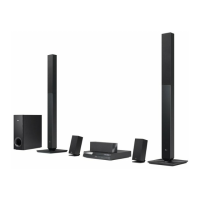
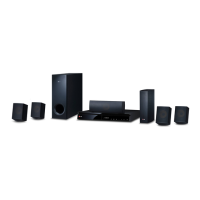
LG Smart 3D Blu-Ray BH6830SW - User Manual

LG Smart 3D Blu-Ray BH6830SW
82 pages
Print Icon
To Next Page IconTo Next Page
Loading...
Please read this manual carefully before operating
your set and retain it for future reference.
www.lg.com
BH6830SW (BH6830SW, S63S3-S/ C, S63T1-W, T2, W3-2)
OWNER’S MANUAL
SMART 3D Blu-ray™
HOME THEATER SYSTEM

Table of Contents

Questions and Answers

  • B
    brian77Aug 19, 2025
    Why is my LG Smart 3D Blu-Ray BH6830SW Home Theater System remote not working?
    • C
      Colleen JacksonAug 19, 2025
      If your LG Home Theater System's remote control isn't working, make sure it's pointed at the unit's remote sensor and is not too far away. Remove any obstacles between the remote and the unit. Also, check if the batteries in the remote are exhausted and replace them if needed.
  • T
    thomas50Aug 21, 2025
    What to do if my LG Smart 3D Blu-Ray BH6830SW Home Theater System won't turn on?
    • E
      estradatylerAug 21, 2025
      If your LG Home Theater System is plugged in but won't turn on or off, try resetting it. Unplug the power cord, wait at least five seconds, and then plug it back in.
  • S
    Shane TerryAug 23, 2025
    How to fix no picture on LG Smart 3D Blu-Ray BH6830SW?
    • C
      Chelsea GeorgeAug 23, 2025
      If there's no picture on your TV when using your LG Home Theater System, ensure that the correct video input mode is selected on your TV. Securely connect the video cables. Check the HDMI Color Setting in the Settings menu to make sure it matches your video connection. If the issue persists, your TV might not support the current resolution set on the player; try changing the resolution. Also, confirm that the HDMI OUT jack is not connected to a DVI device that lacks copyright protection support.
  • V
    Valerie CalderonAug 26, 2025
    Why is there no sound from my LG Home Theater System?
    • D
      Dr. Heather CervantesAug 26, 2025
      If your LG Home Theater System isn't producing sound or the sound is distorted, it might be in scan, slow motion, or pause mode. Check if the sound volume is set too low. Verify the speaker cable connections.
  • E
    Elizabeth Tucker MDAug 28, 2025
    How to fix picture noise on LG Home Theater System?
    • D
      David JacksonAug 28, 2025
      If you're experiencing picture noise with your LG Home Theater System, you might be playing a disc recorded in a color system different from your TV. Also, ensure the resolution is set to one that your TV supports.
  • S
    Stefanie BrightAug 30, 2025
    What to do if my LG Smart 3D Blu-Ray BH6830SW Home Theater System won't connect to Wi-Fi?
    • J
      James ScottAug 30, 2025
      If your LG Home Theater System cannot connect to the access point or wireless LAN router, wireless communication may be interrupted by household devices using radio frequencies. Try moving the player away from these devices.
  • M
    Miss Danielle Clark DDSSep 2, 2025
    Why won't my LG Smart 3D Blu-Ray BH6830SW play discs?
    • B
      Brian WestSep 2, 2025
      If your LG Home Theater System isn't playing discs, make sure you've inserted a playable disc, checking its type, color system, and regional code. Place the disc with the playback side down and correctly inside the guide on the disc tray. Clean the disc if it's dirty. Also, check if the Rating function is enabled and either cancel it or adjust the rating level.
  • D
    dwayne30Sep 4, 2025
    Why does my LG Smart 3D Blu-Ray BH6830SW keep buffering while streaming?
    • J
      John BaldwinSep 4, 2025
      If you're experiencing frequent stops or buffering while streaming video services on your LG Home Theater System, your broadband service speed might be insufficient. It's recommended to contact your Internet Service Provider (ISP) to increase your broadband speed.
  • C
    Charles RomeroSep 6, 2025
    How to enable 3D playback on LG Smart 3D Blu-Ray BH6830SW Home Theater System?
    • A
      Anthony MillerSep 6, 2025
      If your LG Home Theater System isn't outputting 3D views when playing a Blu-ray 3D disc, ensure the player is connected to your TV with an HDMI cable (Type A, High Speed HDMI™ Cable). Verify that your TV supports “HDMI 3D mandatory format”. Also, check that the [3D Mode] option in the [Settings] menu is set to [On].
  • N
    Nicole AvilaSep 8, 2025
    What to do if LG Home Theater System doesn't recognize USB?
    • N
      nicholas54Sep 8, 2025
      If your LG Home Theater System isn't recognizing the connected USB storage device, try using a different USB cable, as some cables may not provide enough current. Avoid using USB extension cables or USB hubs, as they can prevent recognition. Note that USB devices requiring additional program installation on a computer are not supported. The unit only supports USB Flash Drives and USB External HDDs with FAT32 or NTFS format.

Summary

Safety Information

Electric Shock and Laser Warnings

Cautions regarding electric shock, not opening the unit, and laser radiation exposure.

Power Cord and Battery Safety

Precautions for power cord safety and safe battery removal and disposal.

Important Safety Instructions

General Safety Guidelines

Comprehensive list of safety instructions for apparatus operation and placement.

Remote Control and Unit Interfaces

System Setup and Speaker Connection

Speaker Positioning Guidelines

Recommendations for optimal surround sound placement of speakers.

Connecting Speakers

Step-by-step instructions for connecting speaker wires to the unit and speakers.

Wireless and Wired Network Connectivity

Wireless Speaker Setup and Pairing

Instructions for setting up, pairing, and troubleshooting wireless speakers.

Connecting to Your TV via HDMI

Steps and notes for connecting the player to a TV using an HDMI cable.

Network Connection Setup

Instructions for wired and wireless network connection and setup.

Network Settings and Advanced Configuration

Configuring network settings, including automatic and manual IP address assignment.

Initial Setup and System Settings

Initial Setup Wizard

Guided setup for language and network configuration on first use.

Network Menu Options

Configuration for network connection, BD-LIVE, Smart Services, Wi-Fi Direct, and Network Play.

Speaker Setup and HD AV Sync

Adjusting speaker volume/distance and compensating for audio delay.

Sound Effect Adjustments

Selecting and customizing sound modes, including User EQ.

Operating the Player

Smart Share for Media Playback

Playing video, photo, and audio content from connected devices or networks.

Playing Discs and Blu-ray 3 D

Instructions for playing standard discs and Blu-ray 3D content.

Playing Files from Disc;USB

Playing video, audio, and photo files from discs or USB storage devices.

Playing Files from Network Server

Accessing and playing media files from DLNA servers via a home network.

General Playback Controls

Basic operations for controlling video, audio, and photo playback.

Bluetooth Technology and Music Streaming

Using Bluetooth for wireless music playback and device pairing.

Troubleshooting Common Issues

General Troubleshooting

Solutions for power, playback, USB recognition, and angle change issues.

Network Connectivity Problems

Troubleshooting BD-Live, streaming services, media server display, and access point connection.

Picture and Sound Issues

Resolving problems with no picture, picture noise, no sound, or distorted sound.

LG Smart 3D Blu-Ray BH6830SW Specifications

General IconGeneral
TypeHome Theater System
3D PlaybackYes
Blu-ray PlaybackYes
Audio Channels5.1
Total Power Output1000W
HDMI Outputs1
USB PlaybackYes
Wi-FiYes
BluetoothYes
Smart TVYes
EthernetYes
HDMI Input1
Audio Return Channel (ARC)Yes
Optical Input1
FM RadioYes
DVD PlaybackYes
CD PlaybackYes
Wireless Rear SpeakersYes
DLNA CertifiedYes

Related product manuals