EasyManua.ls Logo

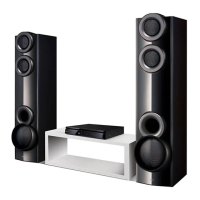
LG S34S1-S - User Manual

LG S34S1-S
32 pages
Print Icon
To Next Page IconTo Next Page
Loading...
Please read this manual carefully before operating
your set and retain it for future reference.
DH3140S (DH3140S, S34S1-S, S34S1-W)
OWNER’S MANUAL
DVD Home
Theater
System
ENGLISH
www.lg.com
DH3140S-F0_AZAFLLK_ENG_5470.indd 1 2014-06-10  1:48:43

Table of Contents

Questions and Answers

  • B
    Billy LeeAug 13, 2025
    What to do if the LG Home Theater System remote control doesn’t work?
    • R
      Robert ColemanAug 13, 2025
      If the LG Home Theater System remote control isn’t working, ensure that: - The remote is pointed directly at the unit. - You are using the remote within 7 meters of the unit. - There are no obstacles between the remote and the unit. - The batteries in the remote are not flat; replace them with new ones if needed.
  • C
    Chad AndersonAug 17, 2025
    What to do if my LG S34S1-S Home Theater System does not work properly?
    • A
      Amy KimAug 17, 2025
      If your LG Home Theater System isn't working correctly, turn off the power to both the unit and any connected external devices like your TV, Woofer, DVD player, or Amplifier, and then turn them back on. If that doesn't work, disconnect the power cord of the unit and the connected external devices, and then reconnect them.
  • R
    Russell CalhounAug 21, 2025
    How to fix no power on LG S34S1-S?
    • J
      Jeffery WrightAug 21, 2025
      If your LG Home Theater System has no power, ensure the power cord is securely plugged into the wall outlet.
  • O
    ojensenAug 25, 2025
    Why is there little or no sound on my LG Home Theater System?
    • B
      Brooke JohnsonAug 25, 2025
      If you experience little or no sound from your LG Home Theater System, try the following: - Ensure the correct input mode is selected on the unit. - Verify the audio cables are correctly connected to the terminals. - Replace the audio cable with a new one to rule out a faulty cable.
  • J
    Jeffrey CollinsAug 28, 2025
    What to do if there is no picture on my LG S34S1-S?
    • K
      Kimberly BellAug 28, 2025
      If you're not getting a picture on your LG Home Theater System, make sure you've selected the correct video input mode on your TV so that the picture from the unit appears. Also, check that the video cables are securely connected to both the TV and the unit.
  • E
    Eddie Lopez Jr.Aug 31, 2025
    What to do if a DVD/CD will not play on LG Home Theater System?
    • M
      Mr. Travis Griffin Jr.Aug 31, 2025
      If your LG Home Theater System won't play a DVD or CD: - Ensure a disc is inserted. - Verify that the inserted disc is playable by checking its type, color system, and regional code. - Make sure the disc is placed with the label or printed side facing upwards. - Enter your password or change the rating level if prompted.
  • A
    Ashley HubbardSep 4, 2025
    How to improve radio tuning on LG S34S1-S?
    • T
      terri99Sep 4, 2025
      If you're having trouble tuning into radio stations on your LG Home Theater System: - Check the antenna position. - Attach an external antenna if needed. - Try tuning to the station manually.
  • D
    David HortonSep 8, 2025
    How to stop humming noise from LG Home Theater System while playing DVD/CD?
    • A
      Amanda NielsenSep 8, 2025
      If you hear a humming noise while playing a DVD or CD on your LG Home Theater System: - Clean the disc using a soft cloth with outward strokes. - Move the unit and audio components further away from your TV.

Summary

Safety Information

General Safety Precautions

Covers electrical shock, laser, and power cord safety warnings.

Playable Media Requirements

Music and Photo File Compatibility

Specifies compatibility for MP3/WMA and JPEG files.

DivX Video File Compatibility

Specifies compatibility for DivX video and subtitle files.

Unit Panel Layouts

Remote Control Operation

Remote Control Button Functions

Details buttons and functions of the remote control.

Speaker Connection and Placement

Audio and Video Connections

Connecting to Your Television

How to connect the system to a TV.

System Settings - Initial Setup

Adjusting Setup Menu Options

Overview of setup menu adjustments for picture and sound.

System Settings - Media Options

5.1 Surround Sound Setup

Configuration for surround sound speaker settings.

System Settings - Security Features

Parental Control and Area Code Setup

Setting up parental controls and area codes.

Operating - Basic Playback

Standard Playback Controls

Fundamental playback controls like play, pause, stop.

Operating - Radio and System Select

Radio Operation and Tuning

How to operate the radio, tune stations, and preset.

Operating - Sound Adjustment

Setting Surround Sound Modes

Selecting pre-set surround sound fields.

Troubleshooting Common Issues

Unit and Power Troubleshooting

Solutions for unit not working and power issues.

Picture and Sound Troubleshooting

Troubleshooting display and audio issues.

Disc Playback and Noise Issues

Resolving disc errors and humming noise.

Radio and Remote Control Troubleshooting

Solutions for radio tuning and remote control problems.

Appendix - Maintenance and Discs

Unit Handling and Cleaning

Guidelines for handling, cleaning, and maintaining the unit.

Appendix - Area Codes

Appendix - Language Codes

Appendix - Technical Specifications

General and System Specifications

Technical specifications of the DVD Home Theater System.

LG S34S1-S Specifications

General IconGeneral
BrandLG
ModelS34S1-S
CategoryHome Theater System
LanguageEnglish

Related product manuals