EasyManua.ls Logo

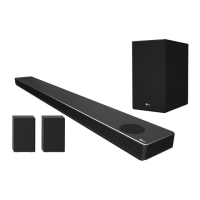
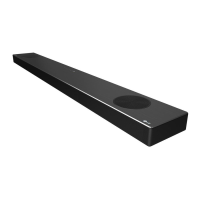
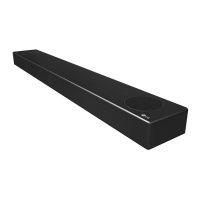
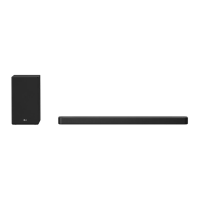
LG SN8Y - User Manual

LG SN8Y
53 pages
Print Icon
To Next Page IconTo Next Page
Loading...
OWNER’S MANUAL
LG Wi-Fi
Sound Bar
Please read this manual carefully before operating your set and retain it for future
reference.
MODEL
SN8Y (SN8Y, SPN8-W)
2104_Rev04
www.lg.com
Copyright © 2020-2021 LG Electronics Inc. All Rights Reserved.

Other manuals for LG SN8Y

Questions and Answers

  • T
    Travis GomezAug 8, 2025
    What to do if LG SN8Y sound is not produced?
    • M
      Mrs. Maria ThomasAug 8, 2025
      If your LG Speaker System isn't producing sound, there are several things to check: * Ensure the volume isn't set to the minimum. Adjust the volume accordingly. * If connected to an external device like a set-top box or Bluetooth device, verify and adjust the volume level on that device. * Check if the mute function is activated. Press the mute button or adjust the volume to cancel it. * Confirm that the correct input source is selected for your device.
  • L
    Leslie TerryAug 13, 2025
    Why is the LG SN8Y remote control not working properly?
    • A
      Anna CarterAug 13, 2025
      If the remote control for your LG Speaker System isn't working correctly: * Make sure you're operating the remote within a 7-meter range of the unit. * Ensure there are no obstructions between the remote control and the unit. * Try replacing the batteries in the remote control with new ones.
  • M
    Michelle OrtegaAug 18, 2025
    What to do if my LG SN8Y does not work properly?
    • D
      Dr. Christy EstesAug 19, 2025
      If your LG Speaker System isn't working properly, try the following steps: 1. Turn off the power to both the unit and any connected external devices (TV, Woofer, DVD player, Amplifier, etc.), and then turn them back on. 2. Disconnect the power cord of the unit and all connected external devices, and then reconnect them. 3. Note that previous settings may not be saved when the device is powered off.
  • J
    Justin ReevesAug 23, 2025
    Why does my LG SN8Y Speaker System have no woofer sound?
    • E
      Elizabeth KingAug 23, 2025
      If you're not getting any sound from the woofer of your LG Speaker System: * Check to ensure the subwoofer is securely plugged into the wall outlet. * Verify that the unit and the subwoofer are properly paired.
  • A
    amartinezAug 28, 2025
    Why is the AUTO POWER function not working on my LG SN8Y?
    • D
      davisdianaAug 28, 2025
      If the AUTO POWER function isn't working on your LG Speaker System: * Check the connection of the external device, such as a TV or DVD/Blu-Ray player. * Check the SIMPLINK settings on your LG TV and try turning SIMPLINK off. * Be aware that this function may not work depending on the connected device.
  • S
    Samuel RiversSep 2, 2025
    Why doesn't LG Sound Sync work with my LG SN8Y?
    • M
      Michael MarquezSep 2, 2025
      If LG Sound Sync isn't working with your LG Speaker System: * Ensure that your LG TV supports LG Sound Sync (Wired). * Check the connection for LG Sound Sync (Wired). * Verify the sound settings on both your TV and the speaker system.

Summary

Getting Started

Safety Information

Covers essential safety precautions and warnings for product usage.

Front Panel Overview

Details the layout and functions of buttons and indicators on the sound bar's front panel.

Rear Panel Connectivity

Illustrates and explains the connectors and ports located on the rear of the sound bar.

Remote Control Guide

Explains the functions of the remote control, including button operations and battery replacement.

Connecting

Network Connection Setup

Explains how to connect the sound bar to your network using the Google Home app.

Installing Google Home App

Step-by-step guide to download and install the Google Home application on a smart device.

Wi-Fi Setup with Google Home

Instructions on using the Google Home app to establish a Wi-Fi connection for the sound bar.

Wireless Subwoofer and Rear Speaker Connection

Guides on connecting the wireless subwoofer and optional rear speakers for surround sound.

Wireless Subwoofer Pairing

Covers LED indicators, initial setup, and manual pairing for the wireless subwoofer.

Rear Speaker Wiring

Instructions for connecting the optional rear speakers to the wireless receiver.

TV Connectivity Options

Guides on connecting the sound bar to a TV using optical digital or HDMI cables.

HDMI Cable Connection

Explains how to connect the sound bar to a TV using an HDMI cable for audio and ARC features.

Troubleshooting

General Troubleshooting Guide

Addresses common issues like unit malfunction, power, sound, and remote control problems.

Unit and Power Issues

Solutions for the unit not working, not turning on, or having previous settings lost.

Sound and Connectivity Problems

Resolves issues with sound output, remote control, AUTO POWER, and LG Sound Sync.

USB and Bluetooth Troubleshooting

Resolves issues related to USB recognition and Bluetooth pairing failures.

LG SN8Y Specifications

General IconGeneral
Speaker TypeSoundbar
Channels3.1.2
Total Power Output440W
SubwooferWireless
Dolby AtmosYes
DTS:XYes
HDMI Inputs2
HDMI Output1 (eARC)
BluetoothYes
Wi-FiYes
Voice Assistant IntegrationGoogle Assistant
ConnectivityHDMI, Optical, Bluetooth, Wi-Fi
High-Resolution AudioYes
Chromecast Built-inYes
Meridian Audio TechnologyYes

Related product manuals