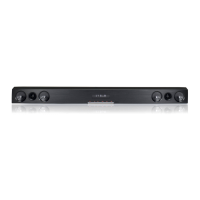
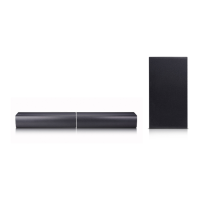
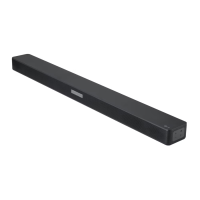
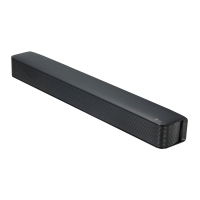
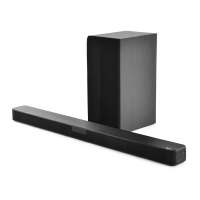
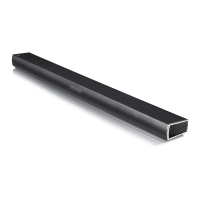
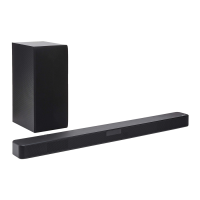
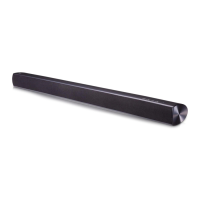
This document is an owner's manual for the LG SoundPlate™ models LAP340, LAP345C, and LAP347C. It provides information on safety, setup, operation, troubleshooting, and specifications for the device.
Function Description
The LG SoundPlate™ is a sound system designed to be positioned under a TV, enhancing the audio experience with optimized sound effects, prominent bass, and cinematic surround sound. It offers various input options and connectivity features for versatile use.
Important Technical Specifications
- Power Requirements: AC 120 V, 60 Hz
- Power Consumption: 25 W
- Dimensions (W x H x D): 700 mm x 38.5 mm x 320 mm (27.6" x 1.5" x 12.6") (With foot)
- Net Weight (Approx.): 3.8 kg (8.4 lb)
- Operating Temperature: 5 °C to 35 °C (41 °F to 95 °F)
- Operating Humidity: 5% to 90%
- Digital In (Optical In): 3.3 V (p-p), Optical jack
- Available Digital Input Audio Sampling Frequency: 32 kHz, 44.1 kHz, 48 kHz, 96 kHz
- Amplifier Total Output: 120 W
- Stereo Mode: 20 W x 2 (8 Ω at 1 kHz)
- Surround Mode: 20 W x 2 (8 Ω at 1 kHz)
- Built-In Subwoofer: 40 W (4 Ω at 100 Hz)
- THD: 0.1%
Usage Features
- LG Sound Sync: This feature allows control of the unit's volume level using the remote control of a compatible LG TV. It supports both wired (optical cable) and wireless connections.
- Wired Connection: Connect the unit to the TV via an optical cable. Set up LG Sound Sync (Optical) on the TV. The green LED on the unit indicates successful connection and sound output.
- Wireless Connection: Turn on the unit, select LG TV function, and set up LG Sound Sync (Wireless) on the TV. A blinking white LED indicates pairing, and a solid white LED indicates a successful connection.
- Bluetooth Technology: Enables wireless connection to Bluetooth devices (mobile phones, MP3 players, laptops, PDAs, etc.) for listening to music. The unit supports the A2DP (Advanced Audio Distribution Profile).
- Pairing: Select the Bluetooth function on the remote control (orange LED blinks). Operate the Bluetooth device to search for "LG SOUND PLATE (XX:XX)" (where XX:XX are the last four digits of the BT address) and perform pairing. The orange LED becomes solid for about 3 seconds upon successful pairing.
- Limitations: Bluetooth connection is limited to one device at a time, and multi-pairing is not supported. Sound interruption may occur due to interference or distance. Reconnection is required if the unit is restarted or the function is changed.
- Optical Input Operation: Connect the TV to the unit using an optical cable. Select the OPTICAL function on the remote control. The green LED lights up for 3 seconds, indicating sound output from the TV. It is recommended to turn off TV speaker sound to avoid sound differences.
- AUTO POWER On/Off: This function automatically turns the unit on/off when the connected TV or external device (DVD Player, Blu-ray Disc Player) is turned on/off. It is supported only on OPTICAL and LG TV functions and can be enabled/disabled via a switch on the rear panel.
- Note: The unit will automatically turn off if there is no signal for a certain period. If the unit is turned off directly, AUTO POWER function will not turn it on automatically unless an optical signal is received after 5 seconds of no signal.
- Auto Power Down: The unit will turn itself off to save power if it is not connected to an external device and unused for 25 minutes.
- CINEMA SOUND: Optimizes sound for movies, providing prominent bass and cinematic surround effects. This feature can be toggled on/off using the CINEMA SOUND button on the remote control. It is turned off when the unit restarts.
- Remote Control: A dedicated remote control is provided for power on/off, volume adjustment, mute, CINEMA SOUND, Optical function selection, and Bluetooth function selection. The LED indicator on the unit changes color to reflect the current status (Off, Standby, Booting, Mute, Bluetooth ready, Cinema Sound on/off, LG Sound Sync ready/paired, Optical function selected).
Maintenance Features
- Handling the Unit:
- Shipping: Retain the original shipping carton and packing materials for maximum protection if the unit needs to be shipped.
- Exterior Surfaces: Avoid using volatile liquids like insecticide spray. Do not wipe with strong pressure. Do not leave rubber or plastic products in contact with the unit for extended periods.
- Cleaning the Unit: Use a soft, dry cloth for cleaning. For extremely dirty surfaces, a soft cloth lightly moistened with a mild detergent solution can be used. Avoid strong solvents such as alcohol, benzine, or thinner, as they may damage the surface.
- Battery Installation (Remote Control): The remote control uses a coin/button cell battery (CR2025). To install, turn the battery cover counterclockwise with a coin, insert the battery with the minus (-) side facing correctly, and then turn the cover clockwise to close.
- Warning: Do not ingest the battery as it can cause severe internal burns. Keep new and used batteries away from children. If the battery compartment does not close securely, stop using the product and seek immediate medical attention if batteries are swallowed or placed inside the body.
- Ferrite Core (Optional): A ferrite core may be affixed to the power cord to reduce or eliminate electrical interference. To attach, open the stopper, wind the power cord around the core once, and close the core until it clicks.



 To Next Page
 General