EasyManua.ls Logo

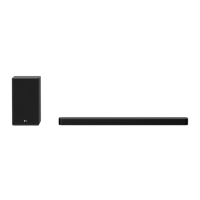
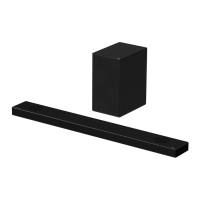
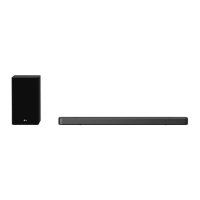
LG SPD75A - User Manual

LG SPD75A
60 pages
Print Icon
To Next Page IconTo Next Page
Loading...
OWNER’S MANUAL
Wi-Fi
SOUND BAR
Please read this manual carefully before operating your set and retain it for future
reference.
Model
SPD75A (SPD75A, SPN8-W)
2104_Rev01
www.lg.com
Copyright © 2021 LG Electronics Inc. All Rights Reserved.

Questions and Answers

  • J
    Jay RobinsonAug 25, 2025
    What to do if LG Speakers unit does not work properly?
    • M
      mcdanieljefferyAug 25, 2025
      If your LG Speakers unit isn't working correctly: * Try turning off the power to both the unit and any connected external devices (like your TV, woofer, DVD player, or amplifier), and then turn them back on. * If that doesn't work, disconnect the power cord of the unit and the connected external devices, and then reconnect them. * Also, keep in mind that previous settings may not be saved when the device power is shut off.
  • L
    lynnwellsAug 25, 2025
    How to fix LG Speaker System remote control not working?
    • K
      Kathleen YoungAug 26, 2025
      If your LG Speaker System remote control isn't working correctly: * Make sure you are within 7 m (23 ft) of the unit. * Ensure there are no obstacles blocking the path between the remote control and the unit. * Try replacing the batteries with new ones.
  • P
    pdavisAug 26, 2025
    Why is there no sound coming from my LG SPD75A Speaker System?
    • M
      Mark YoungAug 26, 2025
      If your LG Speaker System isn't producing sound, consider the following: * Ensure that the volume isn't set to the minimum. * If connected to an external device, verify and adjust the volume level on that device. * Check if the mute function is activated and deactivate it by pressing the mute button or adjusting the volume. * Confirm that the correct input source is selected.
  • D
    David ClarkAug 26, 2025
    What to do if there is no woofer sound on my LG Speaker System?
    • M
      Mary ThompsonAug 26, 2025
      If you're not getting any woofer sound from your LG Speaker System, check these: * Ensure the subwoofer is securely plugged into the wall outlet. * Verify the connection between the unit and the subwoofer. Refer to page 20 for instructions.
  • D
    Daniel EverettAug 27, 2025
    Why does my LG SPD75A not turn on?
    • K
      Kaitlyn ThompsonAug 27, 2025
      If your LG Speaker System isn't turning on, make sure the power cord is properly plugged into the outlet.
  • Z
    zrodriguezAug 27, 2025
    What to do if my LG SPD75A Speaker System has no sound?
    • X
      xjamesAug 27, 2025
      If there is no sound coming from your LG Speaker System, first ensure that the volume isn't set to the minimum. If it is, simply adjust the volume. Also, if you're using an external device like a set-top box or Bluetooth device, check and adjust its volume level. Make sure the mute function isn't activated by pressing the mute button or adjusting the volume. Lastly, verify that the correct input source is selected.
  • C
    Christopher SuarezAug 27, 2025
    Why is there no woofer sound from my LG SPD75A Speaker System?
    • R
      richardsonjohnAug 27, 2025
      If you're not getting any woofer sound from your LG Speaker System, make sure the subwoofer is securely plugged into the wall outlet. If it is, check if the pairing between the main unit and the subwoofer has been disconnected, and if so, reconnect them.
  • P
    Philip IngramAug 28, 2025
    What to do if my LG Speaker System power does not turn on?
    • K
      Kim DavisAug 28, 2025
      If your LG Speaker System isn't turning on, ensure the power plug is securely connected to the outlet.
  • N
    navarromichaelAug 28, 2025
    What to do if there is no woofer sound from my LG SPD75A Speaker System?
    • M
      Mitchell StevensAug 28, 2025
      If you're not getting any sound from the woofer of your LG Speaker System, make sure the subwoofer is securely plugged into the wall outlet. If it is, check if the pairing between the main unit and the subwoofer has been disconnected. If so, you will need to connect the unit and the subwoofer.
  • E
    Ebony PowellAug 29, 2025
    What to do if the LG Speaker System remote control does not work properly?
    • A
      Amy WuAug 29, 2025
      If the LG Speaker System's remote control isn't working, make sure you're within 7 m (23 ft) of the unit and that there are no obstacles blocking the path between the remote and the unit. Also, check the batteries and replace them if they are exhausted.

LG SPD75A Specifications

General IconGeneral
BrandLG
ModelSPD75A
CategorySpeaker System
LanguageEnglish

Related product manuals