EasyManua.ls Logo

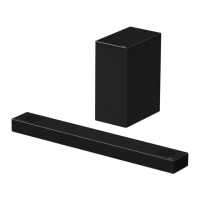
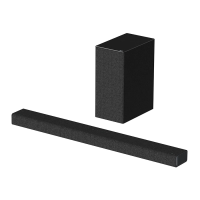
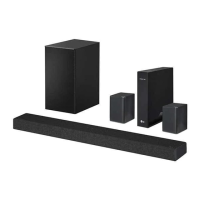
LG SPD75A - User Manual

LG SPD75A
60 pages
Print Icon
To Next Page IconTo Next Page
Loading...
OWNER’S MANUAL
Wi-Fi
SOUND BAR
Please read this manual carefully before operating your set and retain it for future
reference.
Model
SPD75A (SPD75A, SPN8-W)
2104_Rev01
www.lg.com
Copyright © 2021 LG Electronics Inc. All Rights Reserved.

Questions and Answers

  • J
    jandradeAug 29, 2025
    Why LG Sound Sync does not work?
    • A
      ashley76Aug 29, 2025
      If LG Sound Sync isn't working, verify that your LG TV supports LG Sound Sync (Wired). Also, check the connection of LG Sound Sync (Wired) and the sound settings on both your TV and the LG Speaker System.
  • P
    Patricia BarryAug 30, 2025
    Why is there no woofer sound from my LG Speakers?
    • M
      Ms. Jessica Dorsey MDAug 30, 2025
      If you're not getting any sound from the woofer of your LG Speakers, check these things: * First, make sure the subwoofer is securely plugged into the wall outlet. * Also, verify that the connection between the main unit and the subwoofer is established. If they are disconnected, reconnect them.
  • D
    Dana JamesAug 30, 2025
    How to turn on LG SPD75A Speaker System if it's not powering on?
    • C
      Christina ContrerasAug 30, 2025
      If your LG Speaker System isn't powering on, ensure the power plug is securely connected to the outlet.
  • Y
    ylopezAug 31, 2025
    How to troubleshoot Bluetooth pairing issues with LG Speaker System?
    • H
      Heather JamesAug 31, 2025
      If you're having trouble pairing your Bluetooth device with your LG Speaker System: * Make sure your Bluetooth device is turned on. * Try turning Bluetooth off and then on again on your Bluetooth device before attempting to pair again. * Ensure there are no obstacles between the Bluetooth device and the unit. * Keep in mind that depending on the type of Bluetooth device or the surrounding environment, pairing may not always be successful.
  • P
    petersonrichardAug 25, 2025
    What to do if my LG Speakers have no sound?
    • H
      Heidi GarnerAug 25, 2025
      If your LG Speakers aren't producing sound, here are a few things to check: * First, make sure the volume isn't set to the minimum. Adjust the volume to an audible level. * If you're using an external device like a set-top box or Bluetooth device, check its volume level as well. * Ensure that the mute function is not activated. Press the mute button or adjust the volume to cancel mute. * Also, verify that you've selected the correct input source for your speakers.
  • C
    Collin PenaSep 1, 2025
    What to do if LG SPD75A Speaker System cannot connect to home network?
    • P
      Paul DuncanSep 1, 2025
      If your LG Speaker System is unable to connect to your home network: * Move the speaker away from household devices that use radio frequencies, as they may cause wireless interference. * Check your router by turning it off and then back on. * Ensure that the Wi-Fi feature is enabled on your smart device. * Verify that both the speaker and your smart device are connected to the same Wi-Fi network.
  • M
    Maria BrownSep 1, 2025
    Why is my LG SPD75A remote control not working?
    • S
      Stephanie PerrySep 2, 2025
      To resolve remote control issues with your LG Speaker System: * Ensure the remote is within 7 meters of the unit. * Remove any obstacles blocking the path between the remote and the unit. * Replace the batteries with new ones.
  • C
    Christina WilsonSep 2, 2025
    Why the remote control of my LG Speaker System does not work properly?
    • N
      nathanrobersonSep 2, 2025
      If the remote control for your LG Speaker System isn't working correctly, consider these potential causes: * The remote control might be too far from the unit. Try operating it within a 7-meter range. * There might be an obstacle blocking the signal between the remote control and the unit. Remove any obstructions. * The batteries in the remote control might be depleted. Replace them with new ones.
  • A
    Allen TurnerSep 2, 2025
    What to do if there is no woofer sound from LG SPD75A?
    • S
      Stephanie JenkinsSep 3, 2025
      If you're not getting any sound from the woofer of your LG Speaker System: * Ensure the subwoofer is properly plugged into a wall outlet. * Check if the pairing between the unit and the subwoofer has been disconnected.
  • K
    Kathryn DiazSep 3, 2025
    Why LG Sound Sync does not work with my LG SPD75A?
    • G
      Gloria MillerSep 3, 2025
      If LG Sound Sync isn't working with your LG Speaker System, consider the following: * Confirm that your LG TV supports LG Sound Sync (Wired). * Verify the connection for LG Sound Sync (Wired). * Check the sound settings on both your TV and the speaker system.

LG SPD75A Specifications

General IconGeneral
BrandLG
ModelSPD75A
CategorySpeaker System
LanguageEnglish

Related product manuals