EasyManua.ls Logo

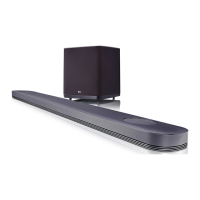
LG SPJ9B-W - User Manual

LG SPJ9B-W
73 pages
Print Icon
To Next Page IconTo Next Page
Loading...
MODEL
SJ9 (SJ9, SPJ9B-W)
OWNER’S MANUAL
SMART Hi-Fi
AUDIO
SJ9
Wireless Multi-room Sound Bar
Please read this manual carefully before operating your set and retain it for future reference.
To view the instructions of advanced features, visit http://www.lg.com and then download
Owner’s Manual. Some of the content in this manual may differ from your unit.
www.lg.com
Copyright © 2017 LG Electronics Inc. All Rights Reserved.

Table of Contents

Other manuals for LG SPJ9B-W

Questions and Answers

  • L
    Lisa SmithAug 17, 2025
    What to do if the sound output of my LG SPJ9B-W is low?
    • M
      Mary SimsAug 17, 2025
      If the sound output from your LG Speaker System seems low, try these steps: First, switch the DRC function to OFF using the Music Flow Player. If connected to a TV, change the AUDIO DIGITAL OUT setting on the TV Setup Menu from PCM to AUTO or BITSTREAM. If connected to a Player, change the AUDIO DIGITAL OUT setting on the Player Setup Menu from PCM to PRIMARY PASS-THROUGH or BITSTREAM. Also, change the Audio DRC setting on the connected device's setup menu to the OFF state and make sure Night Mode is turned OFF.
  • F
    Francisco MarshallAug 20, 2025
    How to connect LG SPJ9B-W Speaker System with Bluetooth when it is not connecting?
    • A
      Amber WoodAug 20, 2025
      If your LG Speaker System isn't connecting with a Bluetooth device, turn off the Bluetooth connection lock function.
  • S
    Shane LeonAug 22, 2025
    What to do if sound is not produced on my LG Speaker System?
    • B
      Brett KimAug 23, 2025
      If no sound is coming from your LG Speaker System, first, check the volume level and adjust it if it's set to minimum. If you're using an external device, make sure its volume is also properly adjusted. Also, verify that the mute function is not activated by pressing the mute button or adjusting the volume. Finally, ensure the correct input source is selected.
  • L
    Lee RamirezAug 26, 2025
    Why is my LG SPJ9B-W Speaker System remote control not working?
    • S
      Sydney HayesAug 26, 2025
      If the remote control for your LG Speaker System isn't working, first ensure you are within 7 meters of the unit and that there are no obstacles blocking the path between the remote and the unit. If it still doesn't work, replace the batteries with new ones.
  • Y
    ydayAug 27, 2025
    How to troubleshoot LG SPJ9B-W that does not work properly?
    • D
      davenportseanAug 27, 2025
      If your LG Speaker System isn't working correctly, try turning off the power to both the unit and any connected external devices like your TV, Woofer, DVD player, or Amplifier, and then turn them back on. If that doesn't work, disconnect the power cord of the unit and the external devices, and then reconnect them. Keep in mind that previous settings may not be saved when the device is shut off.
  • D
    Daniel ChenAug 30, 2025
    What to do if there is no woofer sound from my LG Speaker System?
    • J
      Jacqueline OsbornAug 30, 2025
      If you're not getting any sound from the woofer of your LG Speaker System, make sure the subwoofer is securely plugged into the wall outlet. If it is, check if the pairing between the main unit and the subwoofer has been disconnected, and reconnect them if necessary.
  • J
    Jacob GarciaSep 1, 2025
    Why is the AUTO POWER function not working on my LG SPJ9B-W Speaker System?
    • B
      benjamin53Sep 1, 2025
      If the AUTO POWER function on your LG Speaker System isn't working, check the connection of the external device such as your TV, DVD/Blu-Ray player, or Bluetooth device. Also, check the SIMPLINK settings on your LG TV and try turning off SIMPLINK. Note that depending on the connected device, this function may not operate.
  • H
    hbowmanSep 4, 2025
    How to troubleshoot LG SPJ9B-W Music Flow PC Software?
    • T
      Teresa OsborneSep 4, 2025
      If the Music Flow PC Software isn't working properly with your LG Speaker System, disable all firewalls on your PC and try connecting again. Also, ensure that both the speaker and your PC are correctly connected to the local area network and have internet access. Wireless communication may be interrupted by household devices using radio frequencies, so try moving the speaker and your PC away from them.
  • M
    Miss Kathleen HamptonSep 6, 2025
    Why is LG Sound Sync not working on my LG SPJ9B-W?
    • M
      Miguel WatersSep 6, 2025
      If LG Sound Sync isn't working with your LG Speaker System, first check whether your LG TV supports LG Sound Sync. Then, check the LG Sound Sync connection. Finally, verify the sound settings on both your TV and the speaker system.
  • J
    John SmallSep 9, 2025
    How to troubleshoot Music Flow Player issues with my LG Speaker System?
    • R
      Rachel BanksSep 9, 2025
      If the Music Flow Player isn't working properly with your LG Speaker System, ensure it's plugged in. Connect the LAN cable to the LAN port on the back of the Music Flow Player and to your wireless router. If you experience troubles with connecting the Music Flow Player, try relocating the speaker closer to the wireless router or the Music Flow Player. You may also need to turn the speaker’s power off and on again, or perform a factory reset and setup the network connection for the speaker.

Summary

Getting Started

Safety Information

Provides critical safety warnings and precautions for operating the product.

Remote Control Overview

Details the functions and operation of the remote control.

Mounting the Main Unit on a Wall

Guidance for securely mounting the main unit to a wall.

Connecting

Connecting to Your TV

Explains how to connect the sound bar to your TV via optical or HDMI.

Installing Music Flow Player App

Instructions on downloading and installing the Music Flow Player app.

Connecting to Home Network (Wired;Wi-Fi)

Details connecting the speaker to your home network via LAN or Wi-Fi.

Operating

Music Flow Player App Usage

Guide to playing music using the Music Flow Player app.

Resetting the Speaker

Instructions for resetting the speaker to factory default settings.

Troubleshooting

General Troubleshooting

Addresses common operational issues and provides general solutions.

Network and Connectivity Problems

Resolves issues related to network connectivity and media server access.

Application and Software Issues

Troubleshoots problems with the Music Flow app and PC software.

LG SPJ9B-W Specifications

General IconGeneral
BrandLG
ModelSPJ9B-W
TypeSoundbar
Channels4.1
Total Power Output520W
SubwooferYes
Wireless SubwooferYes
BluetoothYes
Wi-FiYes
HDMIYes
HDMI Inputs2
Optical InputYes
Optical Inputs1
USBYes
USB Ports1
Wall MountableYes
Remote ControlYes
ColorWhite
Audio FormatsDolby Atmos, DTS:X

Related product manuals