EasyManua.ls Logo

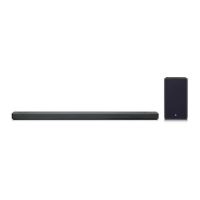
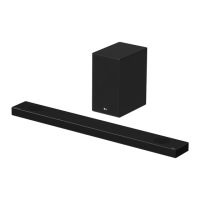
LG SPL5B-W - User Manual

LG SPL5B-W
55 pages
Print Icon
To Next Page IconTo Next Page
Loading...
OWNER’S MANUAL
LG Wi-Fi
SOUND BAR
www.lg.com
Copyright © 2019 LG Electronics Inc. All Rights Reserved.
Please read this manual carefully before operating your set and retain it for future
reference.
MODEL
SL7Y (SL7Y, SPL5B-W)
1901_Rev01

Questions and Answers

  • S
    shelley98Sep 6, 2025
    Why is there no sound coming from my LG SPL5B-W?
    • B
      Brandy WilsonSep 6, 2025
      Several factors could be at play. Ensure that the correct input source is selected. Also, check if the mute function is activated; if it is, press the Mute button or adjust the volume. If you're using an external device like a set-top box or Bluetooth device, make sure its volume is also adjusted appropriately.
  • D
    Diamond BanksAug 22, 2025
    What to do if my LG SPL5B-W Speaker System remote control does not work?
    • S
      Scott ShortAug 22, 2025
      If the remote isn't working, first make sure you're within about 7 meters of the unit and that there are no obstacles blocking the path between the remote and the unit. Also, check the batteries and replace them if needed.
  • J
    jocollinsSep 3, 2025
    What to do if there is no woofer sound on LG Speaker System?
    • N
      Nicholas SandersSep 4, 2025
      If there is no woofer sound from your LG Speaker System, first ensure the subwoofer power cord is securely plugged into the wall outlet. If it is, check if the pairing between the unit and the subwoofer is disconnected.
  • A
    Andrew ClaySep 2, 2025
    Why is my LG SPL5B-W Speaker System remote control not working?
    • J
      Jessica FranklinSep 2, 2025
      If the remote control for your LG Speaker System isn't working, make sure you're within 7 meters of the unit and that there are no obstacles blocking the path between the remote and the unit. If it still doesn't work, replace the batteries with new ones.
  • H
    haynestamaraAug 31, 2025
    What to do if there is no sound from my LG SPL5B-W Speaker System?
    • B
      Bonnie BarberSep 1, 2025
      If no sound comes from your LG Speaker System, first ensure the volume isn't set to the minimum. If it is, adjust the volume. Also, check if the mute function is activated and deactivate it by pressing the mute button or adjusting the volume. Finally, verify that the correct input source is selected for your device.
  • K
    keith45Aug 30, 2025
    How to fix LG Sound Sync not working on my LG SPL5B-W?
    • D
      David OrtizAug 30, 2025
      If LG Sound Sync is not working with your LG Speaker System, first verify that your LG TV supports LG Sound Sync. Then, check the connection of LG Sound Sync, whether it's optical or wireless. Finally, check the sound settings on both your TV and the speaker system.
  • S
    Sarah GibsonAug 29, 2025
    What to do if there is no woofer sound from my LG SPL5B-W Speaker System?
    • S
      stevenpadillaAug 29, 2025
      If there is no woofer sound from your LG Speaker System, ensure the subwoofer's power cord is securely plugged into the wall outlet. If it is, the pairing between the unit and the subwoofer may be disconnected; in this case, you should connect the unit and the subwoofer again.
  • Q
    qmcclainAug 27, 2025
    What to do if the LG Speaker System remote control is not working?
    • M
      Monica AlvarezAug 27, 2025
      If the remote control for your LG Speaker System isn't working, make sure you're within 7 meters (23 feet) of the unit and that there are no obstacles blocking the path between the remote and the unit. Also, check the batteries and replace them if they are exhausted.
  • C
    cohenshawnAug 26, 2025
    Why doesn't the AUTO POWER function work on my LG Speaker System?
    • H
      huertacandiceAug 27, 2025
      Check the connection of the external device such as a TV, DVD/Blu-Ray player, or Bluetooth device. Also, check the SIMPLINK settings on your LG TV and try turning SIMPLINK off. Depending on the connected device, this function may not operate.
  • R
    Rebecca WrightAug 25, 2025
    Why is there no woofer sound on my LG Speaker System?
    • D
      Debbie AllenAug 25, 2025
      First, check that the subwoofer's power cord is securely plugged into the wall outlet. If it is, the pairing between the unit and the subwoofer may have been disconnected; in this case, you should connect the unit and the subwoofer.

Summary

Getting Started

Safety Information

Covers essential safety precautions and warnings for the product.

Front panel

Details the components and functions of the front panel of the soundbar.

Rear panel

Identifies and explains the various ports located on the rear panel of the soundbar.

Remote control

Explains the buttons and functions of the remote control for operating the soundbar.

Installing the sound bar

Guides on how to install and position the soundbar for optimal performance.

Connecting

Connecting the AC Adapter

Details the process of connecting the soundbar to a power source using the AC adapter.

Connecting to your TV

Explains how to connect the soundbar to a TV using various cable types.

Using an OPTICAL cable

Details the steps for connecting the soundbar to a TV using an optical cable.

Using an HDMI cable

Guides on connecting the soundbar to a TV using an HDMI cable for audio output.

Network connection

Details how to connect the soundbar to a home network for enhanced features.

Operating

Using a Bluetooth Wireless Technology

Introduces Bluetooth technology and its basic usage with the soundbar.

Listening to Music of a Bluetooth Device

Guides on how to pair and play music from a Bluetooth-enabled device.

Reset the Speaker

Provides instructions on how to reset the speaker to its default settings.

Troubleshooting

General

Offers general troubleshooting tips and solutions for common unit issues.

When you feel the output sound of the unit is low.

Provides solutions for low output sound issues, including DRC and audio settings.

Bluetooth pairing does not work well.

Offers solutions for problems encountered during Bluetooth pairing.

The unit does not connect with Bluetooth device.

Steps to resolve issues when the unit fails to connect to a Bluetooth device.

Network

Addresses issues related to connecting the speaker to a home network.

Application

Solutions for problems encountered when using the LG Wi-Fi Speaker application.

LG SPL5B-W Specifications

General IconGeneral
BrandLG
ModelSPL5B-W
TypeSound Bar
Speaker type2.1 Channel
Total Power Output300W
Total power300W
Power Output300W
SubwooferWireless
BluetoothYes
HDMI ARCYes
USB PlaybackYes
ColorBlack
ConnectivityBluetooth, USB
Channels2.1 ch

Related product manuals