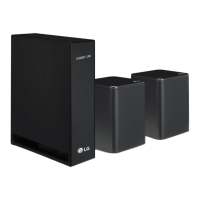
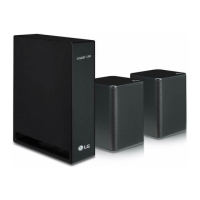
This document is the owner's manual for the LG Wireless Rear Speakers Kit, model SPQ8-S (SPQ8-S, S78S2-S). It provides comprehensive instructions for installing, using, and maintaining the wireless rear speakers, designed to enhance the audio experience of compatible LG Sound Bar models by adding surround sound capabilities.
Function Description
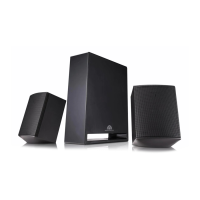
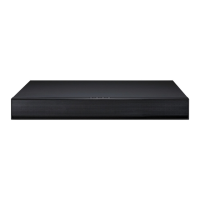
The LG Wireless Rear Speakers Kit functions as an add-on to specific LG Sound Bar models, providing a wireless solution for rear channel audio. This kit allows users to create a more immersive surround sound environment in their home theater setup without the need for long speaker cables running across the room to the main sound bar unit. The core components include a wireless receiver and two rear speakers. The wireless receiver acts as a hub, receiving audio signals wirelessly from the sound bar and then distributing them via speaker cables to the two physical rear speakers. This setup is specifically designed to work in conjunction with the sound bar, which acts as the primary audio source and control unit for the entire system. The system aims to deliver a richer, more dynamic audio experience by positioning sound elements behind the listener, thereby enhancing movies, music, and games.
Usage Features
The manual details the installation and operation of the wireless rear speakers, focusing on ease of setup and integration with the sound bar.
- Automatic Connection: After the initial physical setup, the wireless receiver is designed to automatically connect to the sound bar. This simplifies the pairing process, allowing users to quickly integrate the rear speakers into their existing audio system. The LED indicator on the front of the wireless receiver provides visual feedback on the connection status: a green light indicates a successful connection, while a blinking green light signifies that a connection is in progress.
- Manual Connection: In cases where the automatic connection fails (indicated by a red LED on the wireless receiver), the manual provides a clear step-by-step process for establishing the connection. This involves turning off the sound bar, pressing the PAIRING button on the back of the wireless receiver, and then turning the sound bar back on. This ensures that users can troubleshoot and resolve connection issues effectively.
- Speaker Cable Connection: The rear speakers connect to the wireless receiver via speaker cables. The manual specifies connecting the black striped cable to the negative terminal and the other cable to the positive terminal for each speaker. It also differentiates between left and right rear speakers by indicating the receiver terminal color (Blue for Left rear, Grey for Right rear), ensuring correct audio channel assignment.
- Power Connection: The wireless receiver requires a power connection. The manual instructs users to plug the power cable into the wireless receiver and then into an outlet, emphasizing the correct sequence for power-up.
- Surround Sound Control: The system allows users to enable or disable the surround sound feature directly from the sound bar. By accessing the "Settings" menu on the sound bar, users can toggle between "OFF-SURROUND" and "ON-SURROUND" modes. This flexibility allows users to customize their listening experience based on content type or personal preference.
- LED Status Indicators: The LED on the front of the wireless receiver serves as a crucial indicator of the system's status. Different colors and blinking patterns communicate various states:
- Blinking green: Connecting in progress.
- Green: Connected successfully.
- Red: Bad connection, or the receiver is in standby.
- Off: Power cable not connected.
This visual feedback helps users quickly diagnose and understand the operational status of their wireless rear speakers.
- Ferrite Core (Optional): For models where it is provided, a ferrite core can be attached to the speaker cables to reduce radio noise. The manual provides instructions on how to open the ferrite core, wind the speaker cables around it twice, and then close it, specifying a distance of about 18 cm between the wireless receiver and the ferrite core. This feature aims to improve audio quality by minimizing potential interference.
- Placement Guidelines: To optimize performance and prevent interference, the manual advises keeping the rear speakers at least 30 cm away from the TV or monitor. It also recommends maintaining a distance of at least 1 meter between the sound bar or wireless receiver and any peripheral devices that generate strong electromagnetic waves, such as wireless routers or microwave ovens. This guidance helps users achieve the best possible sound quality and system stability.
Maintenance Features
The manual also includes important information regarding the care and handling of the product to ensure its longevity and optimal performance.
- Shipping and Packing: Users are advised to save the original shipping carton and packing materials. In the event that the product needs to be shipped, repacking it in its original materials provides maximum protection during transit.
- Cleaning Exterior Surfaces: For cleaning the exterior surfaces of the product, the manual recommends using a soft, dry cloth. For extremely dirty surfaces, a soft cloth lightly moistened with a mild detergent solution can be used.
- Avoidance of Harmful Substances: Users are explicitly warned against using volatile liquids such as insecticide spray near the product, as well as strong solvents like alcohol, benzine, or thinner, as these can damage the surface.
- Protection from Physical Damage: The manual cautions against wiping with strong pressure, which can damage the surface. It also advises against leaving rubber or plastic products in contact with the device for extended periods, as this could potentially cause damage or discoloration.
- Speaker Duct Safety: A specific caution is given regarding the speaker duct (a hole for plentiful bass sound on the speaker cabinet), advising users to ensure children do not put their hands or any objects into it. This highlights a safety aspect related to the physical design of the speakers.
- Troubleshooting Guide: The manual includes a "Before Reporting Product Malfunction" section with a troubleshooting guide. This section helps users identify and resolve common issues such as the product not working properly, power not turning on, or rear speakers not producing sound. It provides solutions like checking power connections, reconnecting the wireless receiver to the sound bar, and ensuring speaker cables are correctly connected. This empowers users to perform basic diagnostics and fixes before seeking professional assistance.
- Wireless Interference Solutions: For problems related to wireless connection and radio interference, the manual suggests solutions such as installing the wireless receiver and sound bar as close to each other as possible, avoiding installation on metal furniture, and being aware that wireless communication may not work properly in weak signal areas. These tips help optimize the wireless performance of the system.

 Need help?
 General
 Weight and Dimensions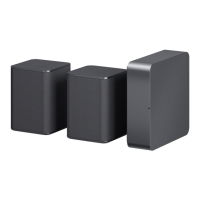

 To Next Page