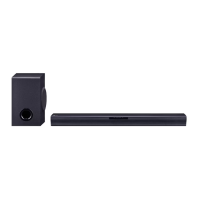
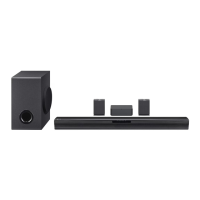
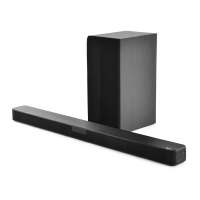
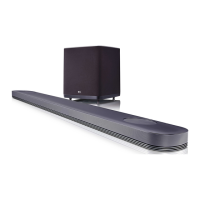
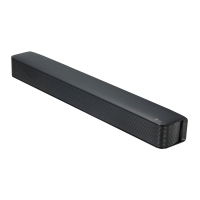
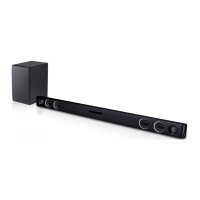
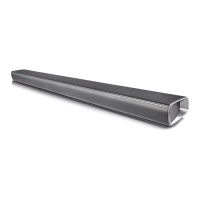
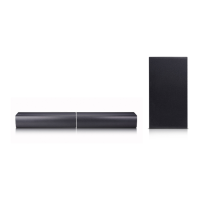
This document is an owner's manual for an LG Wireless Sound Bar, models SQC2 (SQC2, SPQ2-W). It provides comprehensive information on the device's functions, usage, and maintenance.
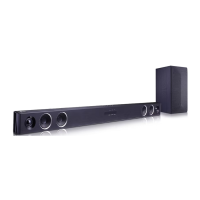
The LG Wireless Sound Bar is designed to enhance your audio experience, offering features like wireless connectivity and various sound modes. It allows you to connect to your TV and other external devices to enjoy high-quality sound.
Function Description:
The sound bar serves as an audio output device, capable of playing sound from various sources. It supports both wired and wireless connections, making it versatile for different setups. Key functions include:
- Wireless Sound Bar: The primary function is to provide an immersive audio experience for your entertainment system.
- Wireless Subwoofer Connection: The sound bar connects wirelessly to a subwoofer, enhancing bass and overall sound quality. The manual details the pairing process, including initial setup and manual pairing if needed. LED indicators on the subwoofer show its connection status (Green blinking for attempting connection, solid Green for connected, Red for standby/failed connection, Off for disconnected).
- OPTICAL IN Connection: Allows for a wired connection to your TV or other external devices using an optical cable, ensuring high-quality digital audio transmission.
- PORT. IN Connection: Provides an analog input for portable devices like MP3 players, notebooks, or smartphones, enabling you to play music from these sources through the sound bar.
- LG Sound Sync: This feature allows you to control the sound bar's volume using your LG TV's remote control, provided the TV is compatible with LG Sound Sync. It works with both optical (wired) and wireless connections.
- BLUETOOTH® Technology: Enables wireless streaming of music from Bluetooth-enabled devices such as smartphones, MP3 players, and notebooks. The sound bar supports Bluetooth 4.0 and the A2DP profile.
- Auto Power Down: The unit automatically turns off after 15 minutes of inactivity (no external device connected) or after six hours if connected via analog input, to save energy.
- AUTO POWER On/Off: The sound bar can automatically turn on when it detects an input signal from an Optical, LG TV, or Bluetooth source. It also automatically selects the appropriate function. This feature can be toggled on or off.
- Auto Function Change: The unit intelligently recognizes input signals (Optical, Bluetooth, LG TV, Portable) and automatically switches to the corresponding function.
- BLUETOOTH Connection Lock (BT Lock): This function allows you to restrict Bluetooth connections to only Bluetooth and LG TV functions, preventing unintended connections.
Usage Features:
The manual outlines several features designed for ease of use and sound customization:
- Remote Control: A dedicated remote control is provided for managing various functions, including power, function selection, volume adjustment, mute, sound modes (ASC, Standard, Cinema), skip/play/pause, Night mode, Woofer level, and Auto Power On/Off.
- Front Panel Controls: The main unit features physical buttons for power, function selection, and volume adjustment, along with LED indicators for standby and function status.
- Sound Adjustment:
- Setting the Surround Mode: Offers pre-set sound fields:
- ASC (Adaptive Sound Control): Analyzes input sound and optimizes it for real-time content.
- STANDARD: Provides a standardized, optimized sound.
- CINEMA: Delivers an immersive, cinematic surround sound experience.
- Adjust the Woofer Level Settings: Allows users to adjust the subwoofer's sound level using the remote control.
- Night Mode: Reduces sound intensity and improves fineness and softness, ideal for low-volume listening late at night.
- Using BLUETOOTH App ("LG Sound Bar" App): An Android-only application that provides additional features and helps connect your Bluetooth device to the sound bar. It can be installed via QR code or Google Play Store.
Maintenance Features:
The manual also includes guidelines for maintaining the unit:
- Shipping: Advices users to retain the original shipping carton and packing materials for maximum protection if the unit needs to be shipped.
- Keeping the Exterior Surfaces Clean:
- Avoid using volatile liquids like insecticide spray near the unit.
- Do not wipe with strong pressure, as it may damage the surface.
- Prevent rubber or plastic products from prolonged contact with the unit, as this could cause damage.
- Cleaning the Unit: Recommends using a soft, dry cloth for cleaning. For heavily soiled surfaces, a soft cloth lightly moistened with a mild detergent solution can be used. Strong solvents such as alcohol, benzine, or thinner should be avoided as they can damage the unit's surface.
- Battery Replacement: Instructions are provided for replacing the remote control battery, emphasizing correct polarity and warning against the risk of fire or explosion if an incorrect battery type is used.
The manual also includes a troubleshooting section to address common issues related to power, sound, remote control, LG Sound Sync, Bluetooth connection, and wireless interference. It provides solutions such as checking connections, input sources, mute status, and battery levels. It also notes that wireless performance can be affected by obstacles, other devices using the same frequency, and distance from the subwoofer or Bluetooth device.


 To Next Page

 General
 Weight and Dimensions