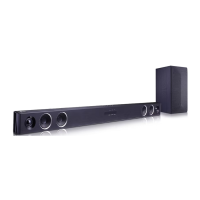
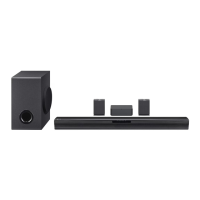
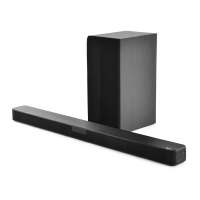
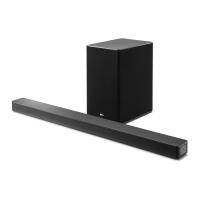
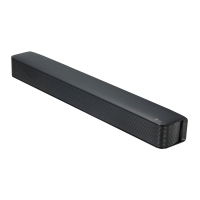
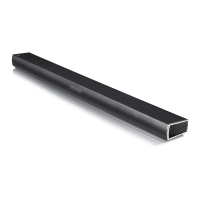
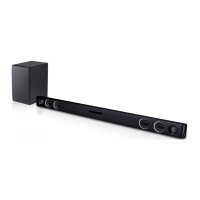
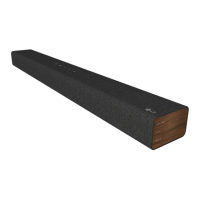
This document is an owner's manual for an LG Wireless Sound Bar, model SQC1 (SQC1, SPQ1-W). It provides comprehensive information on safety, setup, operation, troubleshooting, and maintenance of the device.
Function Description
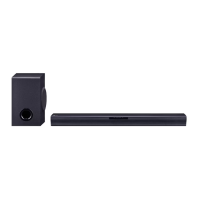
The LG Wireless Sound Bar is designed to enhance your audio experience, offering powerful sound for various entertainment needs. It can be connected to a TV, Blu-ray disc player, DVD player, or other external devices to deliver high-quality sound. The system includes a main sound bar unit and a wireless subwoofer, providing a rich and immersive audio environment, particularly with reinforced bass. The sound bar supports automatic power-down to save energy and features a "Portable In" function for playing music from portable devices like MP3 players, notebooks, or smartphones. It also incorporates Bluetooth® technology, allowing users to stream music wirelessly from their Bluetooth-enabled devices. The sound bar offers different sound modes, including Standard for optimized sound and Bass Blast for powerful bass.
Usage Features
The sound bar offers a variety of features for convenient and flexible use:
- Remote Control: The device comes with a remote control for easy operation. Key functions include power on/off, function selection (Optical, Bluetooth, Portable), volume adjustment, mute, sound mode selection (Standard, Bass Blast), skip/search, and play/pause for Bluetooth devices.
- Front and Rear Panels: The front panel features Standby and Function LEDs, along with a remote sensor. The rear panel includes buttons for volume control and function selection, as well as input ports for USB (service only), Portable In, Optical In, and DC In for power.
- LED Indicators: The sound bar uses LED indicators to show its current status, such as Optical function selected, Bluetooth paired, Bluetooth blinking (waiting for connection), and Portable function selected. These LEDs also indicate minimum/maximum volume levels and mute status.
- AC Adapter Connection: The unit connects to a power supply via a supplied AC adapter, ensuring proper power delivery.
- Wireless Subwoofer Connection: The wireless subwoofer automatically connects to the sound bar upon power-up. LED indicators on the subwoofer show its connection status (blinking green for trying, solid green for connected, red for standby/failed connection). If the connection fails, manual pairing is possible by pressing the "Pairing" button on the subwoofer.
- TV Connection: The sound bar can be connected to a TV using an optical cable, allowing users to enjoy TV audio through the sound bar's speakers. It's important to select the correct external speaker option in the TV menu and ensure the optical cable's protection plug is removed.
- Optional Equipment Connection: External devices can be connected via the Optical In port, enabling the sound bar to play audio from these sources.
- Portable In Connection: Portable devices can be connected using a 3.5 mm stereo cable to the "PORT. IN" connector, allowing music playback from these devices.
- DRC (Dynamic Range Control): This feature clarifies sound at low volumes and prevents sudden volume increases, particularly for Dolby Digital content. It can be toggled on/off via the remote.
- Mute Function: Temporarily mutes the sound, which can be canceled by pressing the mute button again or adjusting the volume.
- TV Remote Control Compatibility: Certain functions, like volume up/down and mute, can be controlled using a TV remote, even from other brands, after enabling the DRC ON function for about 2 seconds.
- Auto Display Dimmer: The function LED automatically dims after 15 seconds of no key input and brightens upon any button press.
- Auto Power Down: The unit automatically turns off after 15 minutes if not connected to an external device or after six hours if connected via analog input, to conserve energy.
- AUTO POWER On/Off: The sound bar can automatically turn on when an input signal is detected from an Optical or Bluetooth source. It also connects automatically to a Bluetooth device if it attempts to connect. This function can be enabled or disabled.
- Auto Function Change: The unit intelligently recognizes input signals (Optical, Bluetooth, Portable) and automatically switches to the appropriate function.
- Bluetooth Technology: Allows wireless audio streaming from Bluetooth-enabled devices. The pairing process involves selecting Bluetooth input, operating the Bluetooth device to search for "LG SQC1 (XX)", and connecting. The Bluetooth connection can be locked to prevent unintended connections.
- Woofer Level Adjustment: The subwoofer's sound level can be adjusted using the remote control to suit personal preferences.
Maintenance Features
The manual also provides guidance on maintaining the sound bar:
- Shipping: Retain the original shipping carton and packing materials for maximum protection if the unit needs to be shipped.
- Exterior Cleaning: Use a soft, dry cloth for cleaning. For very dirty surfaces, a soft cloth lightly moistened with a mild detergent solution can be used. Avoid volatile liquids like insecticide spray, alcohol, benzine, or thinner, as these can damage the surface.
- General Care: Do not apply strong pressure when wiping, as it may damage the surface. Avoid leaving rubber or plastic products in contact with the unit for extended periods.


 To Next Page

 General
 Weight and Dimensions