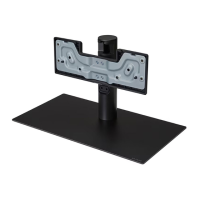
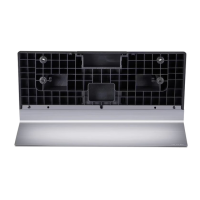
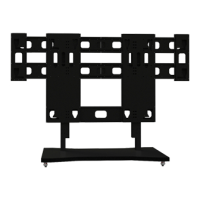
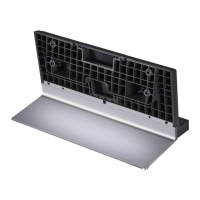
This document is an owner's manual for an LG Stand, specifically for models ST-G4SN55 and ST-G4SN65. It provides instructions for assembling the stand, mounting the TV on a table, and securing the TV to a wall, along with important safety information and product specifications.
Function Description:
The LG Stand serves as a support base for compatible LG televisions, allowing them to be placed on a flat surface such as a table or cabinet. It is designed to provide stability and proper positioning for the TV. The manual also details methods for securing the TV to a wall, either by using eye-bolts and wall brackets or by disassembling the stand for wall mount installation.
Important Technical Specifications:
The manual lists the following specifications for the two models:
- ST-G4SN55:
- Width x Depth x Height: 485 x 263 x 267 mm (19 x 10.3 x 10.5 inches)
- Weight: 4.6 kg (10.1 lbs)
- ST-G4SN65:
- Width x Depth x Height: 485 x 263 x 267 mm (19 x 10.3 x 10.5 inches)
- Weight: 4.6 kg (10.1 lbs)
The stand assembly requires M4 x L20 screws (4 pieces). When mounting the TV on a table, a minimum space of 10 cm (3.9 inches) from the wall is recommended for proper ventilation.
Usage Features:
- Assembly: The manual provides detailed, illustrated instructions for assembling the stand. For models 55G4* and 65G4A, the TV is placed screen-down on a soft cloth, and the stand components are attached. For model 65G4B, the process involves attaching the stand base to the TV. It is suggested that if a TV packaging box is available, it can be used to facilitate the mounting and assembly process.
- Table Mounting: After assembly, the TV with the stand is lifted and tilted into an upright position on a table. It emphasizes the need for a stable and wide enough cabinet or shelf to support the TV.
- Wall Securing (Anti-Tip): Instructions are provided to secure the TV to a wall to prevent overturning. This involves inserting and tightening eye-bolts or TV brackets on the back of the TV, mounting wall brackets to the wall, and then connecting the eye-bolts and wall brackets tightly with a sturdy rope, ensuring the rope remains horizontal. These additional accessories (brackets, bolts, ropes) are not provided and must be obtained separately.
- Cable Management: While not explicitly detailed as a feature, an illustration on page 4 (step 8) shows cables being arranged, indicating that the stand design may allow for some level of cable organization, though the manual notes that "the figure is an example, and the user can freely arrange the lines."
Maintenance Features:
- Cleaning: The manual advises gently wiping off stains or fingerprints from the surface. It warns against using excessive force, as this may cause scratches or discoloration on the product.
- Safety Precautions:
- Two-Person Lift: Due to the heavy weight of the product, at least two people are required when lifting or moving the TV with the stand to prevent malfunction or injury.
- Child Safety: Children should not hang on or climb onto the product to prevent injury or death from the TV falling.
- Stable Placement: The product must be installed on a flat, firm, and stable surface that can completely support it. Unstable or vibrating places, or tilted surfaces, can cause the product to fall, leading to injury or malfunction.
- Screw Tightening: During stand assembly, all provided screws must be fully tightened to prevent the product from tilting or tipping over. However, excessive force should be avoided to prevent abrasion of the screw joint.
- Foreign Substances: Do not use foreign substances (oil, lubricant, etc.) on the screws during assembly, as this may damage the product.
- Authorized Parts: Only authorized stand and wall mounting brackets made specifically for LG products should be used. LG Electronics will not be held responsible for any malfunction, material damage, or injury caused by using unauthorized products.
- Overturning Prevention: When installing the TV on a stand, actions must be taken to prevent it from overturning. The use of unapproved items to ensure safety and product life span is discouraged, as any damage or injuries caused by such items are not covered by the warranty.
- Level Surface: If the TV is placed on the stand, ensure the stand is level and on a flat surface. If an object is placed under the stand or the surface is uneven, the product may fall and cause injury or damage.

 Need help?
 General

 To Next Page