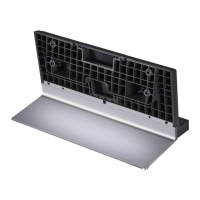
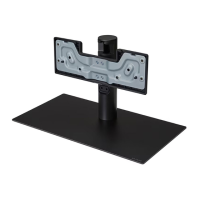
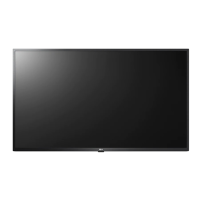
This document is an owner's manual for an LG Stand, designed to support televisions. It provides instructions for assembling the stand, mounting the TV on a table, and securing the TV to a wall. The manual emphasizes safety precautions throughout the assembly and usage processes.
Function Description:
The LG Stand serves as a stable base for LG televisions, allowing them to be placed on a flat surface such as a table or cabinet. It is designed to provide secure support for the TV, preventing it from tipping over. The manual also outlines methods for further securing the TV to a wall, enhancing stability and safety, especially in environments where accidental tipping might be a concern. The stand is an essential accessory for users who choose not to wall-mount their LG televisions, offering a conventional and secure placement option.
Important Technical Specifications:
The manual lists three specific models of the stand with their corresponding dimensions and weights:
- SQ-G2ST55:
- Width x Height x Depth: 432 x 225 x 245 mm (17.0 x 8.8 x 9.6 inches)
- Weight: 4.2 kg (9.2 lbs)
- SQ-G2ST65:
- Width x Height x Depth: 432 x 225 x 245 mm (17.0 x 8.8 x 9.6 inches)
- Weight: 4.2 kg (9.2 lbs)
- SQ-G2ST8377:
- Width x Height x Depth: 501 x 252 x 321 mm (19.7 x 9.9 x 12.6 inches)
- Weight: 6.0 kg (13.2 lbs)
These specifications indicate that the stands are designed for different TV sizes, with the SQ-G2ST8377 being larger and heavier, likely intended for larger television models. The dimensions are crucial for users to ensure the stand fits their intended placement area and supports their specific TV model correctly. The weight information is important for handling and assembly, as the manual advises that at least two people are required for lifting or moving the product due to its weight.
Usage Features:
The manual details several usage features and considerations:
- Assembly Process: The stand requires assembly, with clear step-by-step instructions provided, including illustrations. Users are advised to place the TV screen face down on a soft, fluffy cloth during assembly to prevent damage. It emphasizes ensuring all screws are completely fastened but cautions against excessive force to avoid stripping the screws or damaging the joints. The use of foreign substances like oil or lubricant on screws is strictly prohibited as it can cause damage.
- Table Mounting: When mounting the TV on the stand and placing it on a table, a minimum space of 21 cm (8.2 inches) from the wall is recommended for proper ventilation. Users are instructed to use only authorized LG stands and wall mounting brackets. The manual highlights the importance of preventing the product from overturning, which could cause injury, and advises against using unapproved items. It also stresses ensuring the TV is level and that screws are correctly and securely fastened without overtightening.
- Rotation (for applicable models): For models that allow rotation, users are advised to ensure sufficient space around the product to prevent it from losing balance and falling. When rotating the TV, it should be placed on a flat surface for smooth movement, and there should be no objects obstructing its path. If there's an issue with angle adjustment, lifting the product slightly and repositioning it is suggested.
- Wall Securing: To enhance safety, especially against accidental tipping, the manual provides instructions for securing the TV to a wall. This involves inserting eye-bolts or TV brackets into the back of the TV, mounting wall brackets to the wall, and then connecting the eye-bolts and wall brackets tightly with a sturdy rope, ensuring the rope is horizontal. It's crucial to use a strong and large platform or cabinet to support the TV securely. Brackets, bolts, and ropes are not provided with the stand and must be obtained separately.
- Safety Precautions: Throughout the manual, safety is a paramount concern. Users are warned about the heavy weight of the product, requiring two people for lifting. Children should not be allowed to hang on or climb the product to prevent injury or death from tipping. The stand should be installed on a flat, firm, stable, and non-vibrating surface. The manual explicitly states that LG Electronics will not be held responsible for malfunctions, material damage, or injury caused by using unauthorized products.
Maintenance Features:
While the manual does not extensively cover long-term maintenance, it includes a few key points related to care and handling:
- Cleaning: If stains or fingerprints are left on the surface of the stand, users are advised to wipe them off gently. It warns against using excessive force, which could cause scratches or discoloration on the product. This suggests a need for gentle cleaning methods and appropriate cleaning materials to preserve the aesthetic and integrity of the stand's surface.
- Handling: When moving or handling the product assembled with the stand, users are cautioned to be careful to avoid damaging the exterior. This implies that the stand, once assembled with the TV, should be handled with care to prevent cosmetic or structural damage.
- Service Information: The manual includes a section for recording the model and serial number of the product, located on the back and one side. This is a standard feature for facilitating future service requests, indicating that users should retain this information for potential troubleshooting or repair needs.
In summary, this LG Stand owner's manual provides comprehensive guidance for the safe and correct assembly, installation, and basic care of the stand, ensuring optimal support and stability for compatible LG televisions. It strongly emphasizes safety precautions to prevent injury and product damage, making it a critical resource for users.

 Need help?
 General

 To Next Page