105
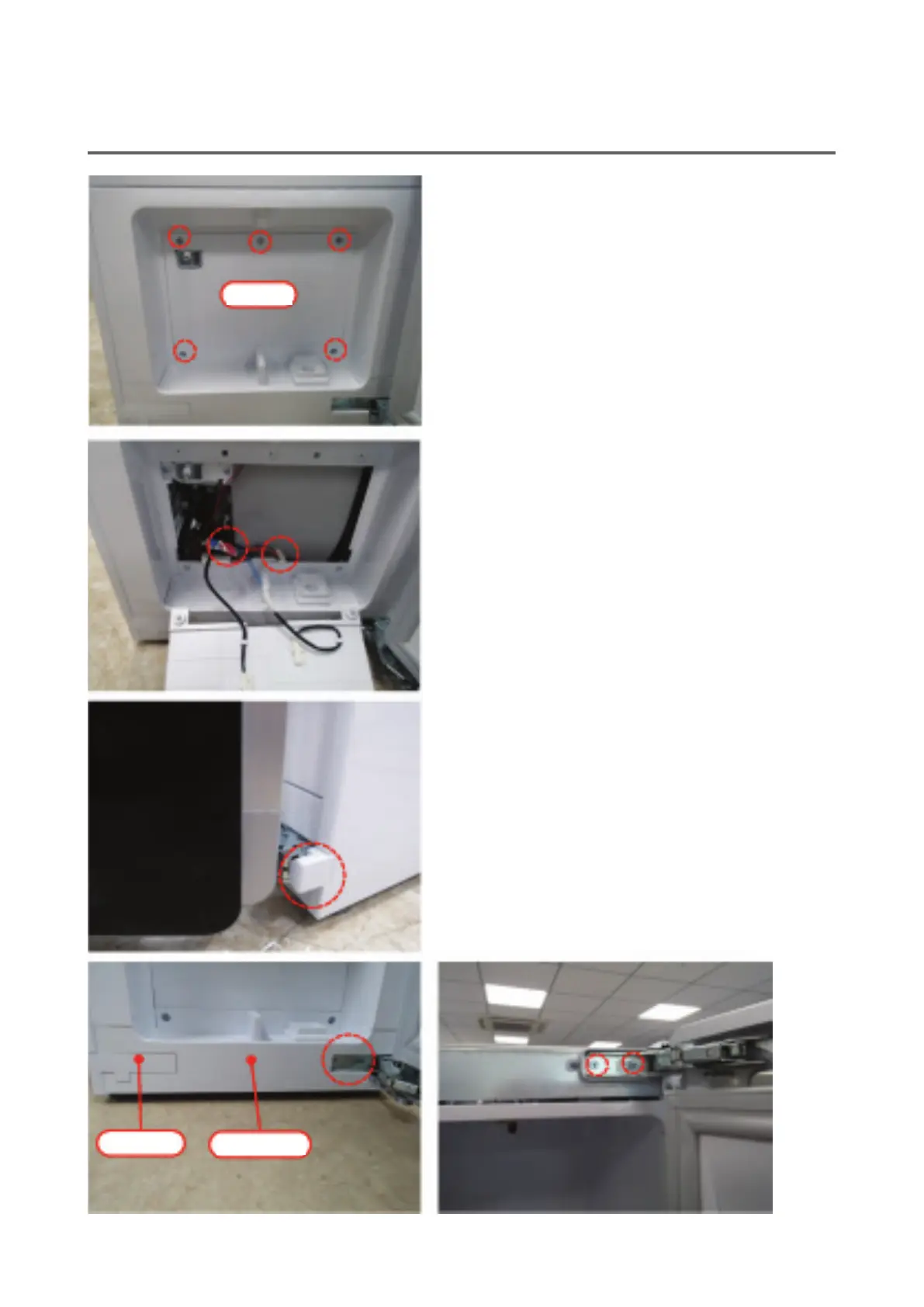
Cover
Cap cover
Door decoration
4. Loosen 5 screws and remove the cover.
5. Remove the connector connected to the display PCB
and the red and white connectors connected to the
reed switch and remove the cover.
6. Pull out the hinge cap cover at the bottom and re-
move it.
7. Remove the cap cover from the door decoration.
8. Loosen the top/bottom hinge xing screws approx.
15 mm and pull out the door to the right side of the
product to detach it.
※
Caution: When you do this, be sure to hold the door
rmly. Otherwise, the door may fall down or crash,
causing injury. Lay down the door on the oor cov-
ered with soft clothing.


 To Next Page