59
10-1. Diagnosis
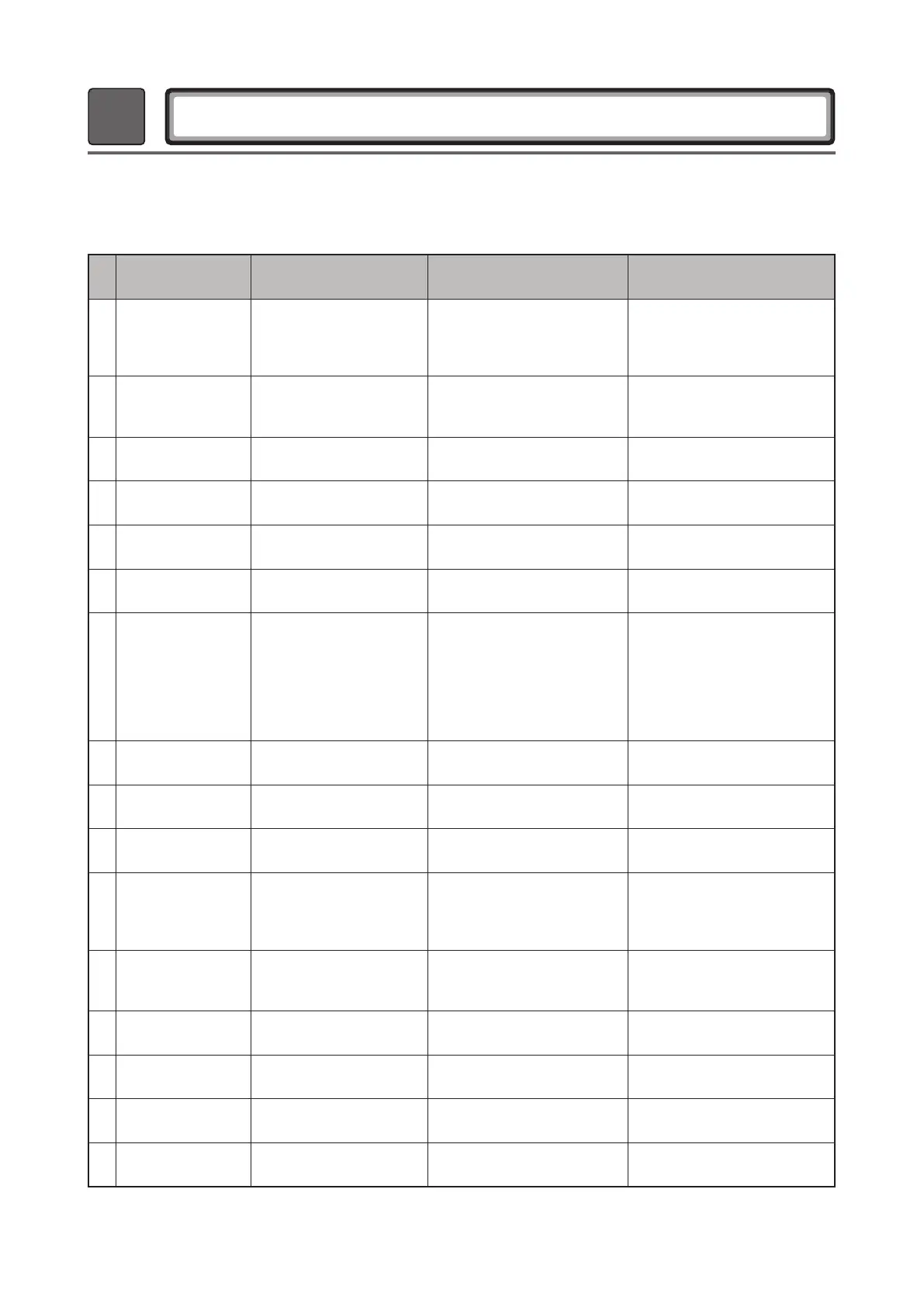
Approaching Test Mode : Refresh Key + Sanitary Key + Power Key
No Operate/Pause Things to Check How to Check Remarks
1 Enter the LQC test mode.
U:XX – Main Version(XX)
D:XX – Display Version(XX)
C:XX - Inverter Version(XX)
Keep '1' on at the 18:88
NC error should not occur.
2 Operate key (1 time)
Whether the door switch
functions
Steam Heater Temp
LED lamp should turn on normally.
The "door open" state should be
detected.
3 Operate key (2 times) Comp operation (LEV: 65) Comp Out Temp To operate comp
4 Operate key (3 times) LEV operation Display: LEV (95) To operate LEV
5 Operate key (4 times) Main Fan Motor ON Display: Main Fan RPM (14~15) To operate main fan
6 Operate key (5 times) Detect the water drain tank. -
"Discard Water" error should not
occur.
7 Operate key (6 times)
Moving Hanger
Operation ON
Moving Hanger RPM
There should be no friction,
interference, blocking, or noise.
Insert the jig of the water supply
tank and check if the sensor
functions properly.
"Feed Water" error should not
occur.
8 Operate key (7 times)
Moving Hanger
Operation OFF
-
The hanger should stop at the
center.
9 Operate key (8 times)
Water supply pump (DC)
Displayed current value
Failure to conrm: 10 or below
Check the displayed value
(11 or more)
10 Operate key (9 times)
Water drain (residual water)
pump (DC)
Displayed current value
Failure to conrm: 10 or below
Check the displayed value
(11 or more)
11 Operate key (10 times)
AG heater power
consumption, steam heater
ON, check the value of the
high water level sensor.
Display: 0 - 10 if there is not
enough water, 250 or more if there
is more than enough water.
12 Operate key (11 times)
Check the value of the low
water level sensor.
Display: 0 - 10 if there is not
enough water, 250 or more if there
is more than enough water.
Check the displayed value
(0 - 10)
13 Operate key (12 times) Duct out temperature Temperature value is displayed.
14 Operate key (13 times) Duct In temperature Temperature value is displayed.
15 Operate key (14 times) Eva In temperature Temperature value is displayed.
16 Operate key (15 times) OFF
※ Main fan turns on when the Styling key is entered during the LQC mode.
Main fan turns off when the Fine Clothes key is entered during the LQC mode.
10
Diagnosis and Error Table


 To Next Page