Basic Functions 33
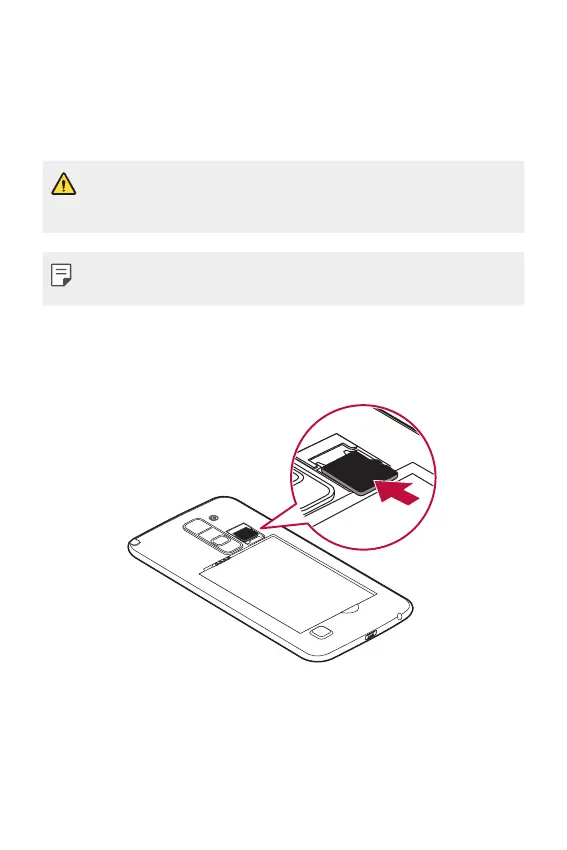
Inserting the memory card
The device supports up to a 2 TB microSD. Some memory cards may
not be compatible with your device, depending on the memory card
manufacturer and type.
• Some memory cards may not be fully compatible with the device.
If you use an incompatible card, it may damage the device or the
memory card, or corrupt the data stored in it.
• If you write and erase data too frequently, it will shorten the
lifespan of memory cards.
1
Remove the back cover.
2
Insert a memory card with the gold-coloured contacts facing
downwards.
3
Replace the back cover.



 To Next Page